
Palworld 1.0.5 (macOS)
- Version
- 1.0.5
- Size
- 31 GB
- CPU type
- Apple Silicon
- Updated



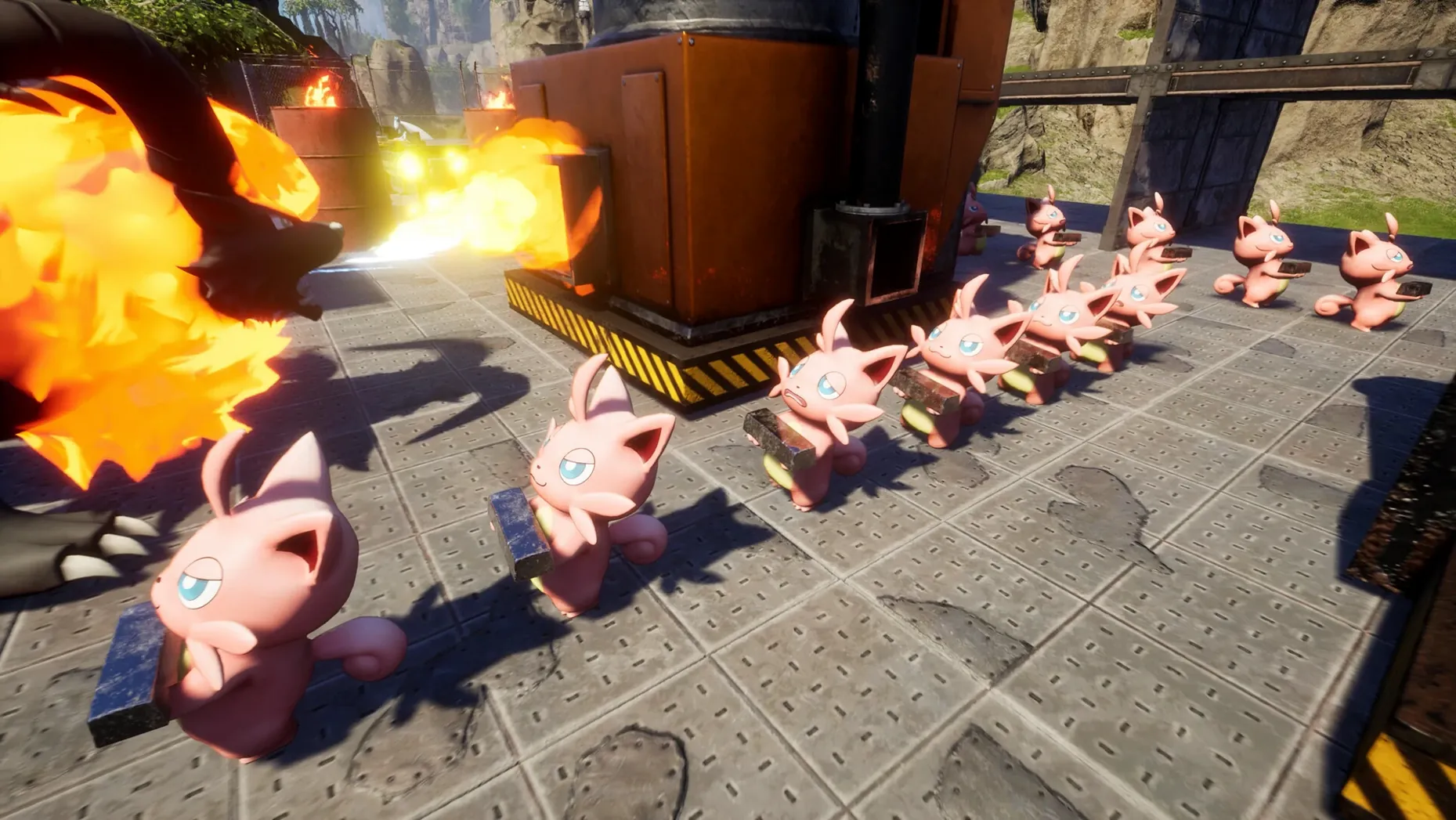



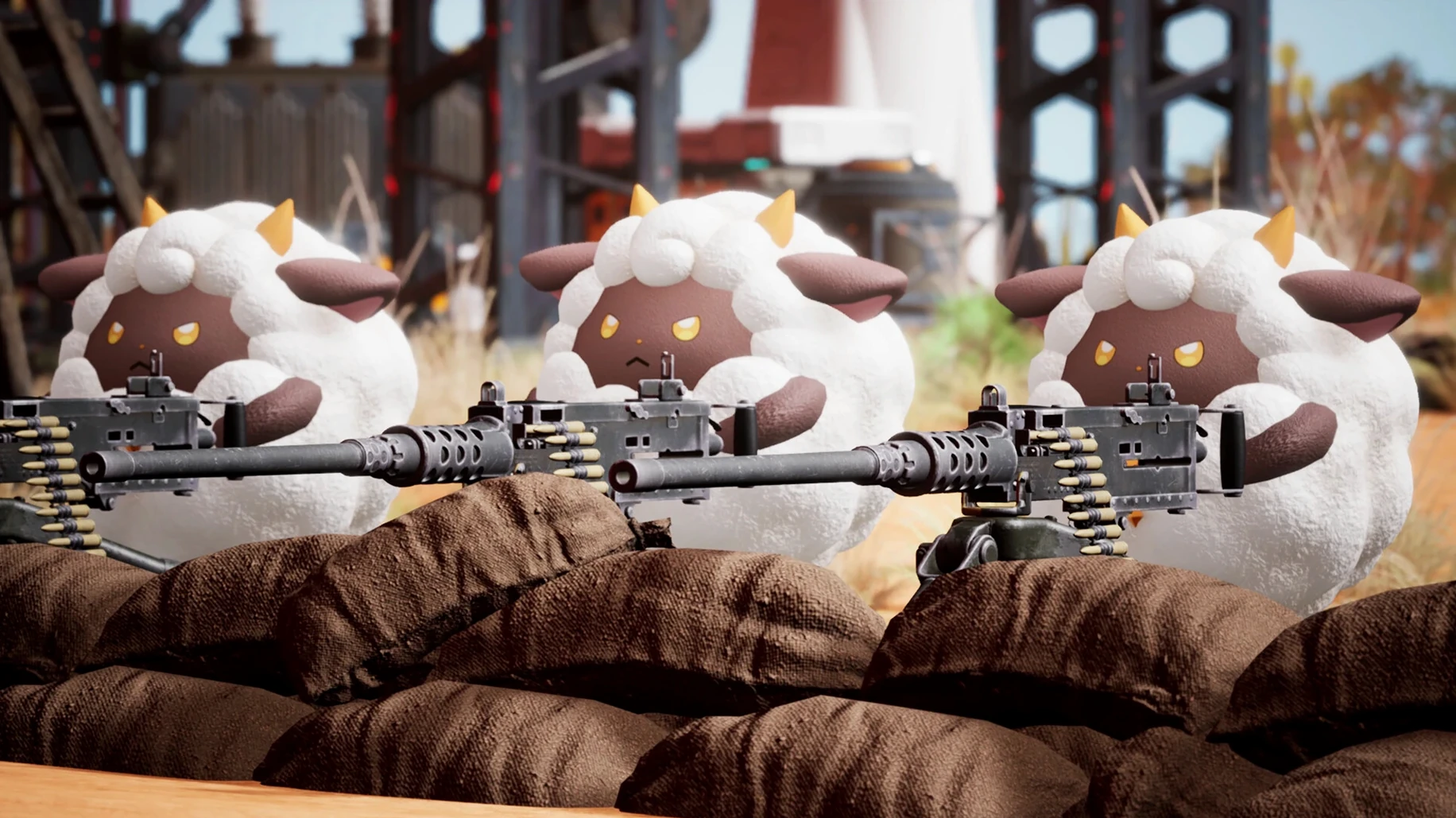
Palworld is an open-world survival game where you capture, breed and use Pals for combat, farming and building. The current build, version 1.0.5.102999, runs on ARM architecture, so it works on Apple Silicon Macs. I tested it on a Mac mini 2024 M4 running macOS Tahoe, and it ran without major issues. The interface supports English, German, French, Spanish, Italian, Portuguese, Russian, Japanese, Korean and both Chinese variants; the voice is music only.
Running palworld on a mac
You need an Apple Silicon Mac — Intel models won’t run this native build. Controls map to keyboard and mouse well enough for survival gameplay: gathering, building, and managing Pals all feel responsive. Multiplayer is supported, so you can join a server or host your own.
Native ARM build handles food shortage and hostile environs
This is a native ARM build, not a translation layer, so performance is better than you’d get through Rosetta. Food shortage and hostile environments are part of the challenge — your Pals need feeding, and you can sell, dismantle, or even eat them if things get desperate. Farming tasks like sowing, watering and harvesting are also in the loop, so expect a full survival sim with creature collection on top.
Quick fixes for idle Pals and other first-session snags
A few things catch people out in the first session. Here are the ones I see most often, and the quick fix for each.
- Pals not working on the base — If a Pal stands idle when you assigned it to a plantation or a factory line, check its work suitability. Some Pals only fight; others only gather. Open the Pal box and look at the work icons. A Pal that can't do the job will just wander off.
- Food runs out fast — Early on, berries and eggs vanish quickly. Set up a berry plantation straight away and assign a Pal with the watering skill. That gives you a passive food source. If you still run short, cook raw ingredients at a campfire — cooked food fills the hunger bar more than raw.
- Pals get injured and you have no medicine — Medicine needs herbs and Pal drops. Prioritise gathering herbs as you explore, and build a medicine workbench early. The crafting menu shows you what you're missing, so you can hunt specific Pals for materials.
- Dungeon doors won't open — Some dungeons need a key Pal or a specific item. Read the prompt at the door. If it says "needs a X-type Pal," switch your active Pal to one of that type and try again.
- Multiplayer connection drops — If you host a game and a friend can't connect, check your firewall and port forwarding. The game uses standard ports. A local network test (same house) will rule out internet issues.
Workflow: starting a base from scratch
This walkthrough gets a new base running with Pals doing the work inside twenty minutes. It assumes you've captured your first few Pals.
- Pick a site near water and ore — Open the map and look for a flat area with a river or pond and a rock deposit nearby. Water lets you set up plantations; ore gives you early metal for tools.
- Build a makeshift house — Place a Pal box first. Then build a campfire and a basic bed. The Pal box is where you assign Pals to jobs; everything else supports that.
- Assign Pals to work — Open the Pal box and drag a Pal with the watering icon onto the plantation plot. Drag another Pal with the mining icon onto the ore deposit. They start working immediately.
- Build a crafting bench and a cooking pot — The bench lets you make tools and medicine. The cooking pot turns raw food into filling meals. Assign a Pal to the cooking pot if it has the right skill — otherwise you cook manually.
- Set up a small wall — A low wooden fence around the camp keeps wild Pals from wandering in and stealing food. It's not a fortress, but it buys you time.
- Start breeding — Build a breeding pen once you have a male and female Pal of the same species. The offspring inherits traits from both parents. That lets you produce Pals with better work stats for specific jobs.
From this point, your base runs itself for a while. You can head out to explore dungeons or hunt bigger Pals while the farm and mine generate resources.
Bind capture key early to master the sphere’s arc
These habits save time and keep frustration low during the early hours.
- Bind capture to a comfortable key — The capture sphere throws differently from other weapons. Get used to the arc before you need it in a chase. Practice on slow, docile Pals first.
- Keep a food stock of at least twenty units — Hunger hits fast when you're exploring a new area. If you run out mid-expedition, your Pals refuse to work and you have to walk back to base. Always cook a batch before you leave.
- Check Pal work suitability before you capture — When you aim at a wild Pal, the UI shows what work it can do. If you need a miner, don't waste spheres on a creature that only fights. This saves time and spheres.
- Build a second Pal box early — One box fills up fast. A second box doubles your base workforce. Place it near a different resource node so you can assign Pals to both without running across camp.
- Save before entering a dungeon — Dungeons are small but unpredictable. A Pal you rely on might get knocked out, and the exit isn't always obvious. A manual save means you don't lose progress.
- Use the minimap regularly — The world is large and landmarks repeat. The minimap shows Pal spawns, resource nodes and your own markers. Check it when you feel lost rather than wandering in a circle.
If you want to find the game through other channels, a search for palworld torrent or palworld 1.0 torrent will turn up the same build. The palworld free download option exists if you look for it. On Apple Silicon, a palworld macos search narrows results to ARM-compatible files. The version tested here is 1.0.5.102999, so that's the one to match against.
No “what's new” for 1.0.5. The release line gave nothing I could check, and I will not stretch it into a changelog.
- macOS version not specified by the developer
- Architecture: Apple Silicon (ARM)
Staffroom comments 0
Sign in or create an account here to leave a comment.
Nobody has commented on this one yet.