VideoByte BD-DVD Ripper 2.1.6 (macOS)
Intel build. On Apple Silicon it runs through Rosetta 2. Opens the install steps and mirrors.
- Version
- 2.1.6
- Size
- 124 MB
- Earliest macOS
- OS X 10.10 or later
- CPU type
- Intel
- Updated
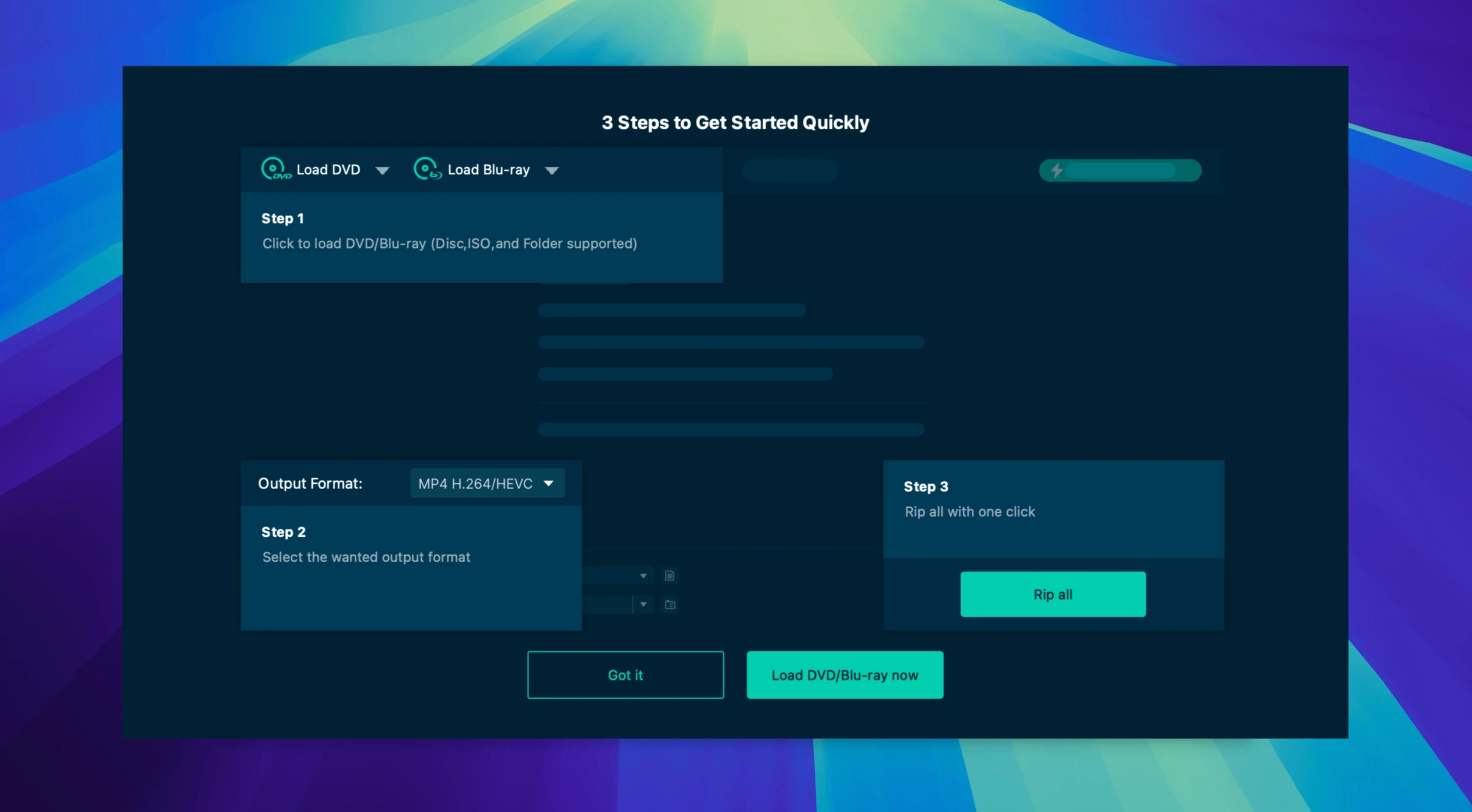
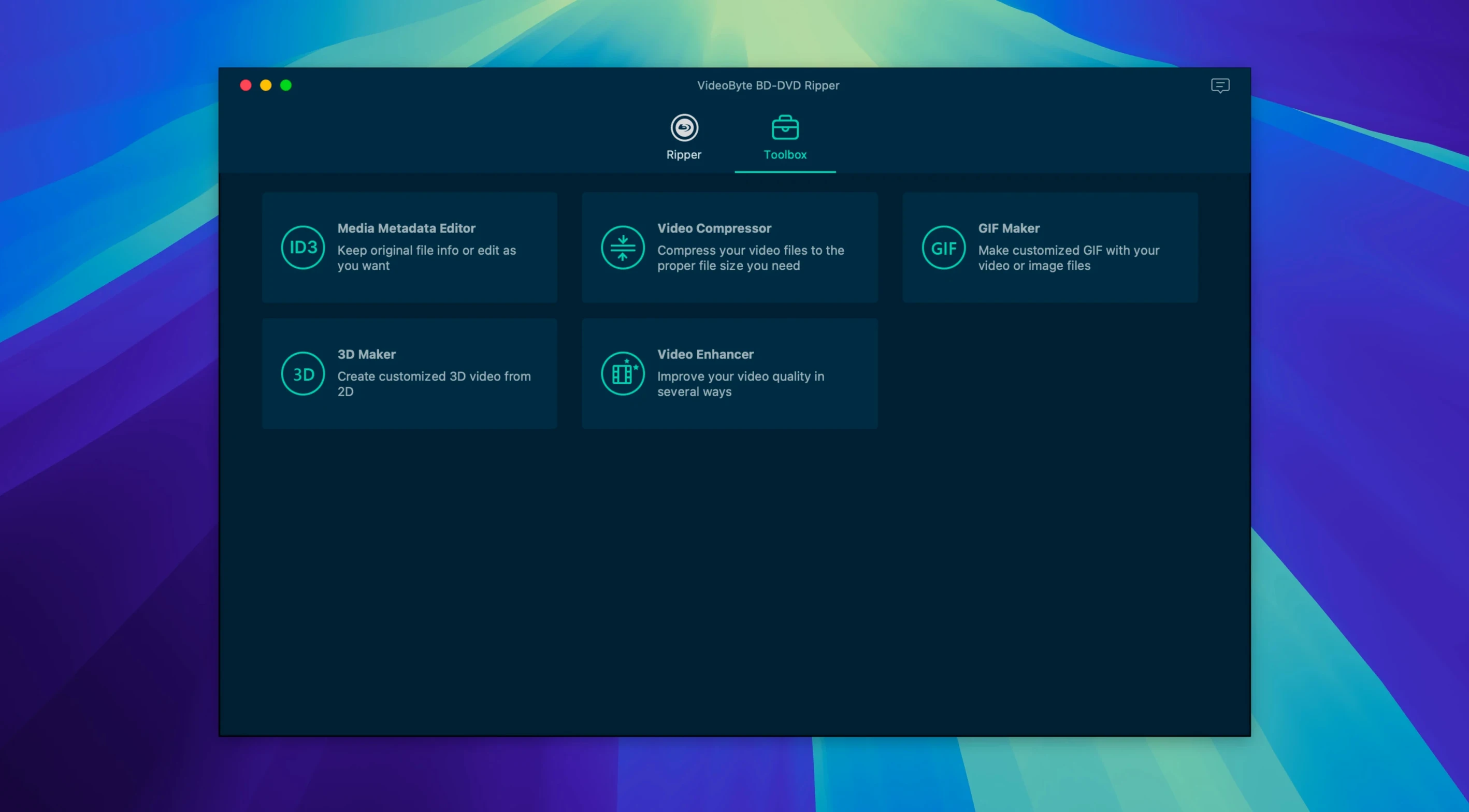
You have a shelf of Blu-rays and DVDs you want on your Mac for Plex or a media server. VideoByte BD-DVD Ripper handles discs, BDMV and VIDEO_TS folders, and ISO files, converting them to common digital formats.
Rips discs, folders, and ISOs to MP4, MKV, or AAC
Disc-to-file conversion — rips Blu-ray and DVD discs, plus folder and ISO sources, to MP4, MKV, MOV, WMV, MP3 or AAC.
Audio and subtitle preservation — keeps original audio tracks and subtitles in the output.
Hardware acceleration — uses NVIDIA, Intel and AMD GPU acceleration on supported Intel Macs.
Interface languages — English, German, French and Japanese.
System fit — runs on macOS 10.12 through 15.x; Intel 64-bit only. Not a native Apple Silicon app.
Ideal for digitizing a family DVD library or film studies collection
This is a tool for anyone with a stack of physical discs they want to move onto a hard drive. That could be a teacher pulling together a film studies library, a parent digitising the family DVD collection before the discs degrade, or a media enthusiast building a digital archive of Blu-ray special features. It also suits people who need specific output formats for different devices — a Plex server on a Synology NAS, a portable media player on a long journey, or a simple MP4 to drop onto a phone for an evening screening.
If you regularly rip discs for archival or sharing purposes, the support for removing CSS, AACS, BD+, Cinavia, APS and CPRM protection is a practical time-saver. Those protections stop most straightforward read attempts, so having them stripped in‑app means fewer workarounds.
Test with a short disc to confirm drive recognition and output setup
Once you have the app in your Applications folder and it opens, do a test rip with a short DVD or a single-episode disc. This confirms your drive is recognised, the output path works, and the format you want is available before you commit a full feature film. Default to MP4 with H.264 for the first few rips — it keeps compatibility high while you get used to the settings.
Check the preset profiles for Apple, Samsung and Sony devices. If you plan to watch on a tablet or TV, try the matching profile rather than a generic preset; it saves adjusting resolution or codec afterwards.
Keep an eye on the trimming and cropping tools. If your source has black bars at the edges or a trailer you want to cut off the start, those edits are in the same window as the rip settings, so you can set them once and let the job run.
For a full film, let it run when you will not need the Mac for other work. Even with hardware acceleration enabled, a Blu-ray disc takes time to read and encode, and the app will use noticeable CPU during that time.
MakeMKV stays free but only outputs raw MKV content
MakeMKV — MakeMKV is free during its beta period and focuses on creating MKV files with no re-encoding. It strips copy protection and passes the raw video and audio through into a Matroska container. That gives you smaller output than a re-encode but leaves you with just MKV. VideoByte BD-DVD Ripper lets you pick MP4, MOV or WMV instead, and includes trimming and watermark tools. If you need MKV-only and your workflow is simple, MakeMKV is lighter; if you want multiple output formats and editing options in one app, VideoByte gives you more control bound up in the same interface.
HandBrake — HandBrake is open-source, supports a huge range of input sources and output codecs, and is well maintained. It can also strip copy protection if you feed it a decrypted source. The trade-off is that HandBrake expects you to know what you are doing: you pick the container, the video encoder, the audio codec, the subtitle track, the chapter markers. VideoByte BD-DVD Ripper simplifies that with device presets and a cleaner layout. The Blu-ray protection removal is built in, so you skip the extra step of decrypting the disc first. For someone who just wants a working movie file without researching codec settings, VideoByte is the quicker route.
DVDFab — DVDFab is a full suite that covers ripping, copying, creating and playing. Its ripping module handles protection removal and offers many of the same output formats. It also has a Mac version that supports Intel and Apple Silicon. VideoByte BD-DVD Ripper is a narrower tool — it rips and converts, but does not burn discs, create media or play files. If you need only the ripping part and prefer a single-purpose app without the extra modules, VideoByte saves drive space and complexity.
No “what's new” for 2.1.6. The release line gave nothing I could check, and I will not stretch it into a changelog.
- macOS OS X 10.10 or later
- Intel processor (64-bit)
- Interface languages: English, German, French, Japanese
Questions people ask
Can VideoByte BD-DVD Ripper copy a Blu-ray disc to an MKV file?
Yes. It outputs MKV among other formats, preserving original audio tracks and subtitles.
Does it work on Apple Silicon Macs?
No. The app is built for x86 64-bit Intel Macs and will run under Rosetta 2 on Apple Silicon, but there is no native M-series version.
What source types does the app accept beyond physical discs?
It also handles BDMV and VIDEO_TS folders, as well as ISO image files, in addition to Blu-ray and DVD discs.
Staffroom comments 0
Sign in or create an account here to leave a comment.
Nobody has commented on this one yet.
Other Utilities tools
All Utilities tools-
 VideoProc Converter AI
8.13
254 MB
Utilities
-
 VideoProc Converter
6.6Intel Macs only
86 MB
Utilities
-
 VMware Fusion Pro
26H1
479 MB
Utilities
-
 WALTR PRO
4.0.122Intel Macs only
29 MB
Utilities
-
 TunesKit iPhone Unlocker
2.7.0Intel Macs only
64 MB
Utilities
-
 Transmit
5.11.7
34 MB
Utilities
-
 YTD Video Downloader PRO
7.8.0Intel Macs only
93 MB
Utilities
-
 Tenorshare UltData
9.5.0Intel Macs only
29 MB
Utilities