
TunesKit iPhone Unlocker 2.7.0 (macOS)
Intel build. On Apple Silicon it runs through Rosetta 2. Opens the install steps and mirrors.
- Version
- 2.7.0
- Size
- 64 MB
- Earliest macOS
- OS X 10.11 or later
- CPU type
- Intel
- Updated
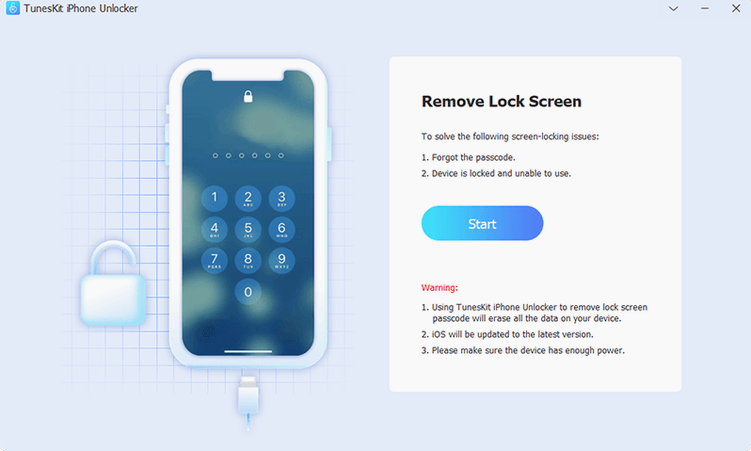
Screen Time passcode — the one that blocks access to restrictions you set. TunesKit iPhone Unlocker handles that, along with the usual passcode lock, MDM lock, and Apple account lock. It is a third-party tool for when Touch ID fails, a screen is cracked, or repeated wrong passcodes have disabled the device entirely.
TunesKit iPhone Unlocker — a macOS app (x86 64-bit only) for removing passcodes, MDM profiles, Screen Time restrictions, and Apple accounts on iPhone, iPad, and iPod touch. Runs on OS X 10.11 or later.
Passcode lock — the app can wipe the device passcode when you cannot get into the device, even after repeated failed attempts.
MDM lock — removes mobile device management profiles that prevent normal use of the device.
Screen Time passcode — resets the four-digit code that locks Screen Time settings, useful for parents or school technicians.
Apple account lock — removes the previous owner’s Apple ID from the device, provided you have a legitimate need to do so.
Broken or unresponsive screen — the tool can unlock a device even when the display is not working, as long as the device is recognised by the Mac.
Unlocking a pupil's bricked iPad after too many failed passcodes
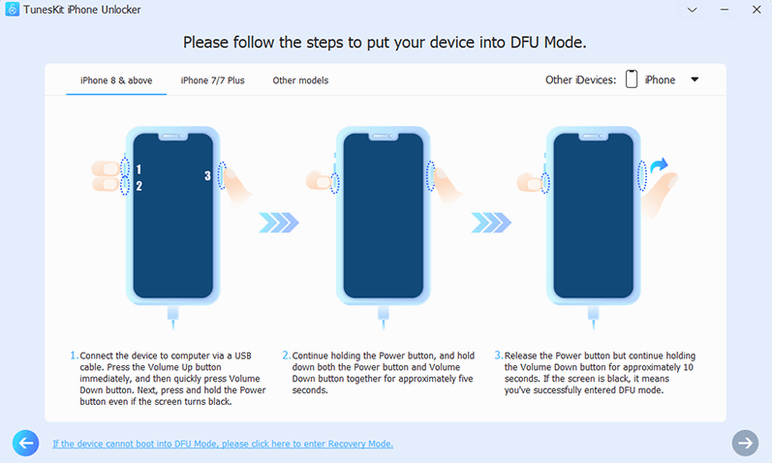
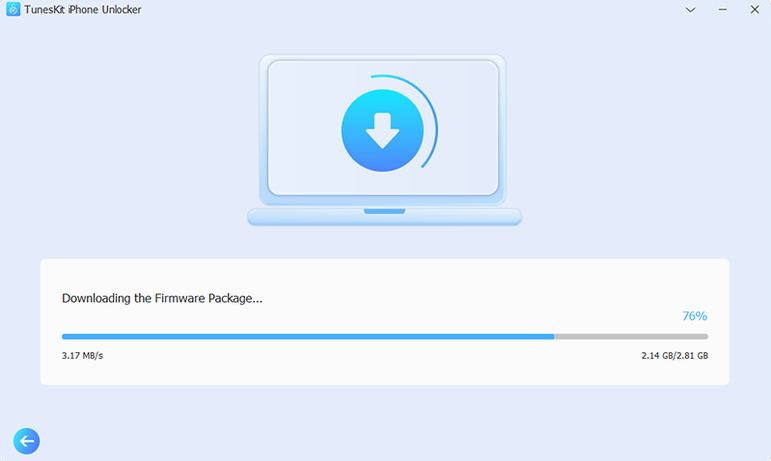
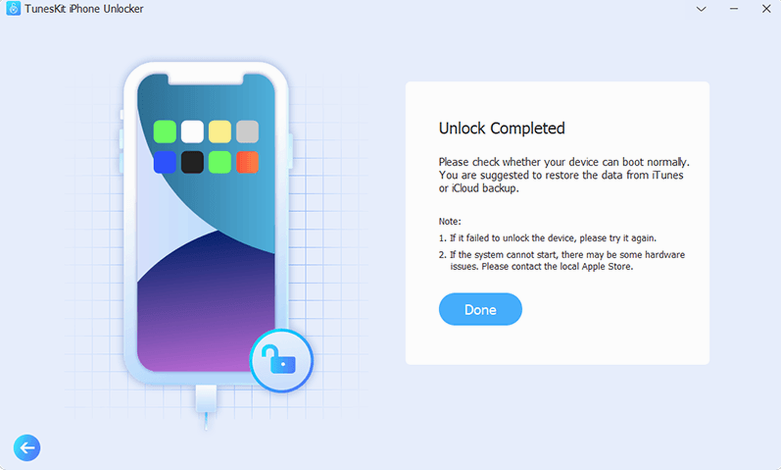
One of the devices on the bench is a pupil's iPad that locked itself after the wrong passcode was entered too many times. The screen works, but the device is otherwise a brick. You plug it into the Mac via USB, launch TunesKit iPhone Unlocker, and follow the on-screen prompts. The app identifies the device and offers the passcode removal option. A few minutes later, the iPad boots to the setup screen as if it were new. The pupil's data is gone — that is the trade-off — but the device is back in service.
The same workflow applies to an iPhone with a cracked screen that the display cannot register touch input. As long as the Mac detects the device, the unlock process runs the same way.
School IT technicians save weeks by unlocking student devices locally
- School IT technicians — dealing with student devices that have been locked by repeated failed attempts or by passcodes forgotten over summer holidays. The tool saves sending the device back to the supplier or waiting on a remote unlock.
- Second-hand device resellers — needing to clear iCloud Activation Lock or Apple account locks on traded-in phones and tablets. The no-jailbreak route in V3.5+ helps for devices running iOS 12.0 through 16.7.15 (iPhone 5s to iPhone X).
- Parents — who set a Screen Time passcode and then forgot it, or whose child changed it without permission. The tool resets that four-digit code without wiping the device.
- Repair shops — handling devices with broken screens where the passcode cannot be entered, or devices with MDM profiles left over from a corporate or school management system.
One technician's story
A batch of ten iPads arrived at the repair bench. All had the same problem: an MDM profile from a previous school that would not let the devices join the new Wi-Fi network. Each iPad booted to a login screen that required a username and password nobody knew.
The first device took about fifteen minutes. Plugged it into a Mac running TunesKit iPhone Unlocker, selected the MDM lock removal option, and waited. The app did its work, and the iPad rebooted into a clean setup wizard. The remaining nine followed the same pattern. By the end of the morning, all ten devices were running the new school profile, and the technician had moved on to the next job.
No “what's new” for 2.7.0. The release line gave nothing I could check, and I will not stretch it into a changelog.
- macOS OS X 10.11 or later
- Intel x86 64-bit processor
Questions people ask
Which macOS versions does TunesKit iPhone Unlocker support?
It requires OS X 10.11 or later, and works on Intel x86 64-bit Macs only.
Can it remove an MDM lock?
Yes. The official product page lists MDM lock removal as one of the tool’s functions.
Does it work if the iPhone screen is broken?
Yes, as long as the Mac can still detect the device, the unlock process should work even with a broken or unresponsive screen.
Staffroom comments 0
Sign in or create an account here to leave a comment.
Nobody has commented on this one yet.
Other Utilities tools
All Utilities tools-
 Transmit
5.11.7
34 MB
Utilities
-
 VideoByte BD-DVD Ripper
2.1.6Intel Macs only
124 MB
Utilities
-
 VideoProc Converter AI
8.13
254 MB
Utilities
-
 VideoProc Converter
6.6Intel Macs only
86 MB
Utilities
-
 VMware Fusion Pro
26H1
479 MB
Utilities
-
 Tenorshare UltData
9.5.0Intel Macs only
29 MB
Utilities
-
 WALTR PRO
4.0.122Intel Macs only
29 MB
Utilities
-
 SwitchResX
4.14.2
6 MB
Utilities