
Transmit 5.11.7 (macOS)
One download for Apple Silicon and Intel. Opens the install steps and mirrors.
- Version
- 5.11.7
- Size
- 34 MB
- Earliest macOS
- 13 or later
- CPU type
- Universal
- Updated
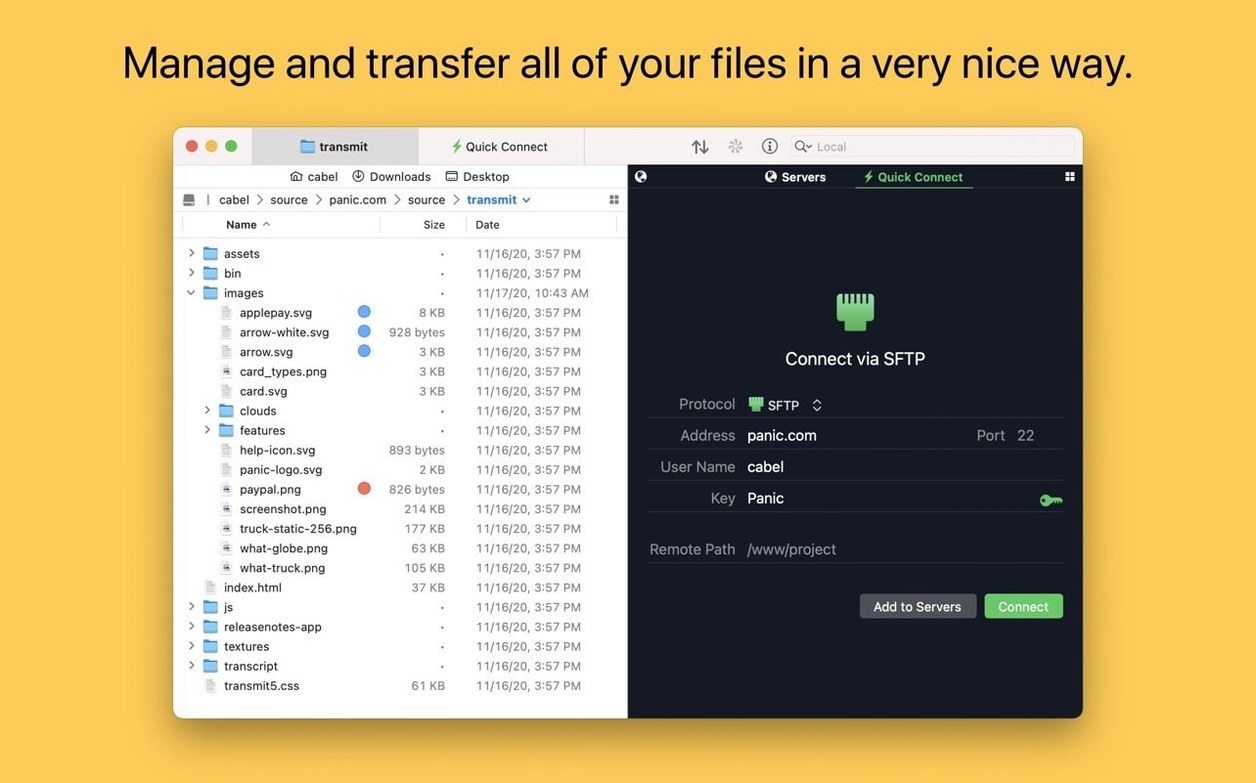
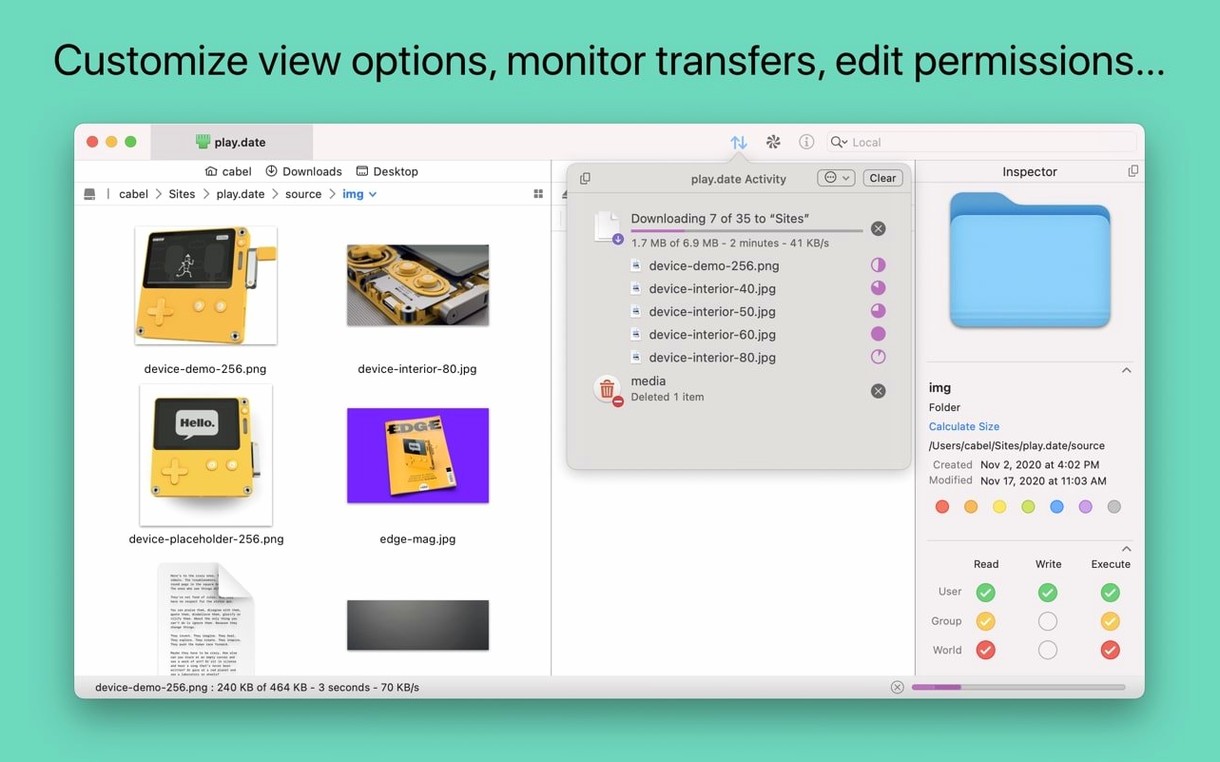
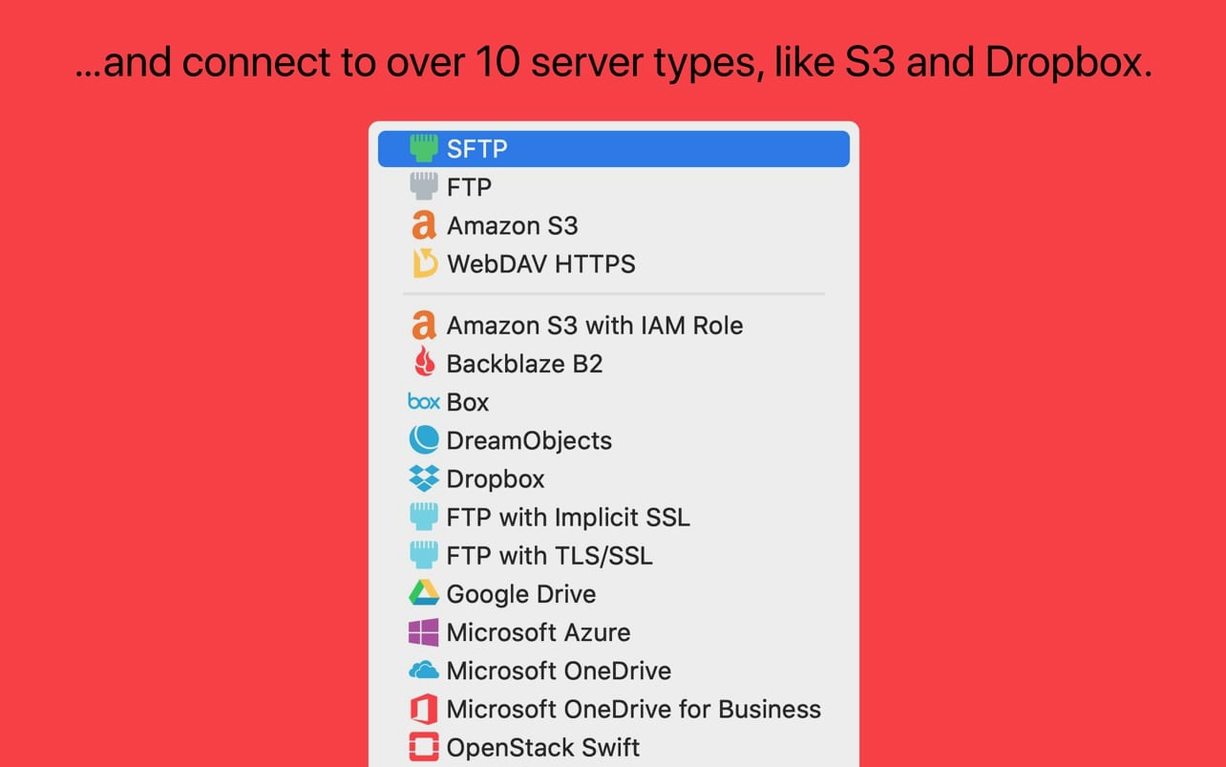
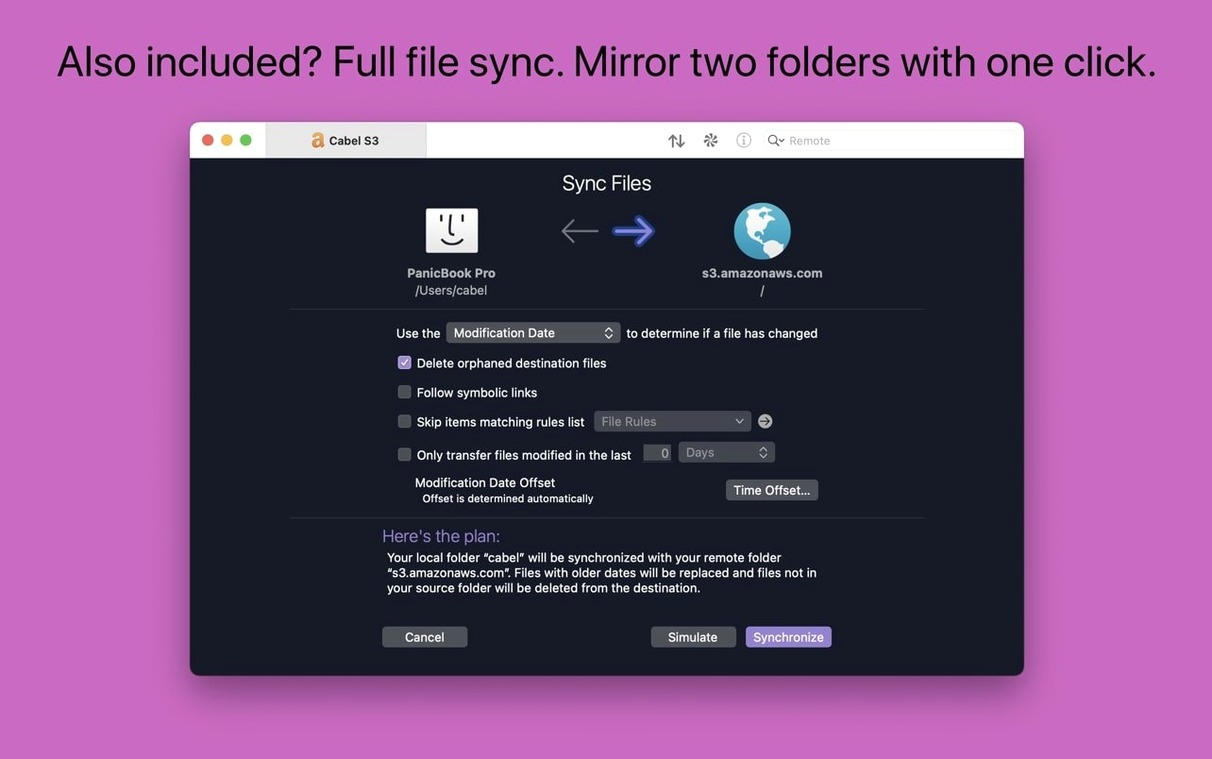
You need to get files from one machine to another over the internet. Transmit handles the connection part — FTP, SFTP, S3 and WebDAV — so you can upload, download and delete files without leaving macOS.
Quick definitions
FTP / SFTP — standard protocols for moving files to and from web servers. SFTP runs over SSH. Transmit supports both.
S3 — Amazon's cloud storage. Transmit can upload to S3 buckets and reports errors when files are too large.
WebDAV — protocol for editing files on remote servers over HTTP. Used by some hosting providers.
Panic Sync — syncs site connections and bookmarks across your Macs so you don't reconfigure each one.
Batch rename — rename multiple files at once, local or remote, with a dedicated sheet. German text entry fields in that sheet are larger in 5.11.6.
Information sidebar — inspect file size, dates and permissions while browsing.
Open in Terminal — jump from the current Transmit folder straight to a Terminal session.
Real-world scenario: designer moving static sites
A front-end developer I know keeps project files on a DigitalOcean droplet. She rebuilds a static site, then needs to push the dist folder to the server. Before Transmit, she was juggling a terminal tab with rsync and another with an editor. With Transmit, she saves the droplet as an SFTP site once, sets the local folder to her project directory and the remote path to the web root. After a build, she selects the files, drags them across and watches the progress bar. The information sidebar shows her whether file permissions match the server's expected 644 for assets and 755 for scripts — she spots mismatches before the first visitor hits a 403.
Workflow: uploading a batch of renamed assets to an S3 bucket
You have fifty product images on your desktop named IMG_20250427_001.jpg through IMG_20250427_050.jpg. Your S3 bucket expects product-001.jpg through product-050.jpg. Here is the shortest path through Transmit.
- Connect to your S3 bucket from the site manager. Transmit handles the authentication.
- Open a Finder window with the local images and drag them into the Transmit window, onto the remote pane.
- Once the upload completes, select the files in the remote pane.
- Open the batch rename sheet (from the toolbar or the Edit menu).
- Set a rename pattern that strips the
IMG_prefix and replaces it withproduct-. The preview shows the new names before you apply them. - Hit Rename. The files are renamed in place on S3.
No scripting, no separate rename tool, no re-uploading. The batch rename sheet in 5.11.6 has wider text entry fields for German users, but the layout works the same regardless of the language you have set.
Syncing site lists automatically with Panic Sync
Does Transmit support two-factor authentication on my web host?
Yes. If your SFTP or WebDAV server requires a one-time code, you can enter it when you connect. Transmit stores the site config with 2FA enabled and prompts for the code each session.
Clear error on oversized S3 uploads
That is what Panic Sync handles. Turn it on in the preferences, sign into your Panic account, and every site you save — along with bookmarks and the Places Bar — syncs across your machines automatically.
Built-in S3 support with no extra installs
In 5.11.6, Transmit shows a clear error message explaining the file exceeds the allowed size. No silent failures, no partial uploads.
Turn on preferences to enable cross-machine sync
No. Everything S3-related is built into the app. You only need the credentials from your AWS dashboard.
- Fixed a crash when dragging files into IntelliJ.
- Improved error reporting when files are too large to upload to S3.
- Get Info toolbar button is active immediately after launch.
- German File Rename text entry fields are larger.
- macOS 13.0 Ventura or later
- Intel or Apple Silicon
Questions people ask
What macOS version does Transmit 5.11.6 require?
Transmit 5.11.6 requires macOS 13.0 Ventura or later. It works on both Intel and Apple Silicon Macs.
Can Transmit handle large uploads to S3?
Yes — version 5.11.6 improved error reporting when files are too large to upload to S3, so you get a clear message rather than a silent failure.
Does Transmit sync settings between computers?
Yes — Panic Sync keeps your site connections and bookmarks in sync across all your Macs.
Staffroom comments 0
Sign in or create an account here to leave a comment.
Nobody has commented on this one yet.
Other Utilities tools
All Utilities tools-
 TunesKit iPhone Unlocker
2.7.0Intel Macs only
64 MB
Utilities
-
 VideoByte BD-DVD Ripper
2.1.6Intel Macs only
124 MB
Utilities
-
 VideoProc Converter AI
8.13
254 MB
Utilities
-
 Tenorshare UltData
9.5.0Intel Macs only
29 MB
Utilities
-
 VideoProc Converter
6.6Intel Macs only
86 MB
Utilities
-
 VMware Fusion Pro
26H1
479 MB
Utilities
-
 WALTR PRO
4.0.122Intel Macs only
29 MB
Utilities
-
 SwitchResX
4.14.2
6 MB
Utilities