App Cleaner & Uninstaller 10.0 (macOS)
One download for Apple Silicon and Intel. Opens the install steps and mirrors.
- Version
- 10.0
- Size
- 47 MB
- Earliest macOS
- 12 or later
- CPU type
- Universal
- Updated
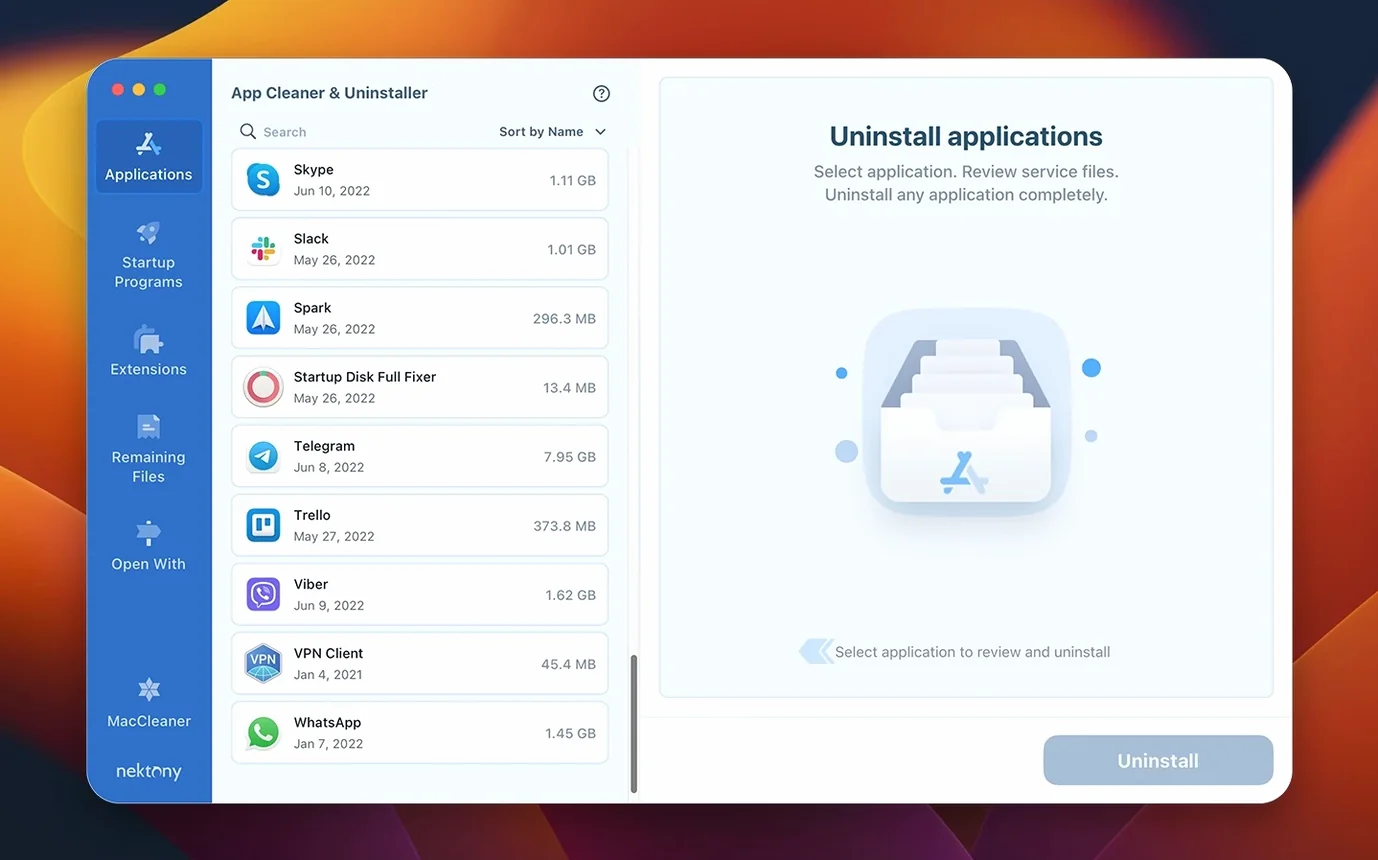
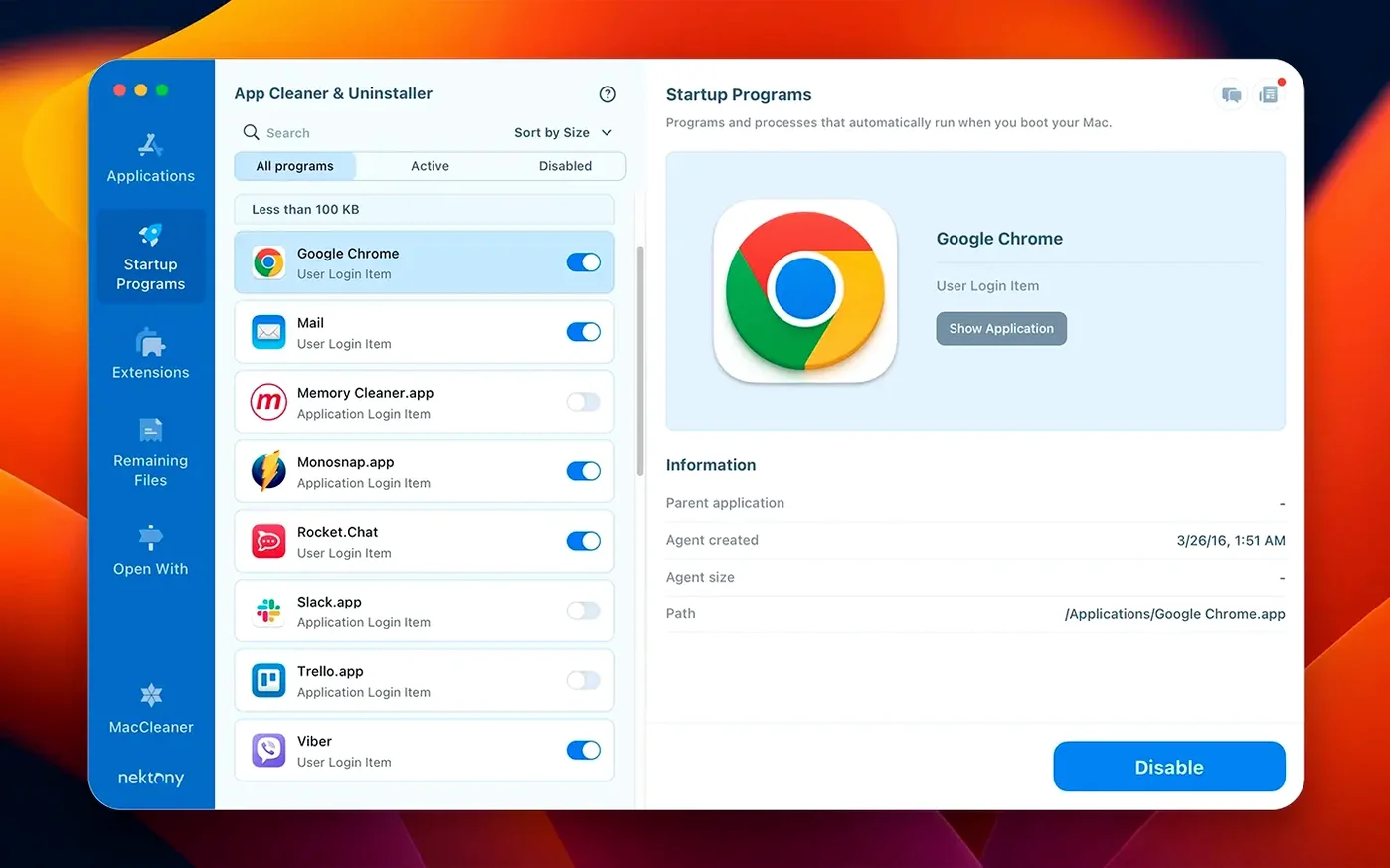
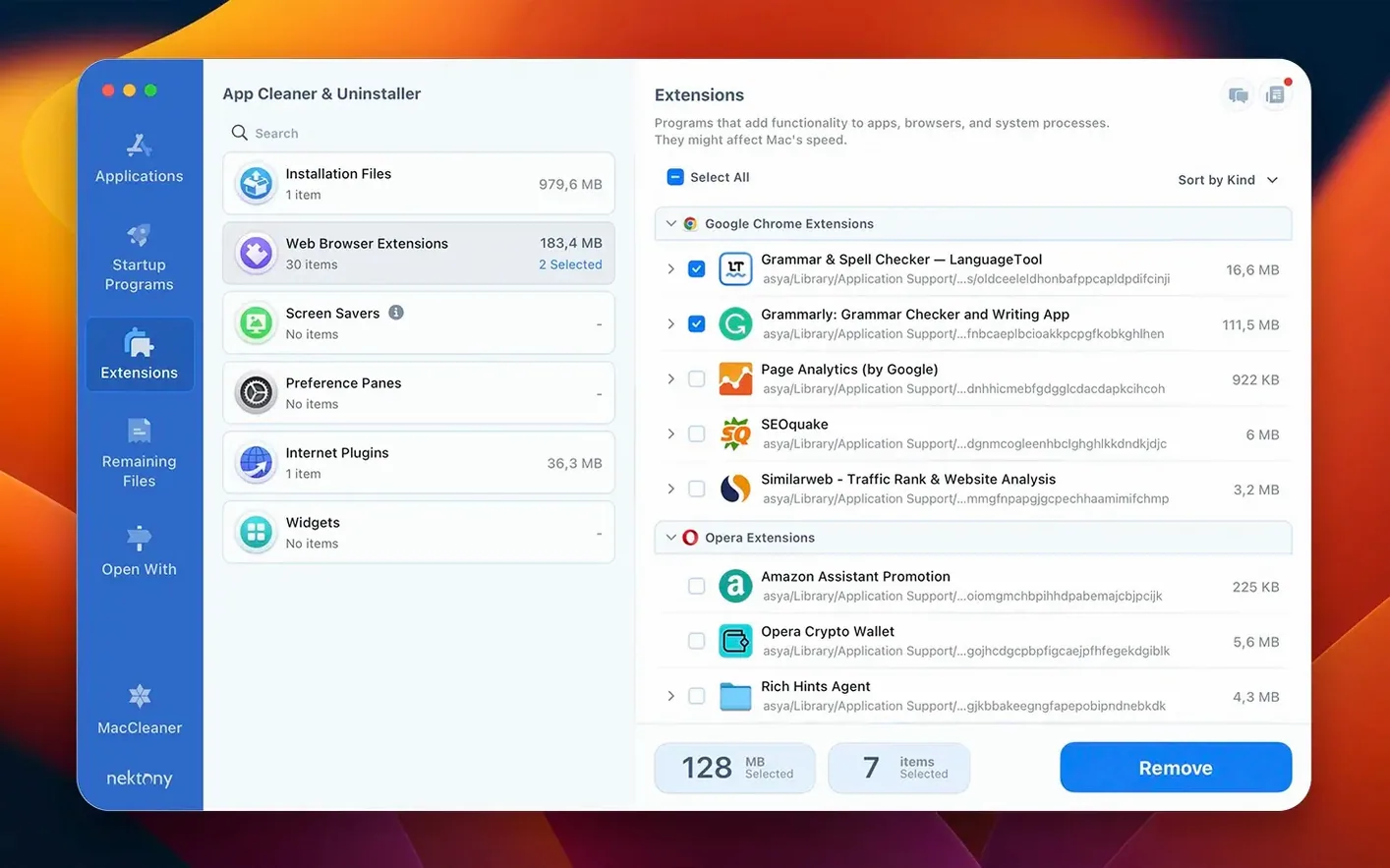
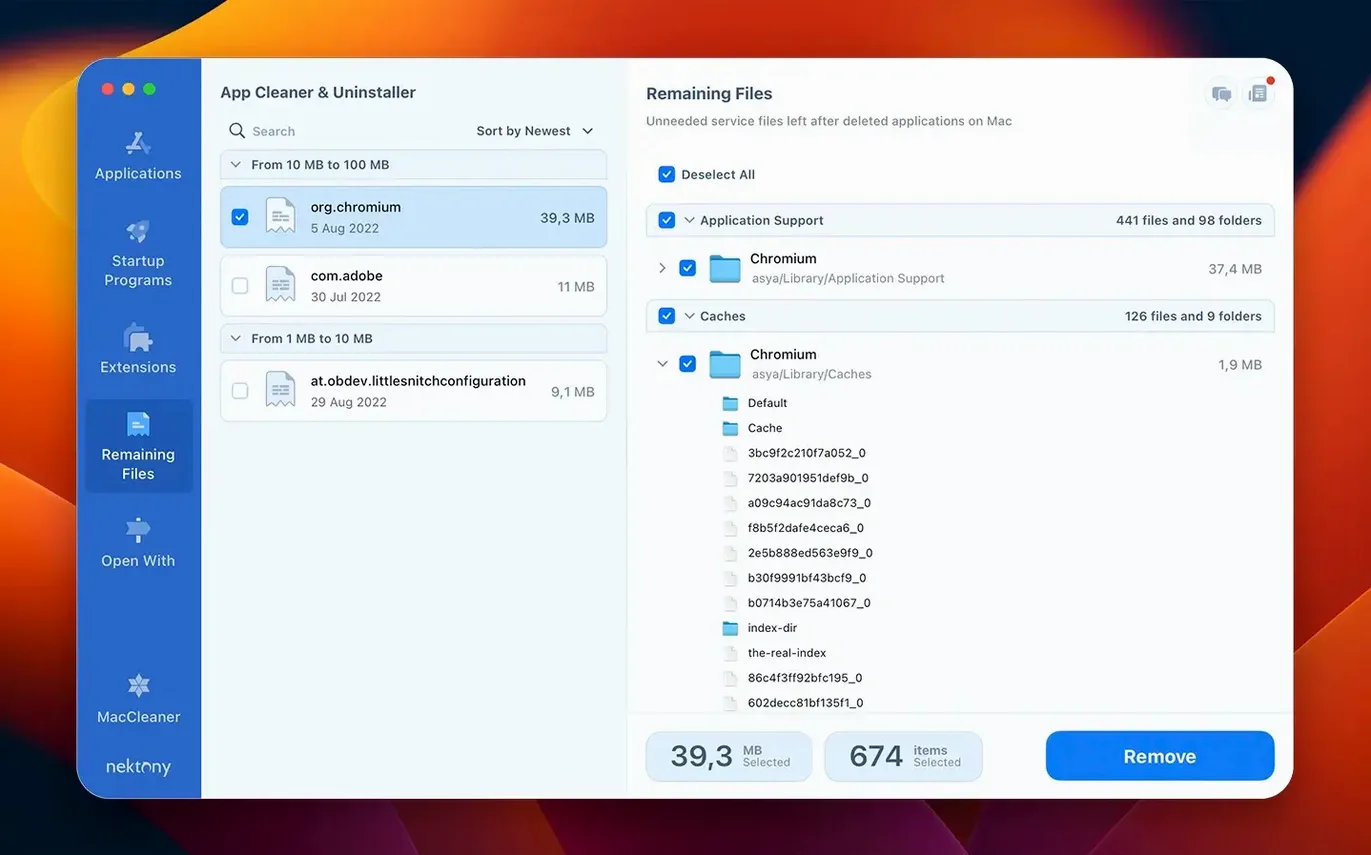
If you have ever dragged an app to the Bin and later found its helper daemons still running in Activity Monitor, App Cleaner & Uninstaller 10.0 addresses exactly that. It scans for an application's support files—preferences, caches, logs—and removes them with the main binary. The tool also acts as a broader app manager: you can disable login items without digging through System Settings, and its update tracker now covers Safari extensions and Homebrew command-line tools.
Strips leftover service files after uninstall
- Stripping out leftover service files after a normal uninstall
- Quickly reviewing and disabling launch agents and login items
- Checking which installed apps, extensions and Homebrew tools have updates waiting
Needs full disk access to find all leftovers
- Needs full disk access permission to find all leftovers
- Does not replace a dedicated Homebrew manager for complex formula dependencies
- The network access tab is new, so expect it to tighten up in point releases
Benefits school IT staff and creative software users
School IT staff managing shared Macs will appreciate the startup item controls and the ability to audit extensions across machines. Home users who install and remove creative software regularly—audio plugins, video codecs, design tools—benefit most from the leftover scan, because those apps tend to scatter support files into /Library/Application Support and ~/Library/Preferences. If you have ever reinstalled an app to fix a glitch only to find the old config still present, this is the tool that clears the slate before the reinstall.
Users who keep their Mac for years without wiping the system drive will also find the Privacy Audit and Security Check useful: they flag extensions and services that can quietly phone home or consume resources. For a school environment where a handful of apps are shared across a lab, the incompatible applications filter saves time by listing what will not run on the current macOS version before you try to launch it.
Running a scan without Full Disk Access first
- Running a scan without granting Full Disk Access first. The app cannot see leftovers in protected directories until you allow it in System Settings > Privacy & Security. The result is a clean report that misses half the detritus.
- Deleting every found leftover without checking what it belongs to. Some support folders are shared between apps. Removing them can break a second application you want to keep. Use the detail view to confirm which app owns each file.
- Using the startup manager to disable everything at once. That can disable a legitimate update checker or a security agent you need. Disable items one at a time and reboot to test stability.
Run a full leftover scan on your most recent apps
Spend the first session running a full leftover scan on the two or three apps you installed most recently. Compare what the app finds with what is still in the original app folder. This builds familiarity with the scan results list and the file paths it reports.
Next, open the network access tab and review which applications have outbound permissions. If you see an app you no longer use, uninstall it properly through App Cleaner & Uninstaller rather than just blocking its network access.
Finally, turn on the update tracker and let it check for fresh versions of your installed software once daily. That catches Safari extensions and Homebrew tools that Homebrew itself does not flag. After a week you will have a clearer picture of which apps are maintained and which are abandoned—useful knowledge when deciding whether to keep an app cleaner & uninstaller mac on a shared machine or retire it.
- Network access tab added for controlling per-app connections
- Menu bar app redesigned with network traffic control built in
- Updates database expanded to cover Safari extensions and Homebrew command-line tools
- Incompatible applications filter added to the app list
- macOS 12 or later
- Apple Silicon or Intel Mac
Questions people ask
Does App Cleaner & Uninstaller 10.0 delete files from apps I already removed manually?
Yes. The leftover files scan searches for orphaned preferences, caches and support folders from applications no longer present, then lets you clear them.
Can it stop helper processes that launch at startup?
It lists all login items, launch agents and system daemons, and you can disable anything you do not need from a single panel.
Staffroom comments 0
Sign in or create an account here to leave a comment.
Nobody has commented on this one yet.