
Adobe XD 59.0.12 (macOS)
One download for Apple Silicon and Intel. Opens the install steps and mirrors.
- Version
- 59.0.12
- Size
- 2.6 GB
- Earliest macOS
- 10.15 or later
- CPU type
- Universal
- Updated
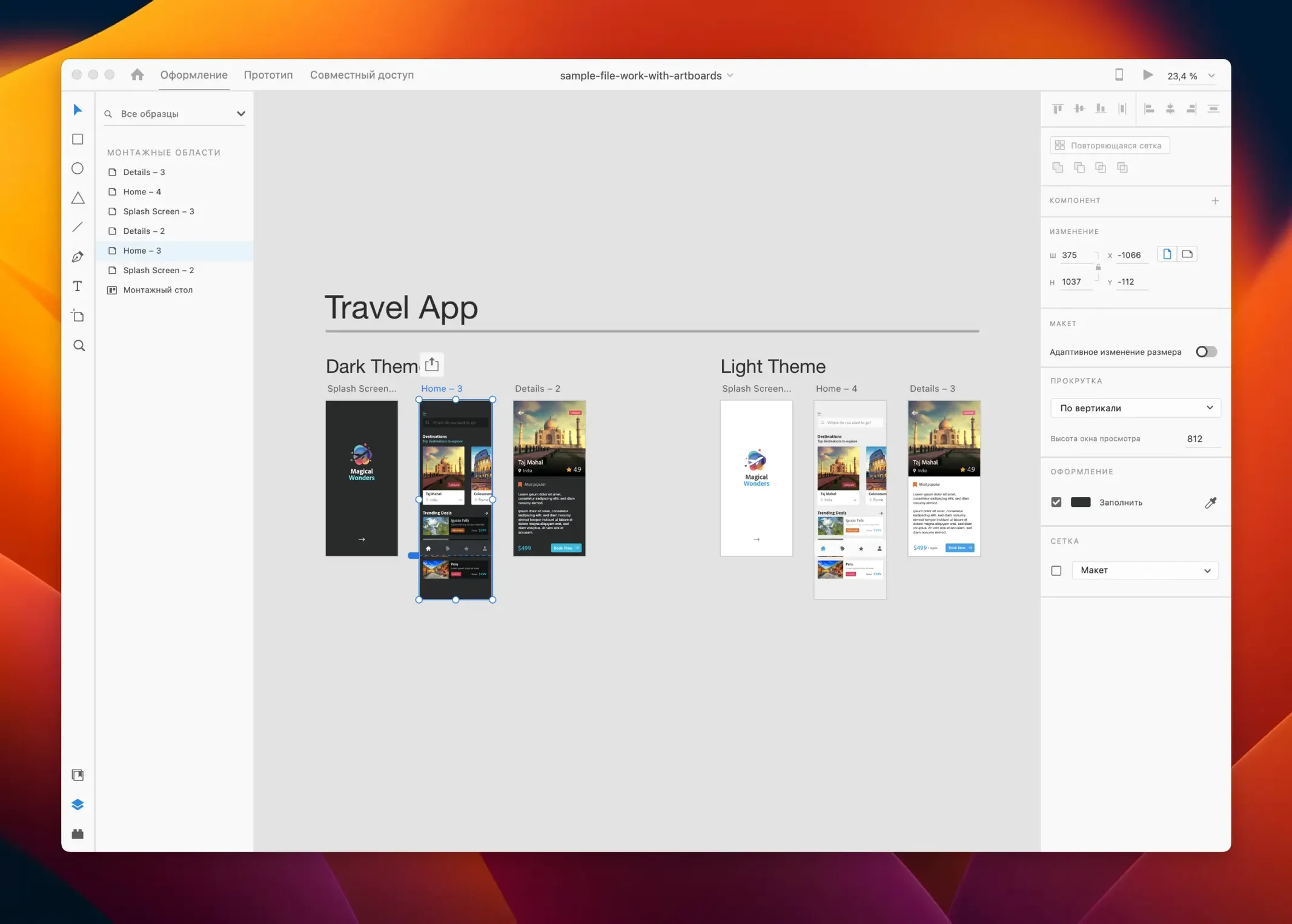
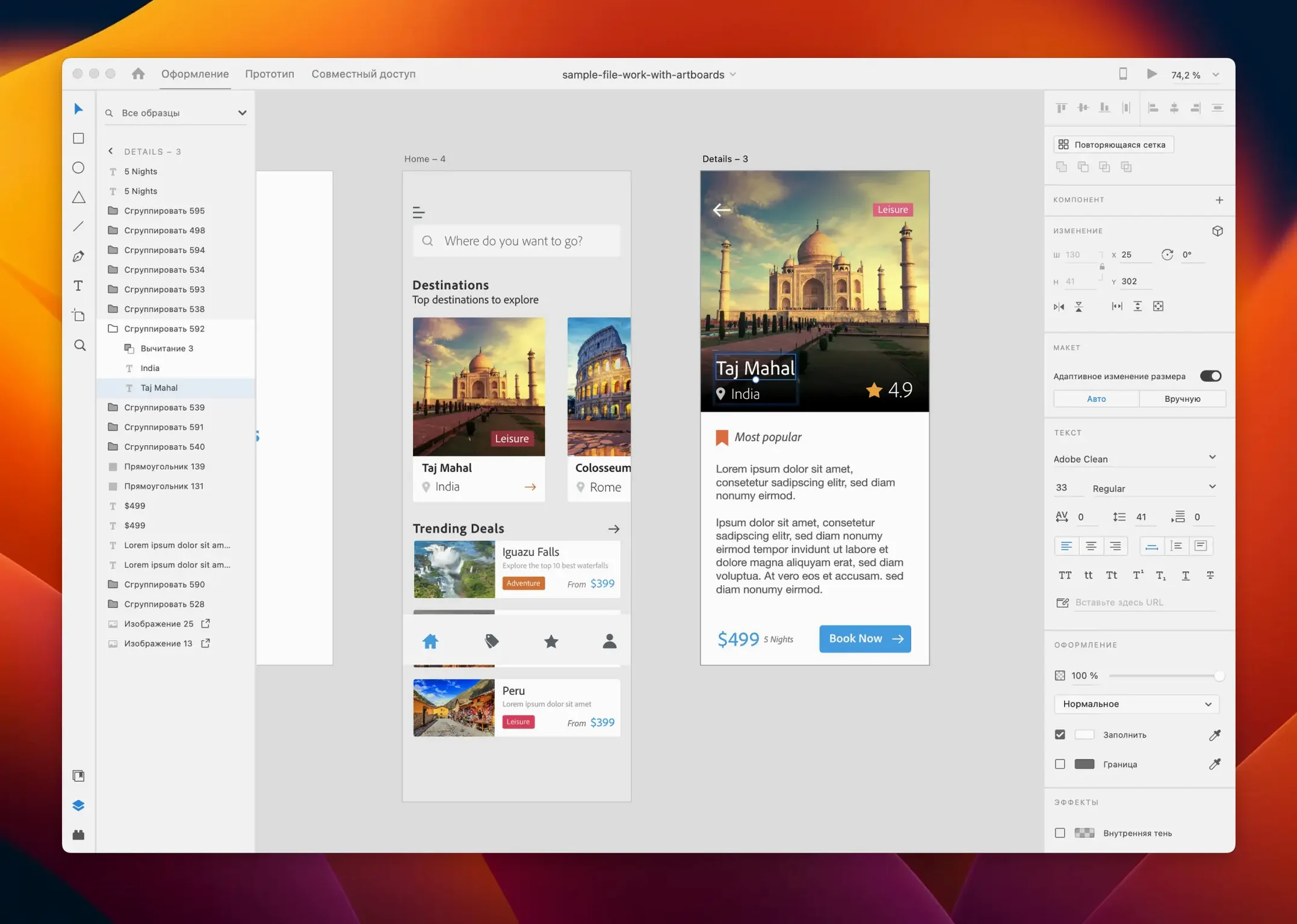
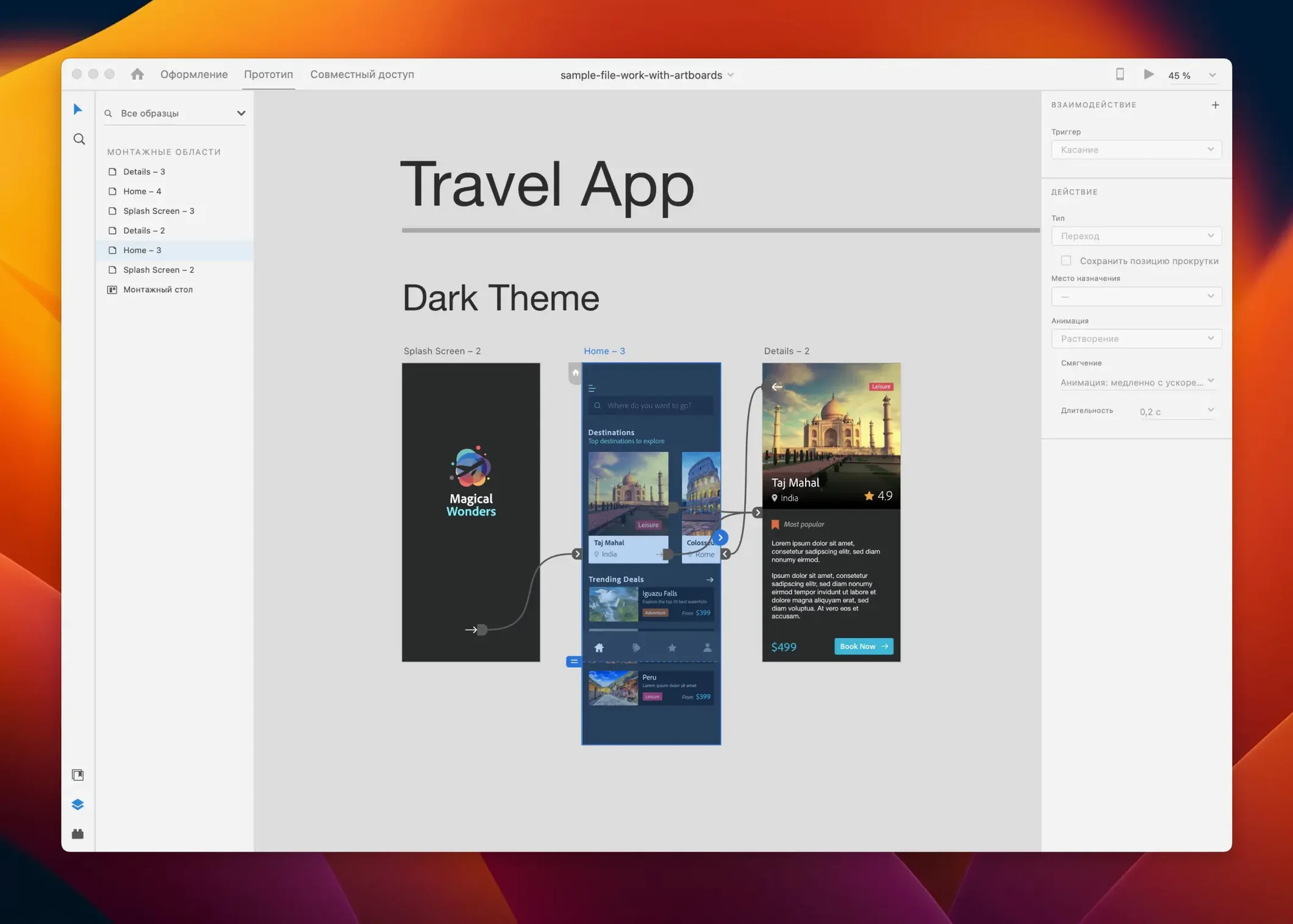
If you already use Photoshop or Illustrator, Adobe XD slots next to them without ceremony.
A five-step pass through XD
- Create an artboard at a target size — web, iPhone, Android.
- Pull UI elements from CC Libraries or draw your own vectors.
- Link artboards with prototype wires and set transitions.
- Preview the flow in the desktop app or on a device.
- Share a link for review, or export assets for developers.
Maintenance release with bug fixes only
Version 59.0.12 is a maintenance release. Bug fixes and small workflow improvements, nothing structural. The app still runs on macOS 10.15 or later, Intel and Apple Silicon. It remains in maintenance mode, which means Adobe patches it but is not adding major features. Third-party tools still plug in where needed.
Runs on macOS 10.15 or later, Intel and Apple Silicon
Adobe XD 59.0.12 works on macOS 10.15 (Catalina) or later. The installer contains builds for both Intel (x86) and Apple Silicon (ARM) machines, so you don't need to find a separate download depending on your hardware. Languages available in this release include Russian, English, German, Spanish, Chinese (Simplified), Korean, Portuguese, French and Japanese, so the interface language can be set to match your region.
There are no special permission steps during install. The bundled activation instructions are included with the download, and for anyone wanting an earlier version, installation guides are on YouTube.
What the July 2025 release changed in everyday use
The July 2025 update (version 59.0.12) is a maintenance release. That means:
- Bug fixes for the prototype preview panel
- Minor stability corrections for linked CC Library assets
- Small workflow improvements — nothing that shifts the layout or tool positions you are used to
For daily work, you will not notice a visual difference. The auto-animate, repeat grid and responsive resize features behave exactly as they did in the previous release. If you were hitting a specific glitch with prototype transitions or library sync, that is likely what this patch addresses.
After launch, sign in to access libraries and stock
When you first launch XD, the app presents a start screen with recent files and a blank artboard option. A few things worth doing early:
- Without that sign-in, libraries are empty and stock search is unavailable.
- Set the interface language before opening any project. The setting is under Preferences, and it takes effect after restarting the app.
- Check that your web browser plugin (for sharing prototype links) is installed. XD prompts you for this the first time you use the Share button.
If you are moving from a vector tool like Sketch or Figma, start by placing a single artboard at a common device size and dragging in a few UI components. The repeat grid tool saves time on list views: select a group of elements, click the grid icon, and drag to duplicate them in a layout. The content-aware layout adjusts spacing as you resize the artboard, which is useful when switching between phone and tablet breakpoints.
Prototypes are best tested on a real device. Use the Adobe XD mobile app to preview interactions — it mirrors the desktop session over Wi-Fi, so you can tap through transitions without exporting anything.
For anyone who also works in Photoshop or Illustrator, copy and paste vectors between the apps retains editability. Raster assets flatten on import, so keep a layered PSD if you need to tweak bitmaps later.
- Bug fixes.
- Minor workflow improvements.
- macOS 10.15 or later
- Apple Silicon or Intel
- Interface languages: Russian, English, German, Spanish, Chinese (Simplified), Korean, Portuguese, French, Japanese
Questions people ask
Is Adobe XD still being developed?
Adobe XD is in maintenance mode. The July 2025 release contains bug fixes and minor workflow improvements, not new features.
Can I share design materials between users in Adobe XD?
Yes.
Staffroom comments 0
Sign in or create an account here to leave a comment.
Nobody has commented on this one yet.
Other Mac Apps tools
All Mac Apps tools-
 Adobe Substance 3D Painter
12.1.5
3 GB
Mac Apps
-
 Affinity Designer
2.6.5
779 MB
Mac Apps
-
 Adobe Premiere Rush
1.5.62Intel Macs only
1.6 GB
Mac Apps
-
 Adobe Premiere Pro
26.5.2
4.1 GB
Mac Apps
-
 Adobe Photoshop
27.11
3.5 GB
Mac Apps
-
 Adobe Lightroom Classic
15.6.0
3.7 GB
Mac Apps
-
 Adobe InDesign
21.6.0
1.5 GB
Mac Apps
-
 AI Transcription
2.16
5.1 GB
Mac Apps