
OmniPlayer: MKV Video Player Pro 2.1.22 (macOS)
Intel build. On Apple Silicon it runs through Rosetta 2. Opens the install steps and mirrors.
- Version
- 2.1.22
- Size
- 78 MB
- Earliest macOS
- 11 or later
- CPU type
- Intel
- Updated
OmniPlayer Pro handles a 30GB MKV file without breaking a sweat — version 2.1.22 fixed a bug that specifically addressed that size. It is a straightforward macOS video and audio player that covers the formats a school IT setup or home media library throws at it: MKV, MP4, AVI, MOV, and a stack of audio codecs.
| Detail | Value |
|---|---|
| Developer | 成浩 吴 |
| Version | 2.1.22 |
| Architecture | x86 (64-bit) |
| macOS required | macOS 11 or later |
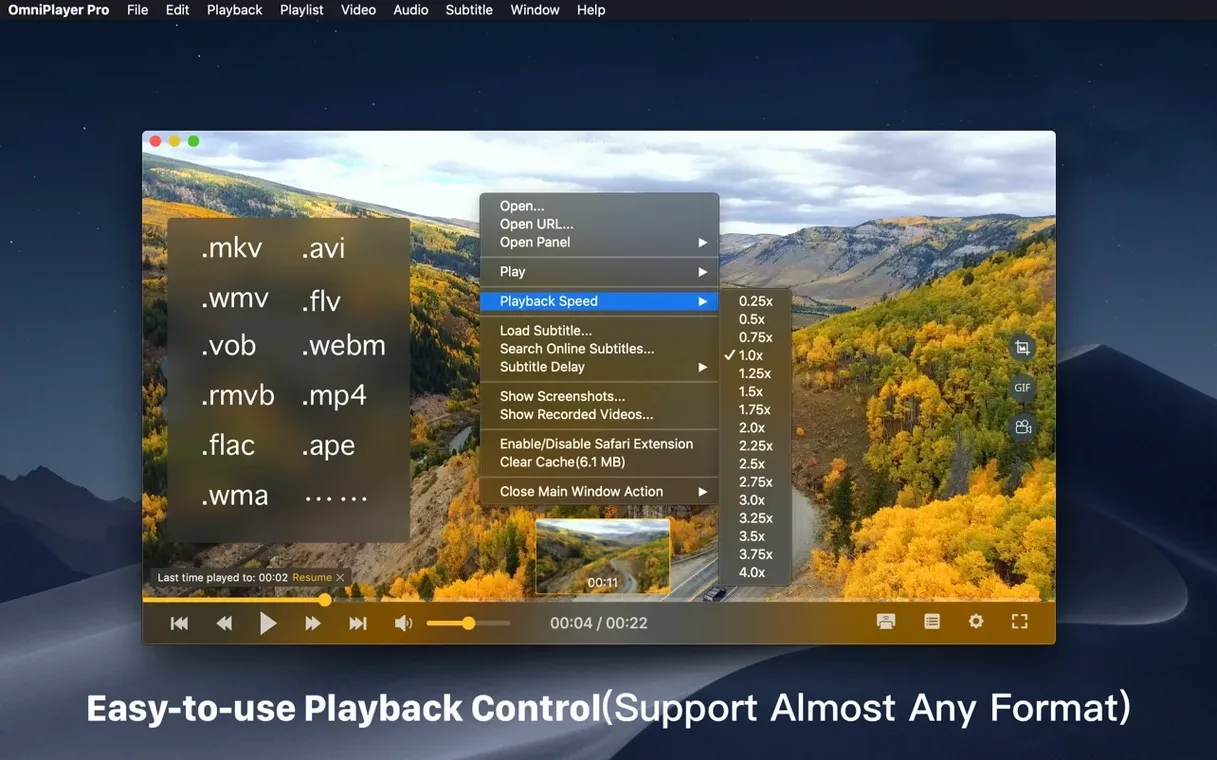
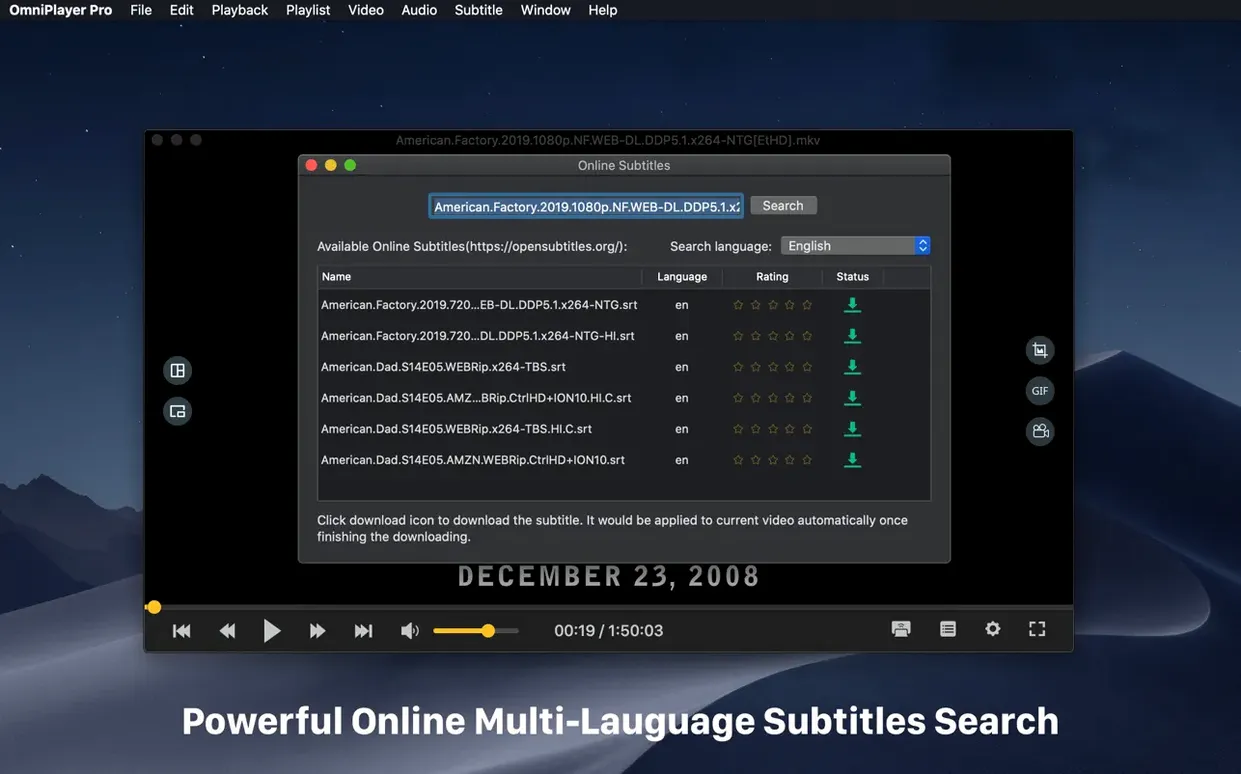
The standout features are the ones that save you time hunting for tools. Brightness, contrast and saturation sliders sit right in the video controls. You can rotate the picture in any direction. Playback speed ranges from 0.25x to 4x. Subtitles can be searched and downloaded by video title or hash, and the encoding changed when characters look wrong. The player remembers where you stopped after auto-stop. The playlist supports repeat-mode changes and item deletion. Controls auto-hide during playback. Languages include English, German, French, Italian, Japanese, and Chinese.
Set subtitle encoding before playing a film
Before you start a film, open the preferences and set subtitle encoding to match your file. If characters show as gibberish, switch between UTF-8 and your language's regional encoding. Turn on auto-hide controls — it keeps the screen clean during playback. Set the default playback speed to 1x unless you are reviewing lecture recordings. That is all you need to adjust for normal use.
Real-world use: a language teacher
One of the MFL teachers at my school uses OmniPlayer to show French films with forced subtitles. She loads the MKV from a department NAS drive over FTP, adds an external SRT file, and changes the subtitle font size so students at the back can read it. When the film has alternate audio tracks, she switches to the dubbed English track for the weaker set. The progress-bar thumbnails let her skip to a specific scene without guessing. No extra software needed on her laptop.
Plays local and remote files, plus YouTube and Vimeo URLs
- Runs on macOS 11 and later, Intel 64-bit only.
- Handles local and remote files over SAMBA, FTP, HTTP, and HTTPS.
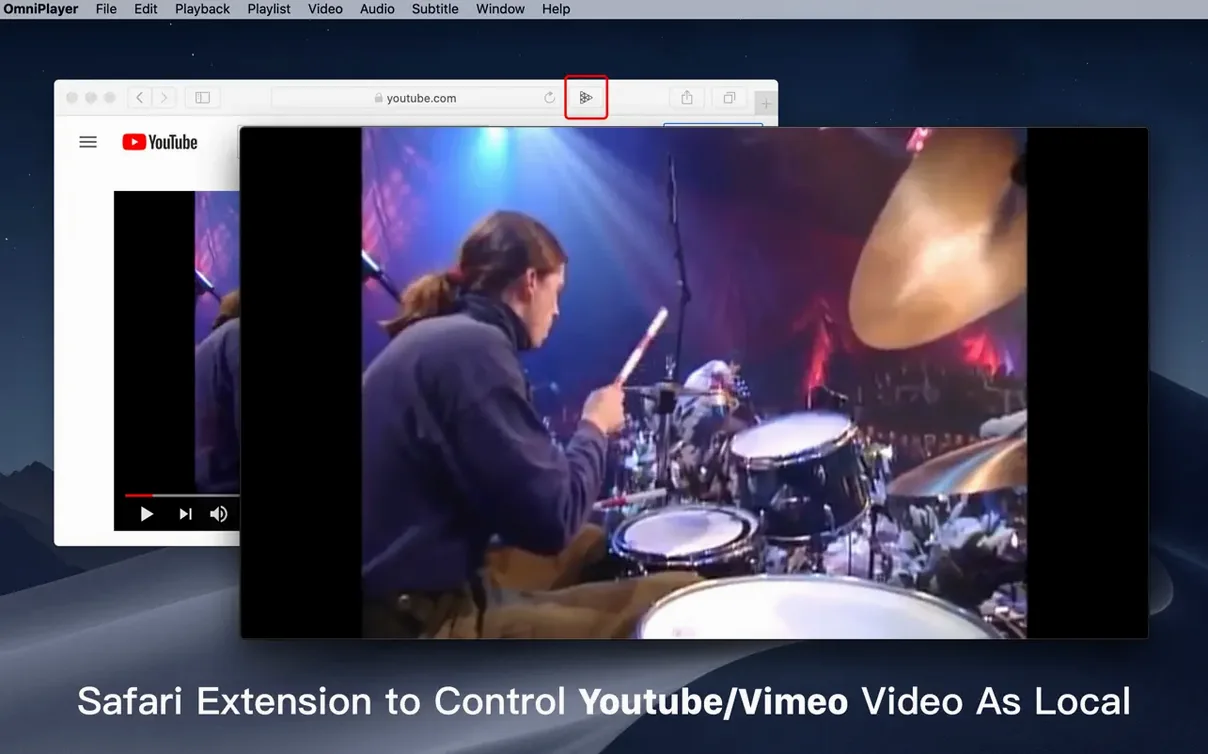
- Can play YouTube and Vimeo from a pasted web URL.
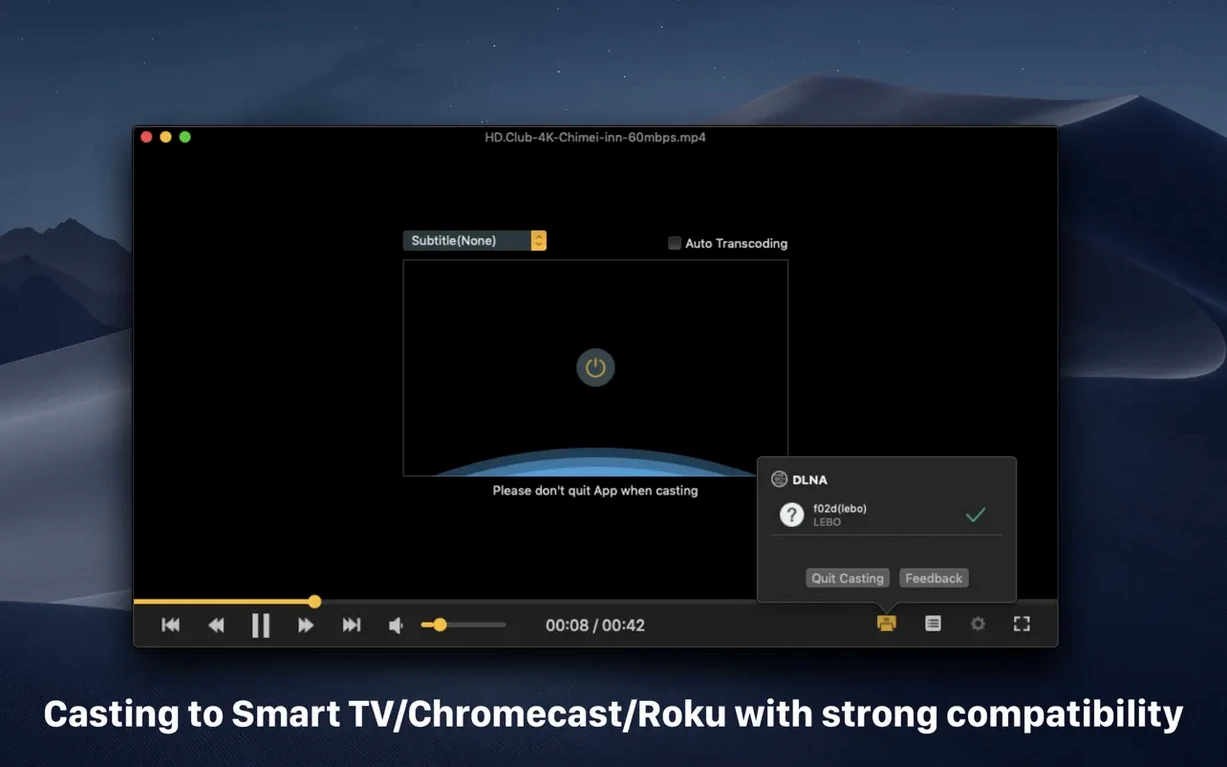
- Supports DLNA, Chromecast, and Roku for wireless display.
- Creates screenshots in several formats and GIFs up to 60 seconds.
- Auto-builds a playlist from a folder and clears it on exit.
The omniplayer pro for mac build on the site is version 2.1.22, the same one that fixed the large MKV loading bug. If you often download omniplayer pro or search for an mkv player torrent, this is a sensible choice for a media library that includes large video files.
Small adjustments that help
Two settings make a difference on first launch. Set audio delay to zero and only adjust it when dialogue drifts — the slider corrects sync without restarting the file. Turn off the playlist auto-clear if you keep a folder of episodes you revisit; otherwise the default clear-on-exit is fine for one-off films.
Real-world use: a sixth-form film studies student
One of our sixth-formers edits short films for coursework. She uses OmniPlayer to review her MKV exports on a MacBook in the media suite. The 0.25x playback speed lets her check frame timing on a panning shot. When the audio track from the external recorder is a few frames off, she adjusts the delay slider until lips match. The rotation controls fix a clip shot sideways on a phone. No transcoding, no extra apps. She screenshots frames for her director's notebook and exports a 30-second GIF for a quick storyboard reference.
- Fixed a bug when loading a 30GB MKV file.
- General bug fixes.
- macOS 11 or later
- Intel processor (64-bit)
Questions people ask
Can OmniPlayer Pro play MKV files on an Intel Mac?
Yes. Version 2.1.22 is built as an x86 64-bit app and runs on macOS 11 or later.
Staffroom comments 0
Sign in or create an account here to leave a comment.
Nobody has commented on this one yet.