PowerPhotos 3.4.9 (macOS)
One download for Apple Silicon and Intel. Opens the install steps and mirrors.
- Version
- 3.4.9
- Size
- 40 MB
- Earliest macOS
- 14 or later
- CPU type
- Universal
- Updated
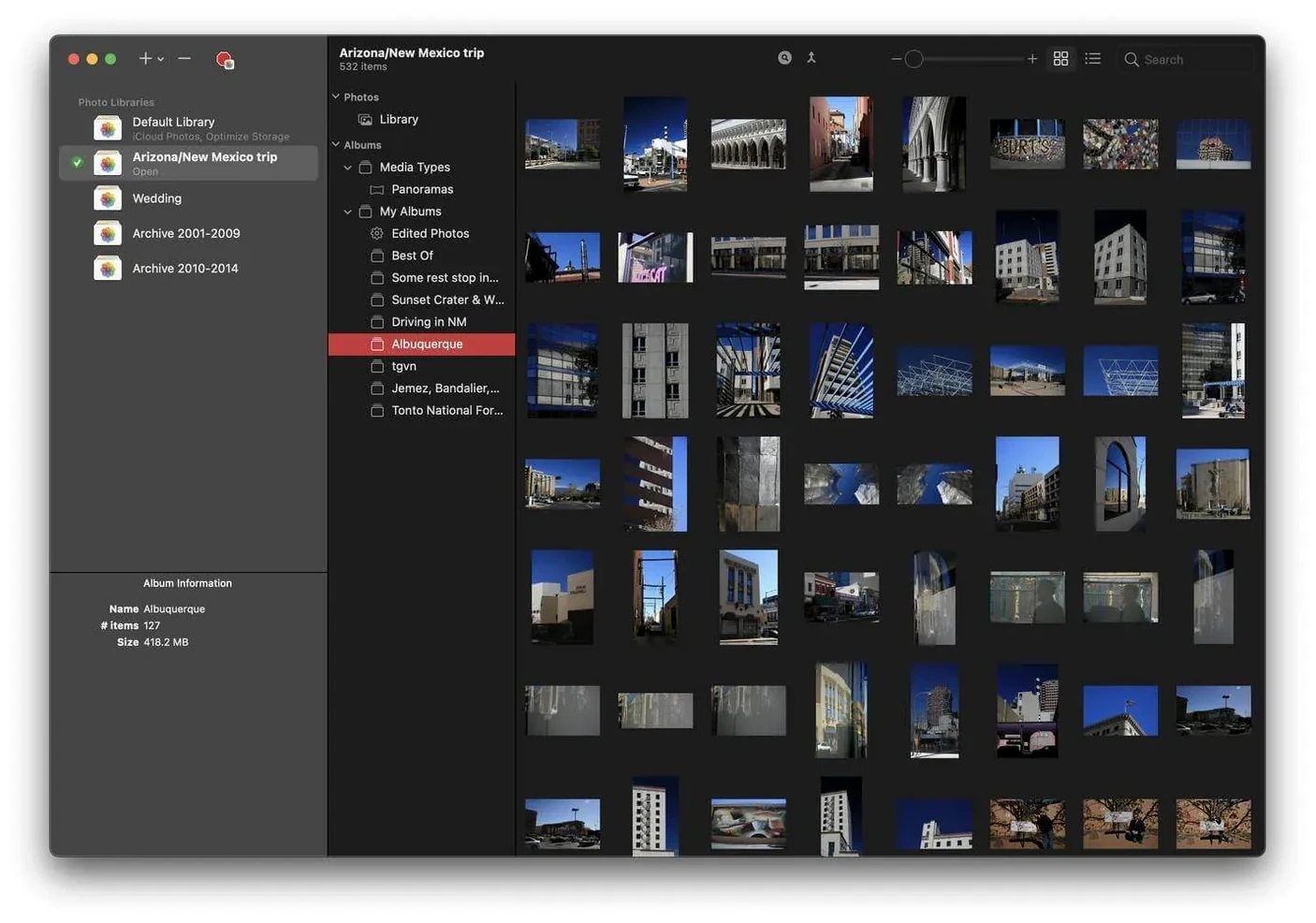
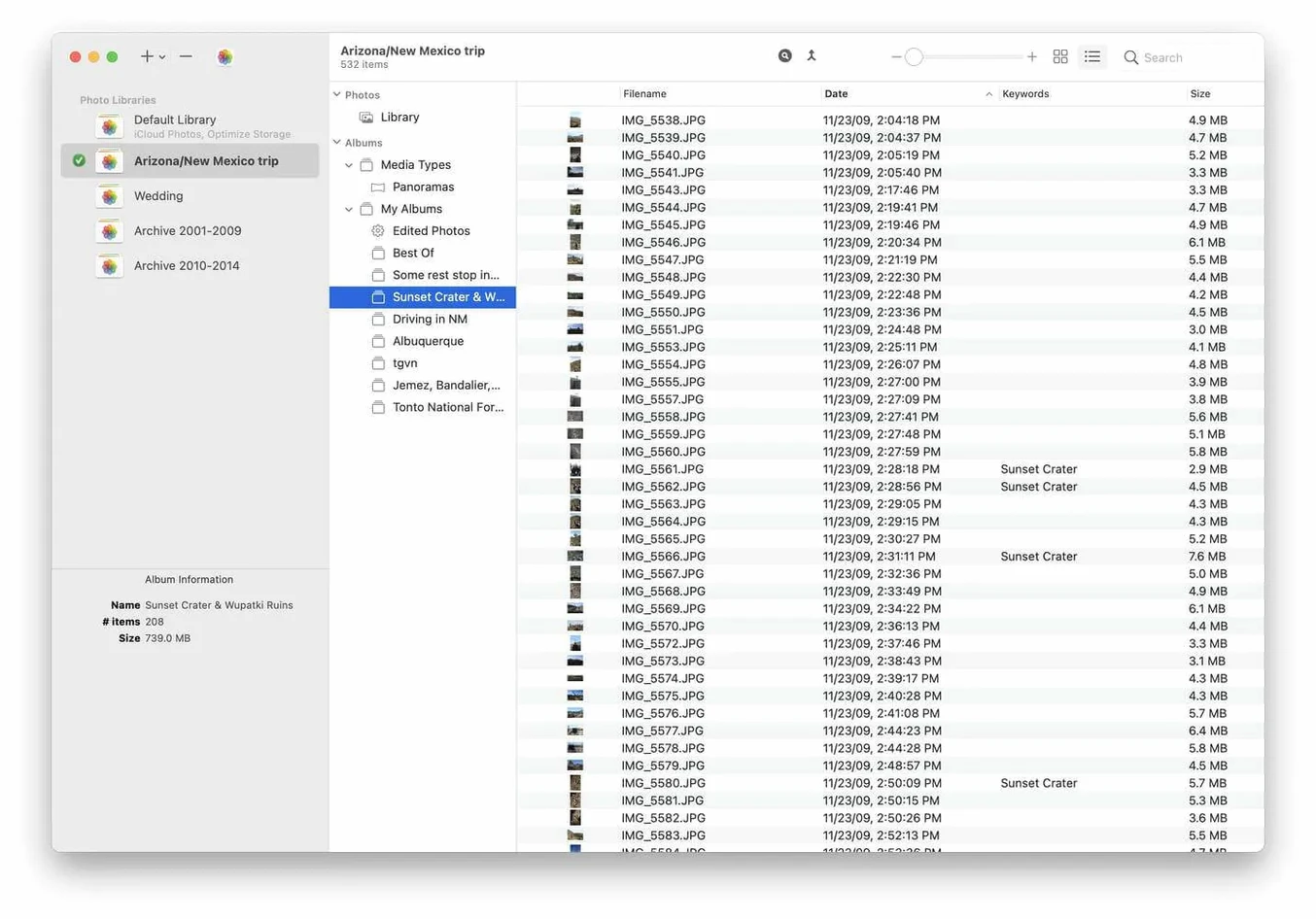
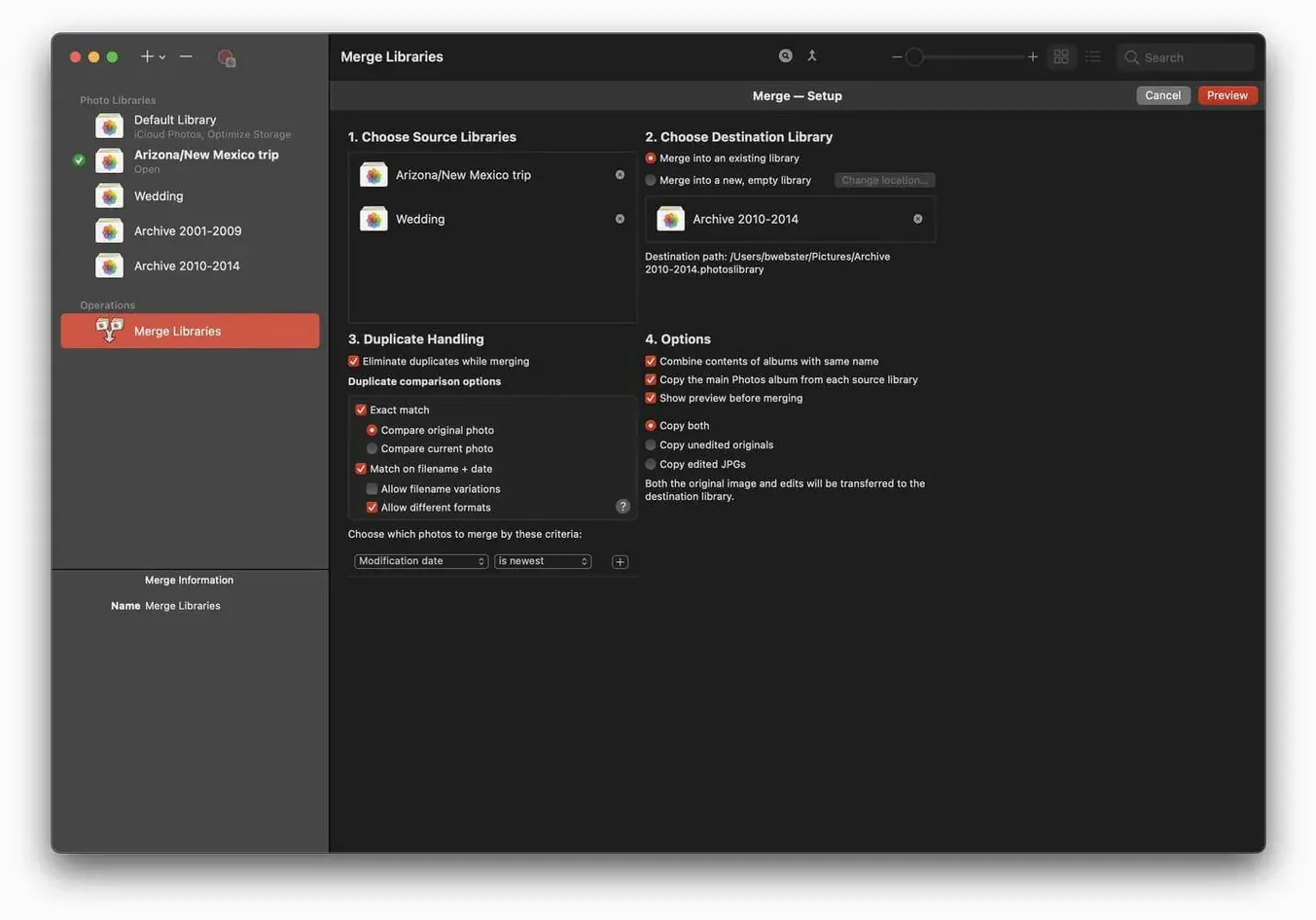
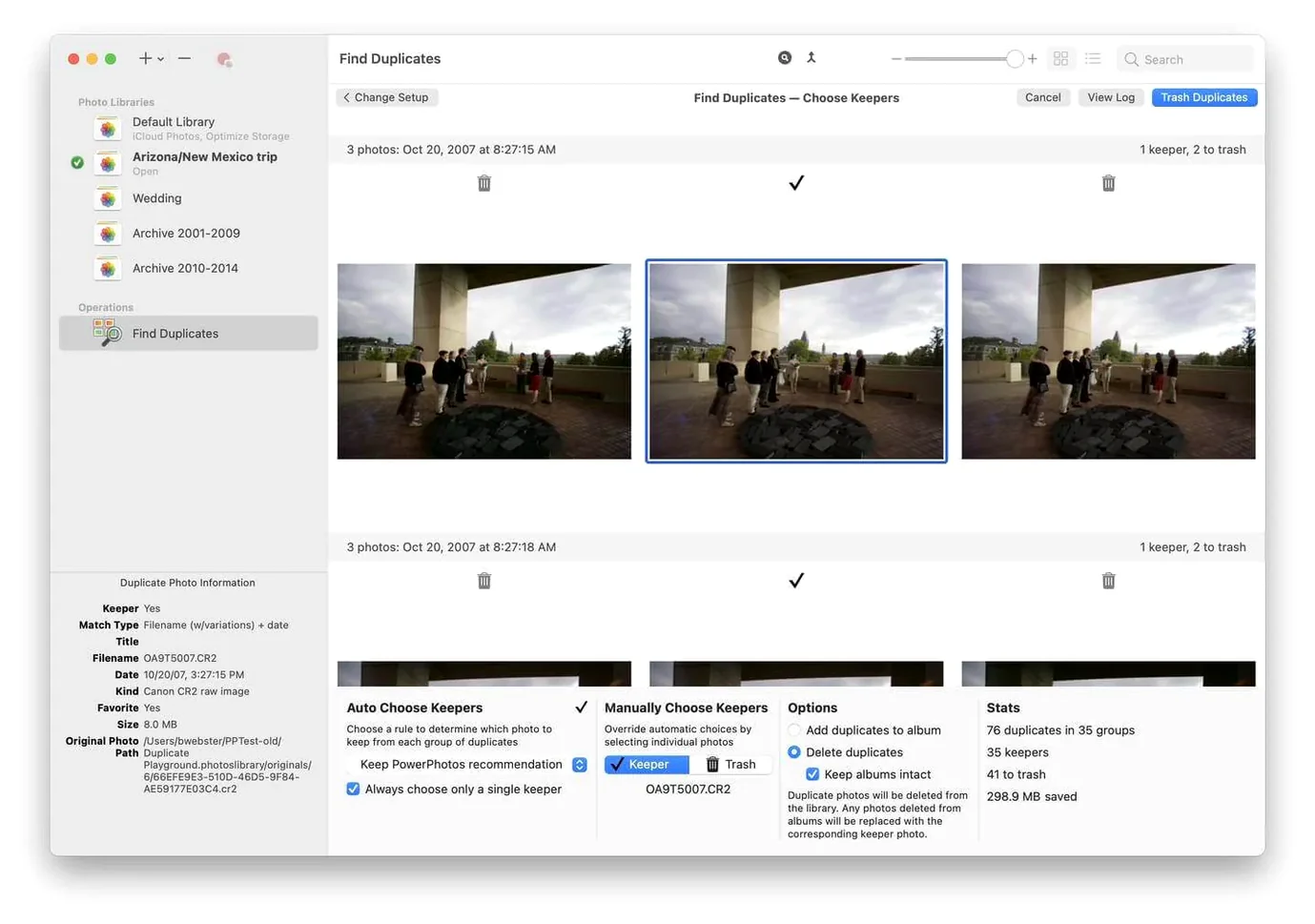
Keep your Photos libraries in check without merging everything into one bloated database. PowerPhotos works alongside Apple’s Photos app, letting you split photos across several libraries and search them all at once.
Side-by-side preview picks which duplicate to keep
- Duplicate detection with side-by-side preview — pick the copy to keep.
- Library merging and splitting, even between different Macs.
- Full support for Apple Silicon and Intel 64-bit Macs.
Same core job, still a separate tool
PowerPhotos is a distinct app from iPhoto Library Manager, aimed squarely at Apple’s current Photos app. It analyses libraries for duplicate photos and lets you remove extra copies you no longer need. For anyone running multiple libraries on a single Mac, it saves the hassle of opening and closing each one manually.
Other apps can find duplicate photos or manage libraries, but PowerPhotos combines both jobs in one place. Duplicate Photo Cleaner (from MindGems) scans for duplicate files across folders, which works for any file type, but it doesn't connect to Apple’s Photos library structure. You end up scanning the Photos database file itself, which is less direct. PhotoSweeper does side-by-side duplicate comparison and handles some library management, but it works as a standalone viewer rather than a companion to the Photos app. PowerPhotos stays inside Apple’s ecosystem — you browse libraries from within the app without opening each one separately, and you can split or merge libraries without exporting everything out of Photos first.
Questions I usually hear before someone installs it
People ask whether PowerPhotos modifies the original Photos library files. It doesn’t. It reads the library catalogs and copies or moves photos between libraries as you direct, leaving the originals untouched until you choose to delete duplicates. Another common question is whether you need to convert an existing library to use it. You don’t. Drop in the .photoslibrary file (or let PowerPhotos find your Photos library) and it works straight away. A few people wonder if it works with multiple user accounts on the same Mac. Yes — each user’s Photos library is a separate file, and PowerPhotos can open any of them, provided the account has read/write access to the location.
Queries search all open libraries at once
- Search queries run across all open libraries at once, which saves tabbing between windows if you keep your holiday photos in one library and work shots in another.
- The duplicate analysis compares by file name, date, dimensions and visual similarity. You choose the comparison criteria per scan.
- When you remove extra copies, PowerPhotos can either move them to Trash or copy them to a folder you specify, in case you want a second look before deleting.
- Separating libraries also helps reduce iCloud storage use — if you keep only the current year’s photos in your main library, the older ones stop syncing to iCloud automatically.
No “what's new” for 3.4.9. The release line gave nothing I could check, and I will not stretch it into a changelog.
- macOS 14 or later
- Apple Silicon or Intel 64-bit processor
- Interface language: English
Questions people ask
Does PowerPhotos work with macOS 14 Sonoma?
Yes, PowerPhotos 3.4.8 requires macOS 14 and runs on both Apple Silicon and Intel Macs.
Staffroom comments 0
Sign in or create an account here to leave a comment.
Nobody has commented on this one yet.