EndNote 2025.4 (macOS)
One download for Apple Silicon and Intel. Opens the install steps and mirrors.
- Version
- 2025.4
- Size
- 112 MB
- Earliest macOS
- 10.14 or later
- CPU type
- Universal
- Updated
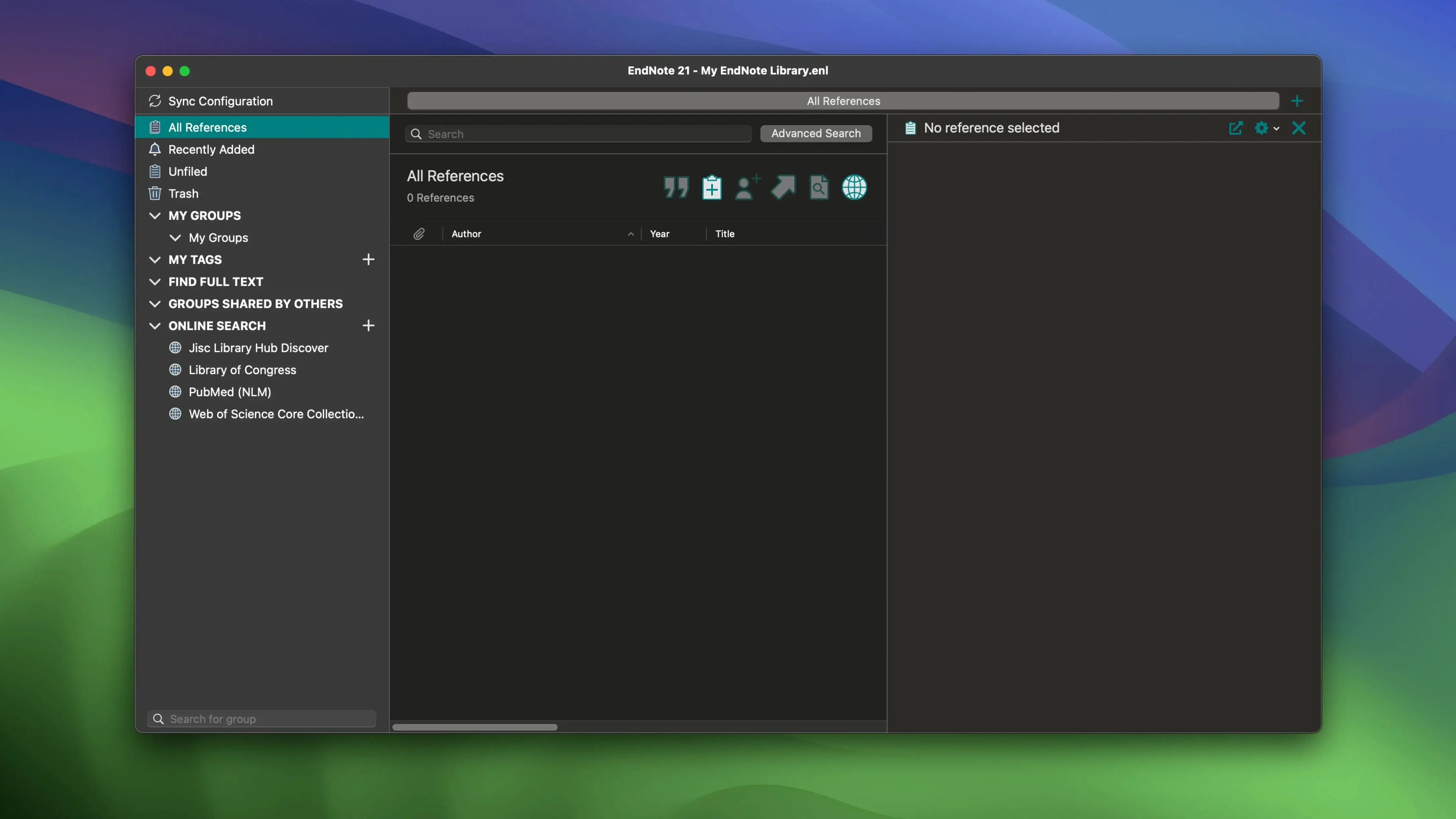
EndNote sits alongside the word processor you already use. If you write papers in Microsoft Word or Google Docs, it adds a bibliography manager that tracks references as you type. That is the core of it.
Check macOS version before installing
- Check you are on macOS 10.14 or later. The current release, 2025.3, runs on both Intel and Apple Silicon.
- Mount the downloaded disk image and run the installer. Standard procedure, no extra steps.
- Decide where the library lives. EndNote can sync a library across devices, including PDFs, notes and annotations, so your working copy can follow you between the school Mac and your home setup.
Saves references and formats citations in Word or Google Docs
You save references from databases or add them by hand. When you cite in Word or Google Docs, Cite While You Write formats the citation and builds the bibliography from what you have saved. Handy for a dissertation where the reference list changes every other week.
The 2025.3 build also restores libraries from the cloud, which saves a reload if a machine dies mid-term. Simplified Chinese localisation is in this release, along with the usual bug fixes.
Set your default output style in preferences first
Open the preferences before you start adding references. A few minutes there saves fiddling later.
- Set the output style you use most (Harvard, APA, Vancouver, whatever your department wants). EndNote applies it to every bibliography until you switch.
- Turn on automatic synchronisation if you plan to use the same library on more than one machine. That way PDFs, notes and annotations stay current without thinking about it.
- Choose a default attachment folder. EndNote copies PDFs into its own directory by default; if you prefer to keep originals where they are, change that early.
Plug-in misses Word install on first run
Re-run installer with Word integration ticked
The plug-in sometimes misses the Word install on first run. Re-run the EndNote installer, choose the customise option and tick the Word integration. Restart Word and it should show up.
References won't sync between computers
Check you are signed into the same EndNote Web account on both machines. Also confirm the library file name is identical — a renamed library will not sync, it will try to create a second one. Keep the filename as it came out of the box.
A reference loses its attached PDF
If you moved the PDF folder after attaching files, EndNote cannot find them. Open the reference, delete the old file link and re-attach from the new location. Then set the default attachment folder in preferences so future PDFs stay put.
Tag references and restore from cloud weekly
- Add tags as you import references — a few colour-coded ones for 'read', 'to cite', 'chapter 3' save hunting later. The tags are searchable.
- Make a habit of restoring the library from the cloud once a week. It does not take long and means a dead drive loses nothing beyond the last few hours of work.
- If you share a library with a supervisor or co-author, agree on a single editing schedule. Syncing two edits of the same reference at the same time can produce a conflict that EndNote resolves by keeping the later one.
The 2025.3 build for Mac handles both architectures and includes the usual bug fixes plus a fix for a Word crash when Select Matching References appeared. For an endnote torrent, endnote mac torrent, or if you need an endnote crack for mac, the 2025.3 release is the version to look for.
No “what's new” for 2025.4. The release line gave nothing I could check, and I will not stretch it into a changelog.
- macOS 10.14 or later
- Intel or Apple Silicon
- Interface languages: English
Questions people ask
Will EndNote work with Google Docs?
Yes. Cite While You Write for Google Docs is included, so you can insert citations and build bibliographies without leaving the browser.
Staffroom comments 0
Sign in or create an account here to leave a comment.
Nobody has commented on this one yet.