
Guitar Pro 8.1.5 (macOS)
One download for Apple Silicon and Intel. Opens the install steps and mirrors.
- Version
- 8.1.5
- Size
- 1 GB
- Earliest macOS
- 10.13 or later
- CPU type
- Universal
- Updated
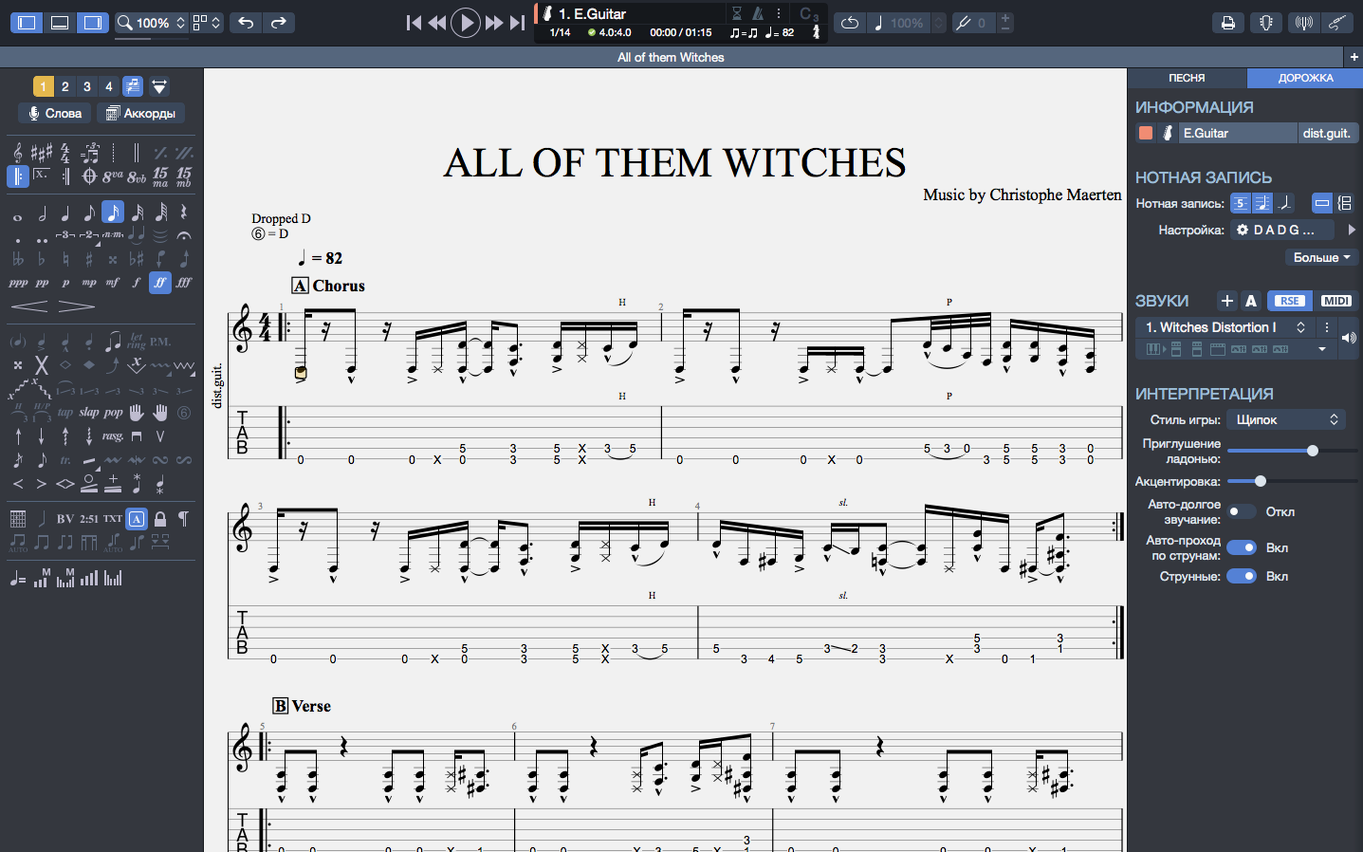
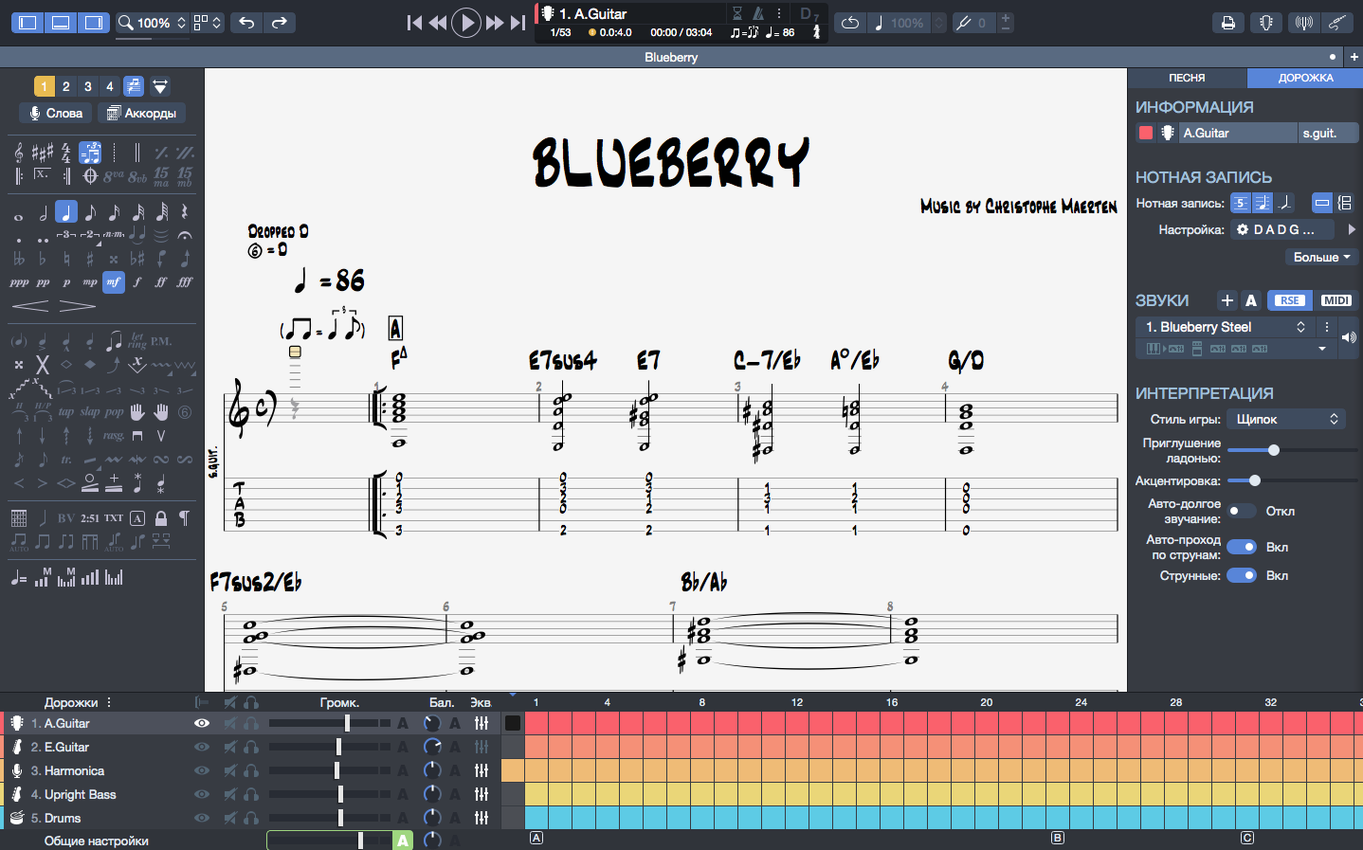
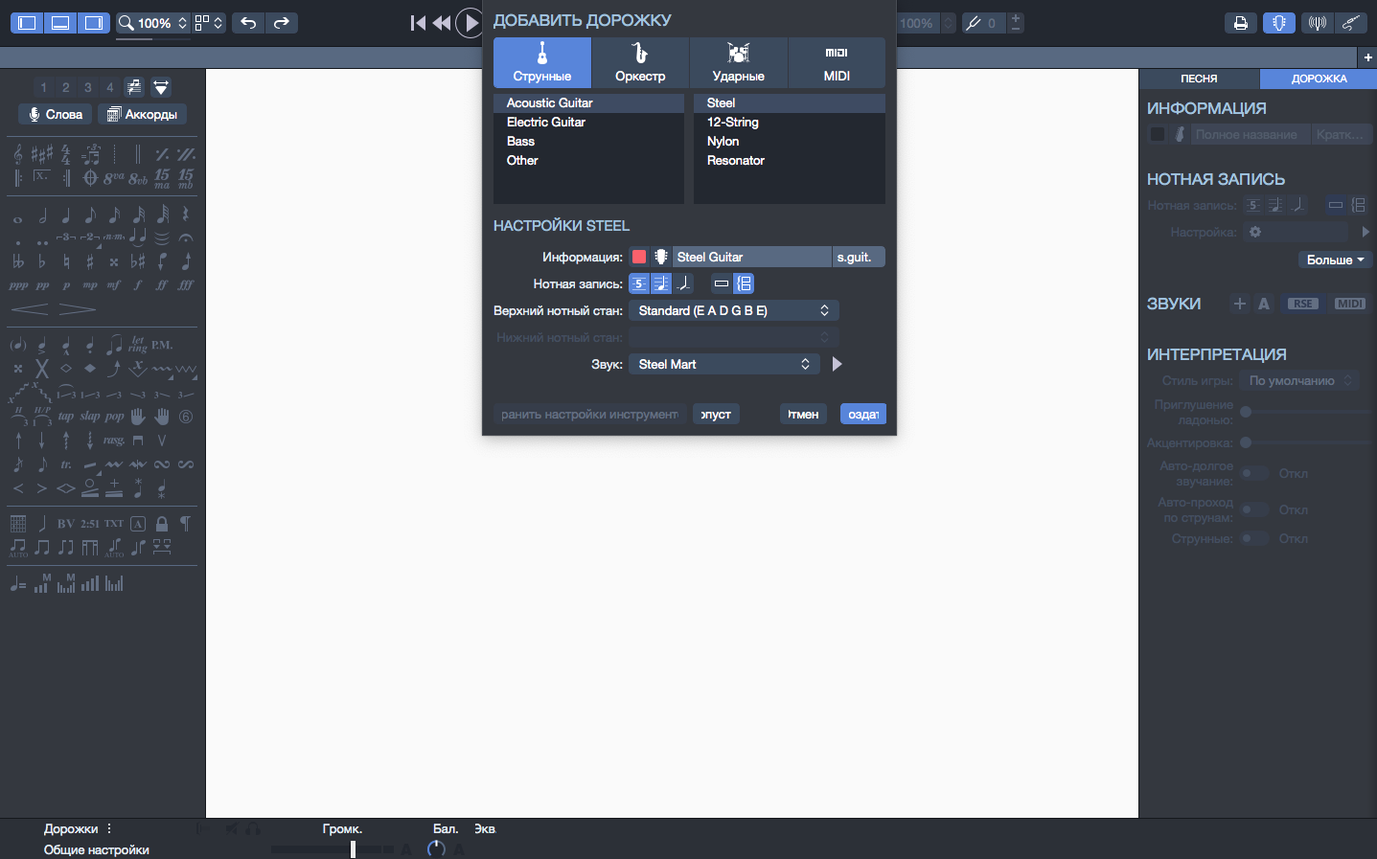
The chord builder alone saves a lesson's worth of head-scratching. Type a name, see the shape, hear the voicing — then drop it straight into a bar. Guitar Pro is a notation editor built for fretted instruments. You work in tab or standard notation, or both stacked, and the playback engine renders it as audio. Guitar, bass and Hawaiian guitar are all covered.
Edit, play, and export scores with a built-in metronome
- A full score and tablature editor with a built-in player and metronome
- Backing track generation for drums and piano
- A chord builder and a MIDI editor for tweaking note data
- Export finished scores to SVG for clean printing or further layout work
Transcribe solos or prep lessons without an amp
Teachers printing exercise sheets, players working out a solo away from an amp, and anyone transcribing a recording will find the tools here. The recent 8.1.5 update tidied up macOS playback when devices are plugged or unplugged, and fixed stem direction changes that previously ignored input.
Writing out a band arrangement
A bass player in a covers band gets handed a rough phone recording of a new track on Thursday, with rehearsal on Sunday. They load the audio, pick out the root notes and build a bass line in tab. Once the low end is solid, they add a drum backing track from the built-in generator so the guitarist has something better than a click to practise against. By Friday evening the score is exported to SVG, dropped into a shared folder, and the guitarist opens it on their own machine. No one needs to squint at a photo of a handwritten chart.
Beginner slip-ups worth avoiding
People coming from simpler tab editors often miss how the chord builder and the notation interact. They type chord names above the staff and assume the playback engine will voice them. It will not — you have to build the chord or enter the notes in the tab first. The text label is just a label.
Another one: exporting scores with dark backgrounds. Guitar Pro lets you export to PNG with a transparent background, which trips up users who then view it in a browser — white notes on a transparent layer vanish against a dark browser theme. If it is going on the web or into a document, SVG or a flat white-background PNG saves a re-export later.
Pinning files on the homepage gets overlooked by new users who hunt through Finder each time. The recent-files list is hoverable; a pin icon tucks the score so it stays put across sessions. For a set list of 30 songs, pinned files cut the navigation down to a single click.
Arpeggios on beat one no longer skip or mistime
The 8.1.5 update sorted out a specific arpeggio bug that irritated anyone who starts a score with a slow chord sweep. Earlier builds would skip or mistime arpeggios placed right on beat one of bar one. Now they play back as written, which matters for fingerstyle pieces and classical studies that open on a rolled chord.
Stem direction edits had a stubborn edge case. Change the stem on a note and, in certain multi-voice passages, the edit simply did not take. The fix means less time fighting the notation engine and more time finishing the chart. Small thing, but if you hand clean scores to students or session players, you notice it.
On the Mac side, plugging or unplugging an audio interface mid-session no longer stutters the playback. The continuity improvement is practical: switch from the built-in speakers to a Focusrite box and the metronome and player carry on without a dropout. For anyone using guitar pro 8 torrent builds on Apple Silicon, the efficiency gains from the native ARM port are now matched by fewer playback interruptions when the audio routing changes.
Search-friendly notes for Mac users
The current build runs on Intel and Apple Silicon from macOS 10.13 upward. Admin rights are needed for the install, and the disk footprint stays under two gig once the soundbank is loaded. If your search history includes guitar pro 7 mac, version 8 adds the SVG export, the transparent-background PNG option, and the device-switching playback improvement that the older line never got.
- Arpeggios at the start of a score now play back correctly.
- Fixed some cases where stem directions could not be changed.
- Improved playback continuity on macOS when plugging or unplugging audio devices.
- macOS 10.13 or later
- Intel or Apple Silicon processor
- 4 GB RAM
- 2 GB free disk space
- Administrator rights required for installation
Questions people ask
Can I create backing tracks in Guitar Pro?
Yes. The app can generate backing tracks for drums and piano alongside your guitar parts.
Staffroom comments 0
Sign in or create an account here to leave a comment.
Nobody has commented on this one yet.
Other Mac Apps tools
All Mac Apps tools-
 Guitar Rig
7.0.2
951 MB
Mac Apps
-
 FxFactory Pro
9.0.7
68 MB
Mac Apps
-
 HitPaw Video Converter
4.5.0Intel Macs only
577 MB
Mac Apps
-
 HitPaw Watermark Remover
2.4.7Intel Macs only
290 MB
Mac Apps
-
 Imagenomic Plugin Suite
2027
71 MB
Mac Apps
-
 Flicker Free
2.1.6
24 MB
Mac Apps
-
 iReal Pro
2026.3.2
145 MB
Mac Apps
-
 FileMaker Pro
21.0.1
397 MB
Mac Apps