
HitPaw Watermark Remover 2.4.7 (macOS)
Intel build. On Apple Silicon it runs through Rosetta 2. Opens the install steps and mirrors.
- Version
- 2.4.7
- Size
- 290 MB
- Earliest macOS
- 10.13 or later
- CPU type
- Intel
- Updated
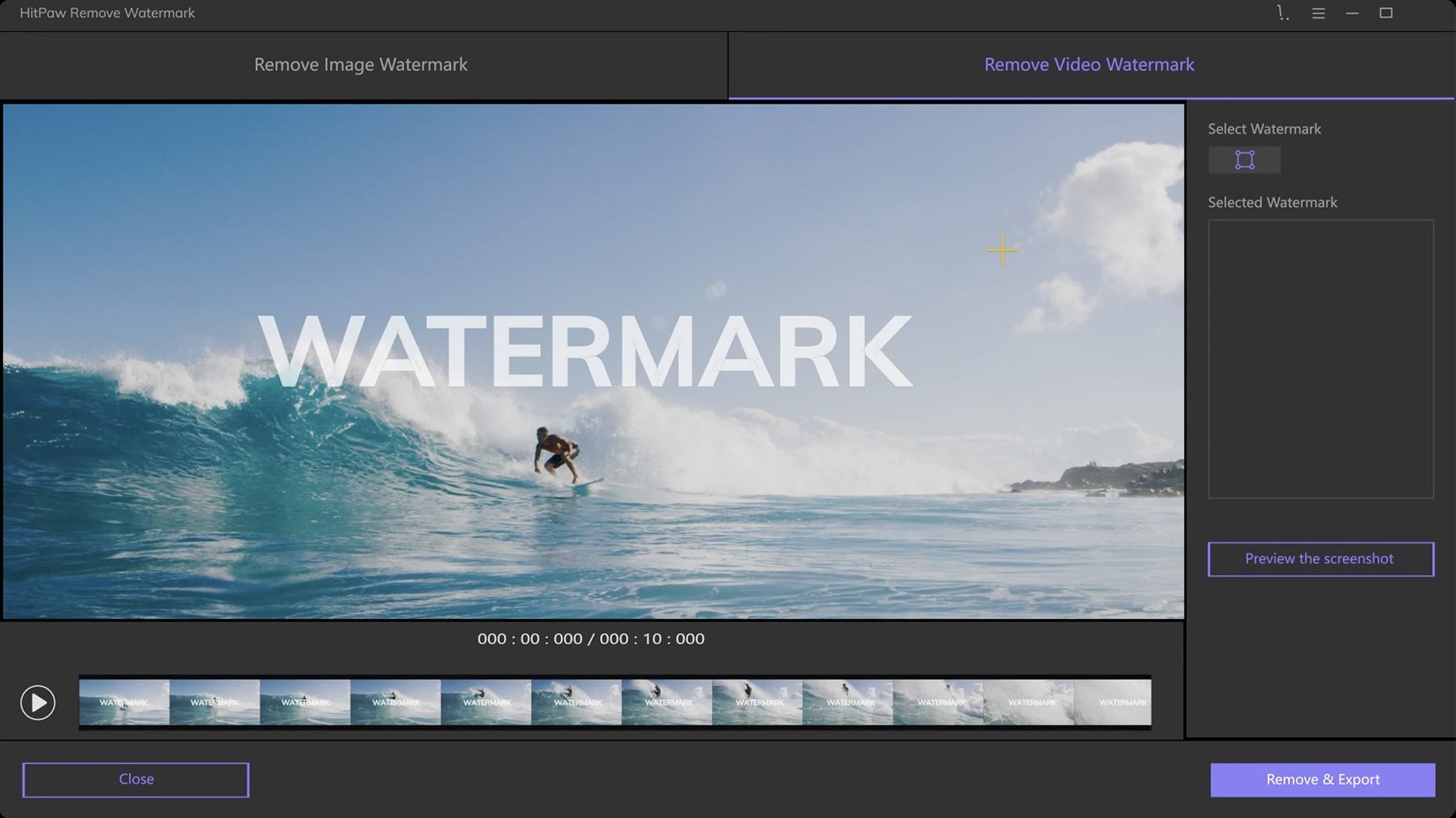
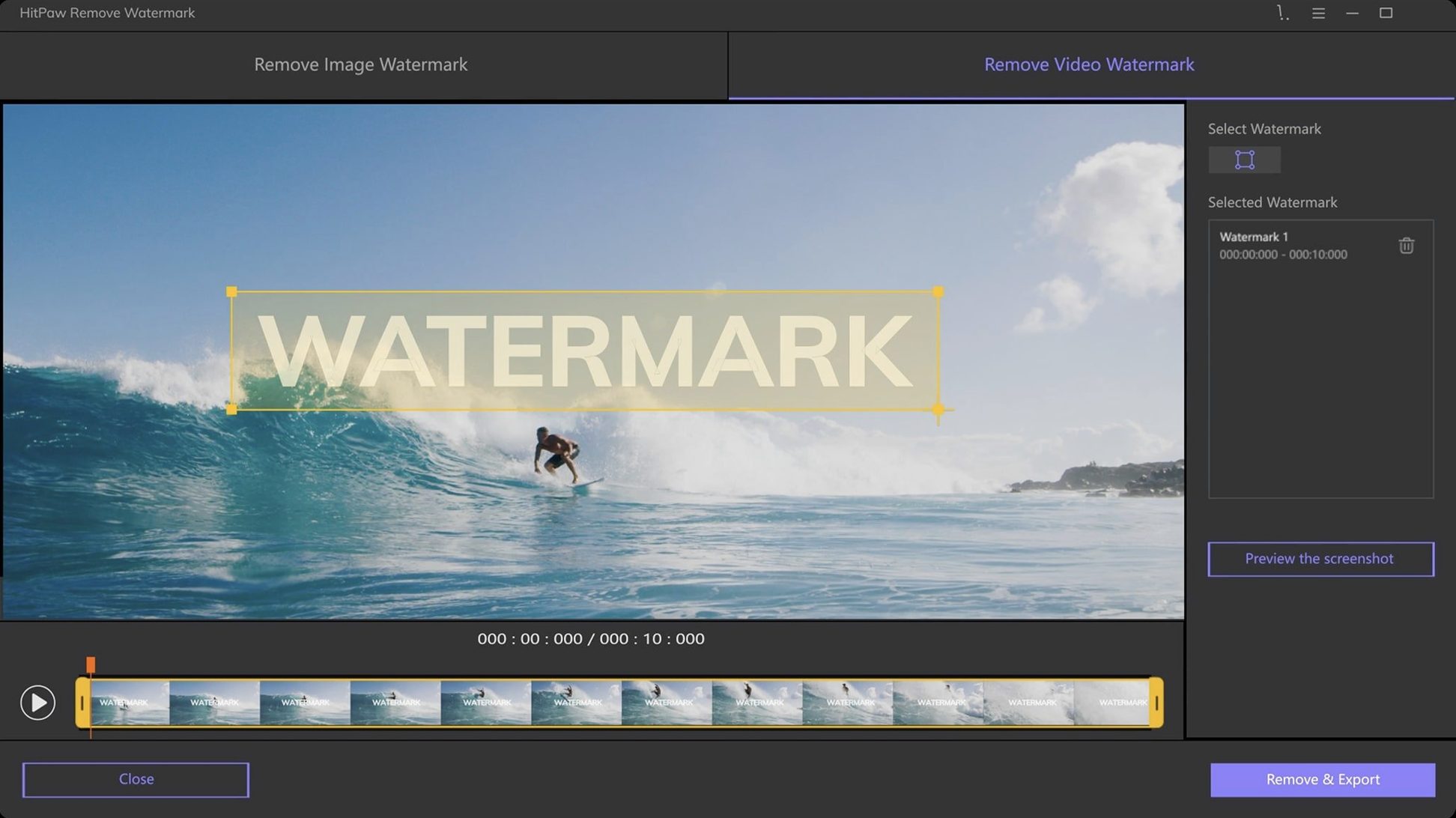
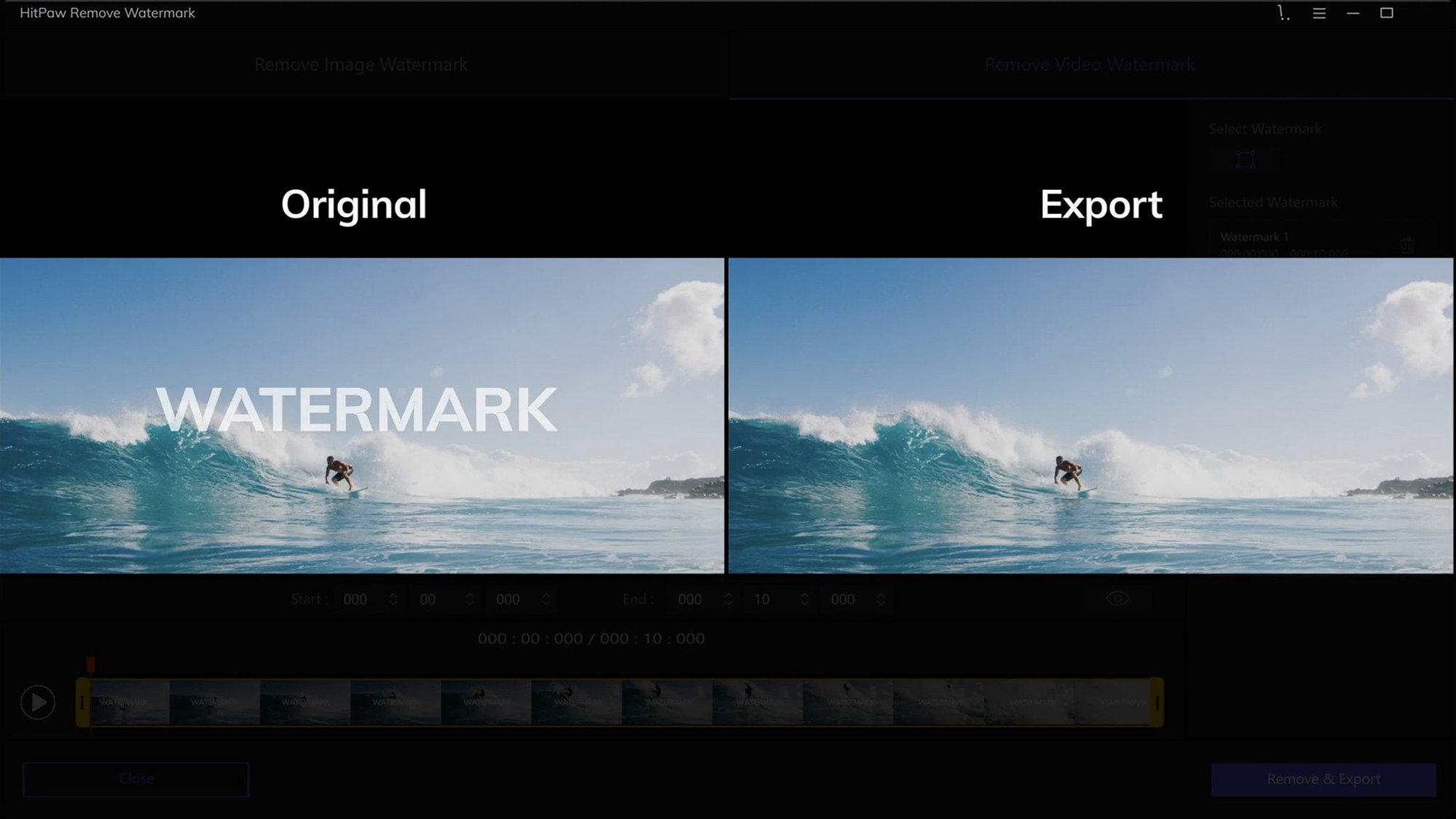
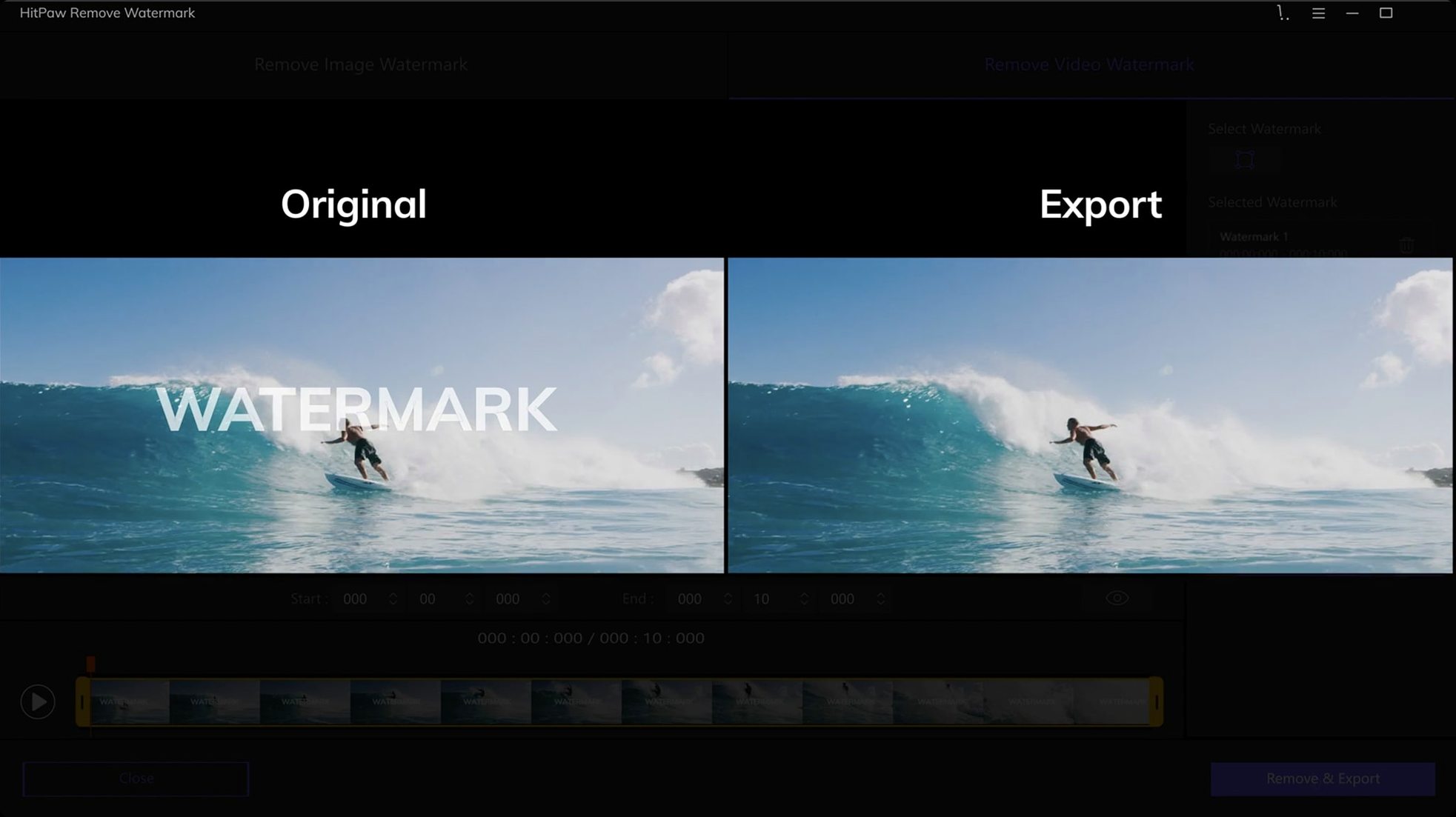
HitPaw Watermark Remover works on Intel-based Macs running macOS 10.13 and later. It is a separate product from the Windows version. The app provides a straightforward graphical interface for removing watermarks from both still images and video files.
Image and video watermark removal in one tool
The core job is cleaning watermarks out of JPEG, JPG, PNG, WebP, and BMP image files. Select the area with the watermark, and the app processes the pixels to fill it in. The same approach works on video files — you mark the watermark region once, and the tool removes it across the clip.
What it saves you
For a school IT technician, this saves the time of manually cloning out logos or text from a batch of screenshots or short instructional videos. It does one job and does it through a simple point-and-select interface, no command-line work required. Version 2.4.7 is the current release, dated 12 September 2025.
Drag a file from Finder to the drop zone
Open the app and you get a clean workspace with a drop zone in the centre. Drag a video or image file from Finder onto that area, or use the file browser to locate it. The file loads into the preview pane.
Next, pick your selection tool from the small palette: rectangle, triangle, or freeform selection. For a channel logo in the corner of a video, the rectangle tool usually does it. Draw a box round the watermark. The app highlights the selected area and shows a preview of the fill.
If the default fill looks off, switch among the three removal modes — smooth filling, edge filling, texture repair — until the background matches. For a solid-colour logo on a busy background, texture repair often works best. For text over a gradient, edge filling can give a cleaner result.
With video files, the selection applies to the whole clip. Hit the export button, choose your output format (the same source format or another supported one), and the app processes the frames. A progress bar shows where you are. When it finishes, the cleaned file lands in your chosen output folder.
Works with external drives and network shares
Drag-and-drop from Finder works as you would expect. The app respects the standard macOS file dialogue, so you can point it at files on external drives, network shares, or your Downloads folder without jumping through hoops. Output files go wherever you choose — straight into a project folder, for instance.
The app does not install background services or add itself to startup. It sits in Applications and runs only when you launch it. That suits a school environment where you want control over what runs on each machine.
For batch work, you can keep the app open and drag in one file after another. It does not queue them, but the processing speed means you can move through a handful of clips in a short session. If you need to remove the same watermark from twenty screenshots, you do each one individually, but the selection and mode settings stay consistent between files.
Set output folder and language first
Before you start, check the output folder location. The app defaults to a standard path, but you can set it to your working directory to avoid hunting for files later. The language menu is worth a look too if English is not your primary interface — the app ships in Russian, German, Spanish, Italian, Korean, Portuguese, French, Czech, and Japanese alongside English.
For video work, the removal mode matters more than with stills. Test a short clip first with each mode to see which gives the least artefacting, then run the full job. The freeform selection tool is useful when the watermark is not a neat rectangle, so keep that in mind for logos that curve or sit at an angle.
One more thing: if you find hitpaw watermark remover for mac through a search, version 2.4.7 is the one to use. A hitpaw watermark remover torrent might turn up older builds, so stick with this release for compatibility with macOS 10.13 and later.
No “what's new” for 2.4.7. The release line gave nothing I could check, and I will not stretch it into a changelog.
- macOS 10.13 or later
- Intel processor (64-bit)
Questions people ask
What image file formats does HitPaw Watermark Remover support?
It supports JPEG, JPG, PNG, WebP, and BMP files.
Does HitPaw Watermark Remover work on Apple Silicon Macs?
No, it runs on 64-bit Intel architecture only.
Staffroom comments 0
Sign in or create an account here to leave a comment.
Nobody has commented on this one yet.
Other Mac Apps tools
All Mac Apps tools-
 HitPaw Video Converter
4.5.0Intel Macs only
577 MB
Mac Apps
-
 Imagenomic Plugin Suite
2027
71 MB
Mac Apps
-
 Guitar Rig
7.0.2
951 MB
Mac Apps
-
 Guitar Pro
8.1.5
1 GB
Mac Apps
-
 iReal Pro
2026.3.2
145 MB
Mac Apps
-
 iZotope Ozone
12.1.0
1.1 GB
Mac Apps
-
 Jump Desktop
10.15.46
62 MB
Mac Apps
-
 FxFactory Pro
9.0.7
68 MB
Mac Apps