
HitPaw Video Converter 4.5.0 (macOS)
Intel build. On Apple Silicon it runs through Rosetta 2. Opens the install steps and mirrors.
- Version
- 4.5.0
- Size
- 577 MB
- Earliest macOS
- 10.15 or later
- CPU type
- Intel
- Updated
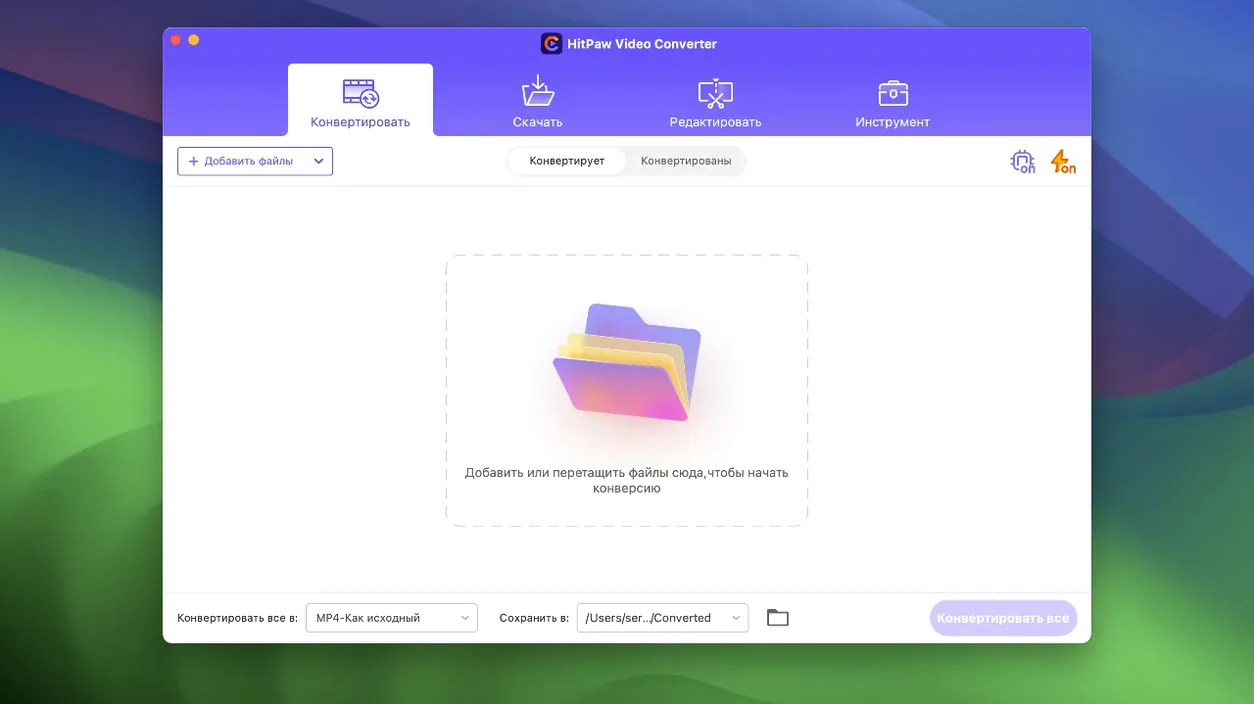
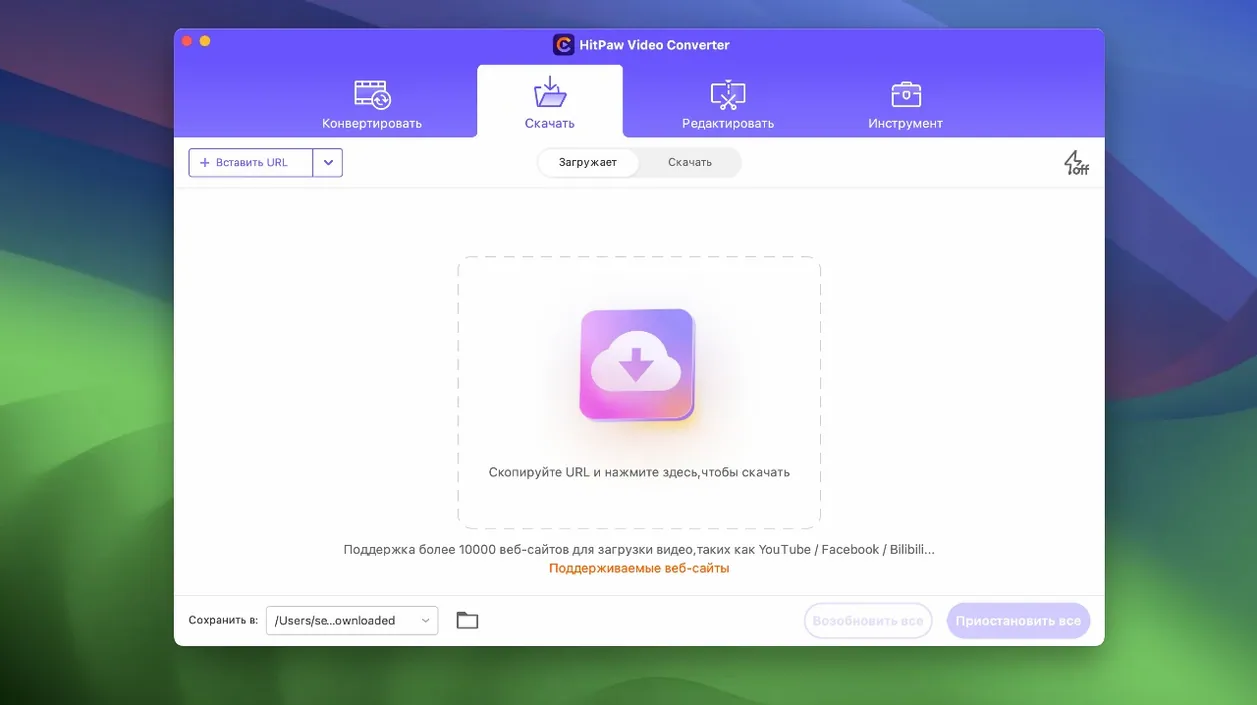
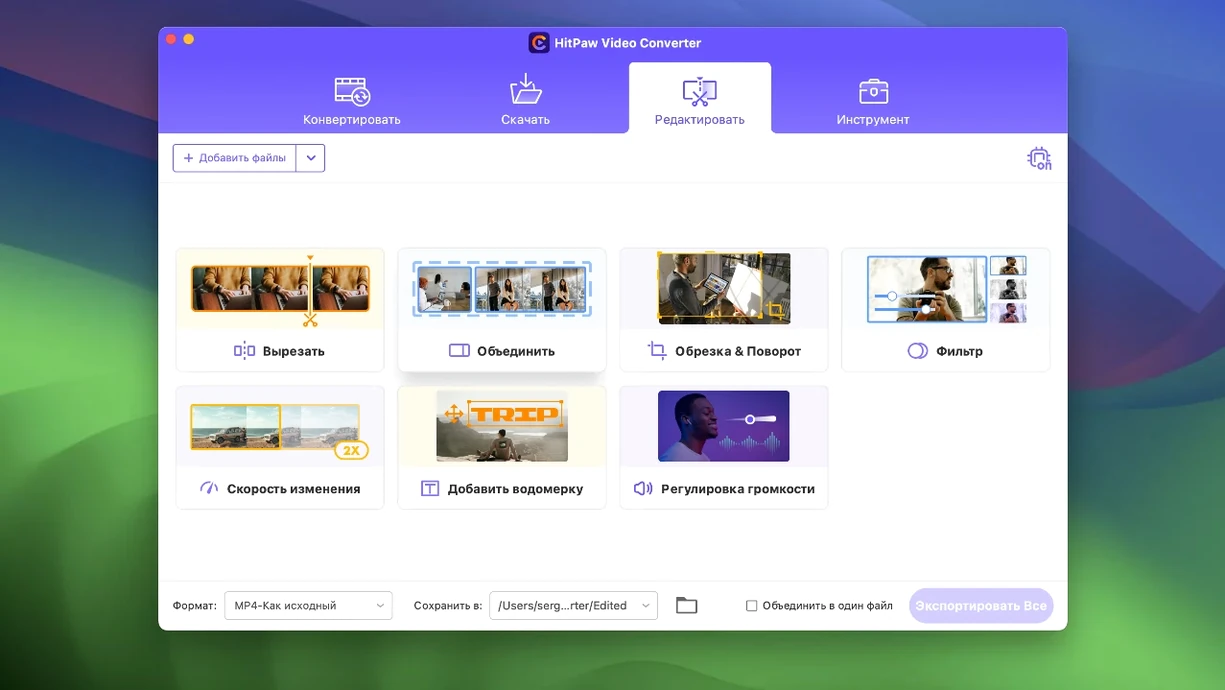
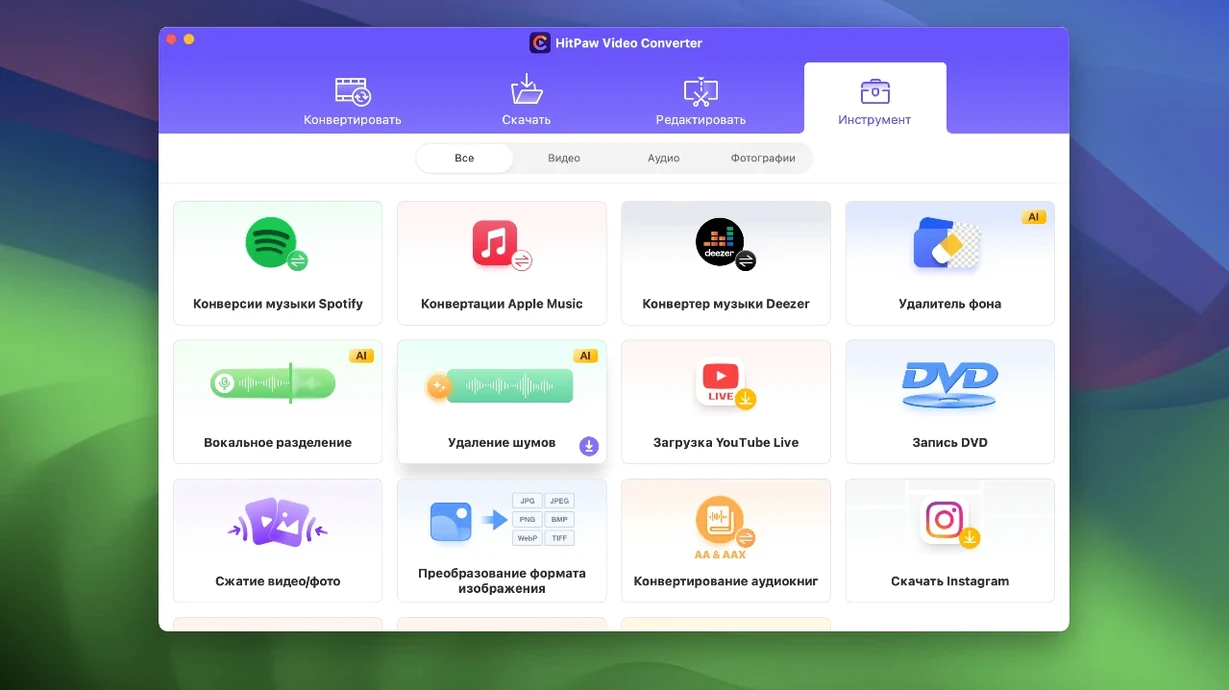
HitPaw Video Converter 4.5.0 runs on Macs with macOS 10.15 (Catalina) or later, on Intel hardware. No Apple Silicon native build is listed. It is a solid tool for any school IT setup where video files need quick conversion, compression, or downloading from sites like YouTube, Vimeo, and others from over 10,000 sources.
Typical workflow: convert and compress a video
- Open HitPaw Video Converter and click Add Files. Select the video you want to convert.
- Choose the output format from the list of over 1000 formats. MP4, MOV, AVI, MKV, or MP3 are common choices. The tool also handles advanced codecs like VP9, ProRes, and Opus.
- If file size matters, use the compression module. Version 4.5.0 optimised this part — it reduces file size without noticeable quality loss.
- Hit Convert. The app uses hardware acceleration on Intel Macs to keep the process quick.
Version 4.5.0 also added an auto reframe feature and tidied up the editor module display. The built-in AI tools and editing options (trim, crop, merge) stay the same. It can also download music from Apple Music, Spotify, and Deezer, though that is a separate workflow.
Skipping source format check leads to poor results
I see the same slip-ups when people first pick up HitPaw Video Converter. Knowing them saves time.
- Not checking the source format before conversion. The app handles over 1000 formats, but throwing a low-resolution clip at a high-resolution preset just bloats the file without improving picture. Match output to the original where you can.
- Skipping the compression module. Version 4.5.0 optimised it nicely. New users often convert at full size and wonder why the file is huge. Use compression from the start if the end goal is email or upload.
- Forgetting to set an output folder. The default location buries files. Pick a folder before converting so you do not hunt through the Mac later.
- Ignoring the auto reframe feature. It arrived in 4.5.0 and adapts video aspect ratios automatically. Beginners crop manually when this would do it in one pass.
Workflow: download a YouTube video, convert to MP3, and tag it
- Open HitPaw Video Converter and click the Download tab. Paste the YouTube link into the URL field. The app pulls the video from over 10,000 sites, so this works for Vimeo, Dailymotion, and others too.
- Select MP3 from the output format list. The converter handles MP3, AAC, FLAC, and more. Pick MP3 for broadest device support.
- Hit Download. The app grabs the audio track and converts it in one step. No need to download the video first.
- Once done, switch to the editor module. Trim any silence from the start or end with the trim tool. Version 4.5.0 cleaned up the editor interface, so it is easier to find the controls.
- Save the file. If you want to organise your music library, the AI tools can help identify tracks, though I prefer to add artist and album metadata manually in iTunes afterwards.
The whole sequence takes about three minutes for a standard four-minute YouTube clip. No extra software needed.
- Optimised the compression module.
- Optimised the editor module display.
- Added auto reframe feature.
- macOS 10.15 (Catalina) or later
- Intel processor
Questions people ask
What macOS versions does HitPaw Video Converter support?
The Mac version supports macOS 10.13 or later according to the official site, though version 4.5.0 lists macOS 10.15 as the minimum.
Can HitPaw Video Converter download from sites other than YouTube?
Yes, it can download and save videos from more than 10,000 websites, including Vimeo, Dailymotion, and others.
What advanced codecs does it support?
It supports advanced codecs and encoders including VP9, ProRes, and Opus, plus common formats like MP4, MOV, AVI, MKV, and MP3.
Staffroom comments 0
Sign in or create an account here to leave a comment.
Nobody has commented on this one yet.
Other Mac Apps tools
All Mac Apps tools-
 HitPaw Watermark Remover
2.4.7Intel Macs only
290 MB
Mac Apps
-
 Imagenomic Plugin Suite
2027
71 MB
Mac Apps
-
 Guitar Rig
7.0.2
951 MB
Mac Apps
-
 Guitar Pro
8.1.5
1 GB
Mac Apps
-
 iReal Pro
2026.3.2
145 MB
Mac Apps
-
 iZotope Ozone
12.1.0
1.1 GB
Mac Apps
-
 FxFactory Pro
9.0.7
68 MB
Mac Apps
-
 Jump Desktop
10.15.46
62 MB
Mac Apps