iReal Pro 2026.3.2 (macOS)
One download for Apple Silicon and Intel. Opens the install steps and mirrors.
- Version
- 2026.3.2
- Size
- 145 MB
- Earliest macOS
- 12.4 or later
- CPU type
- Universal
- Updated
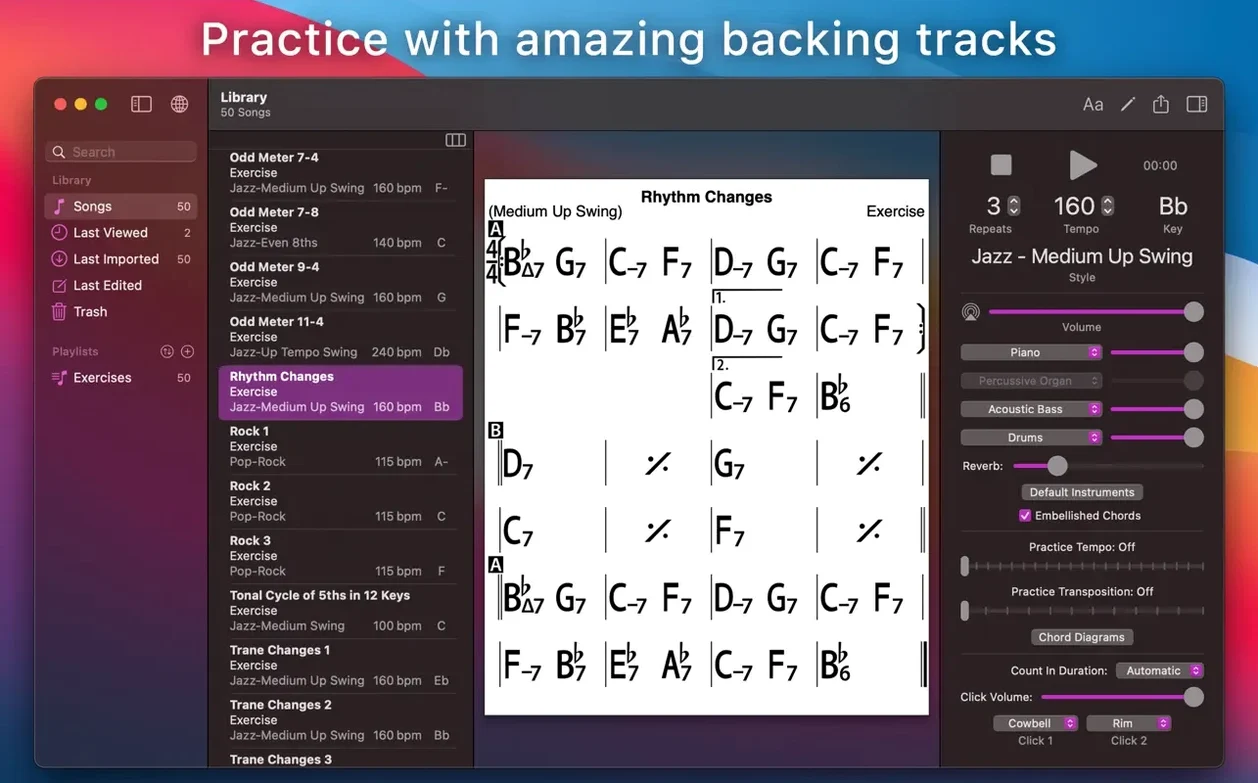
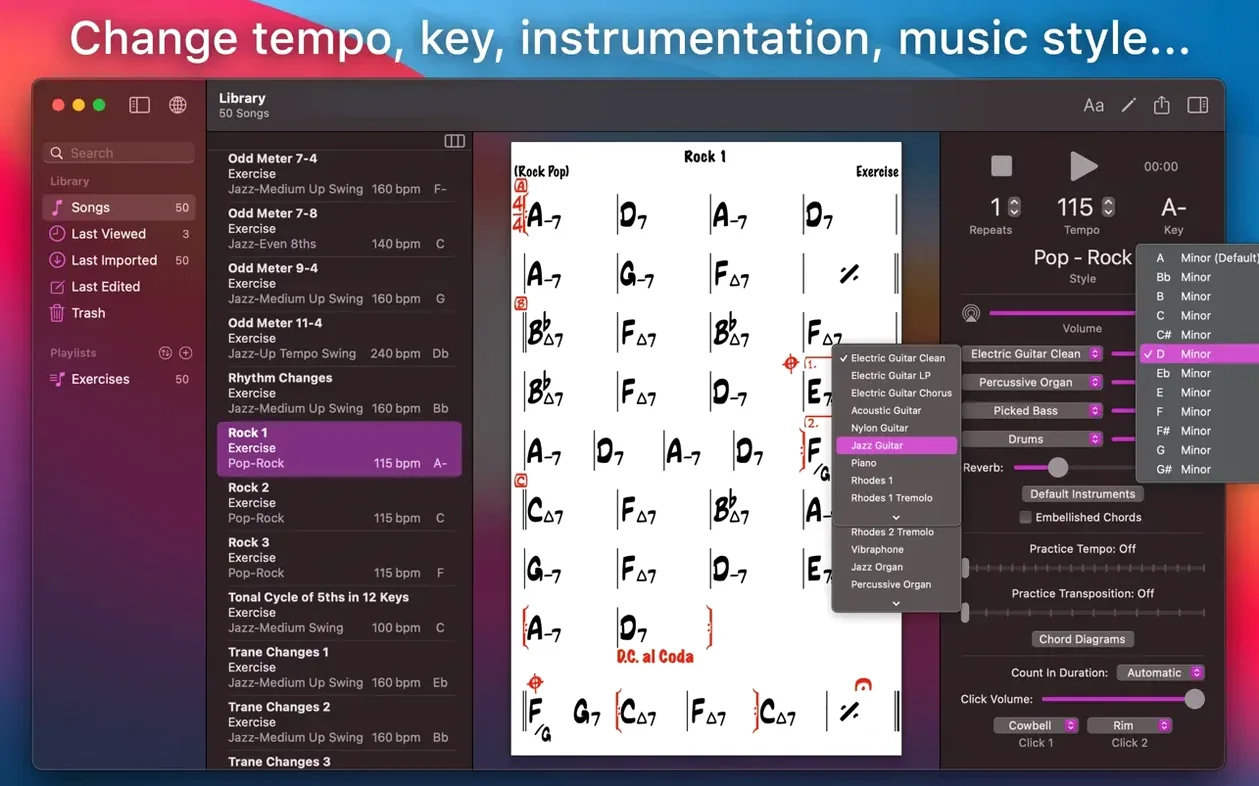
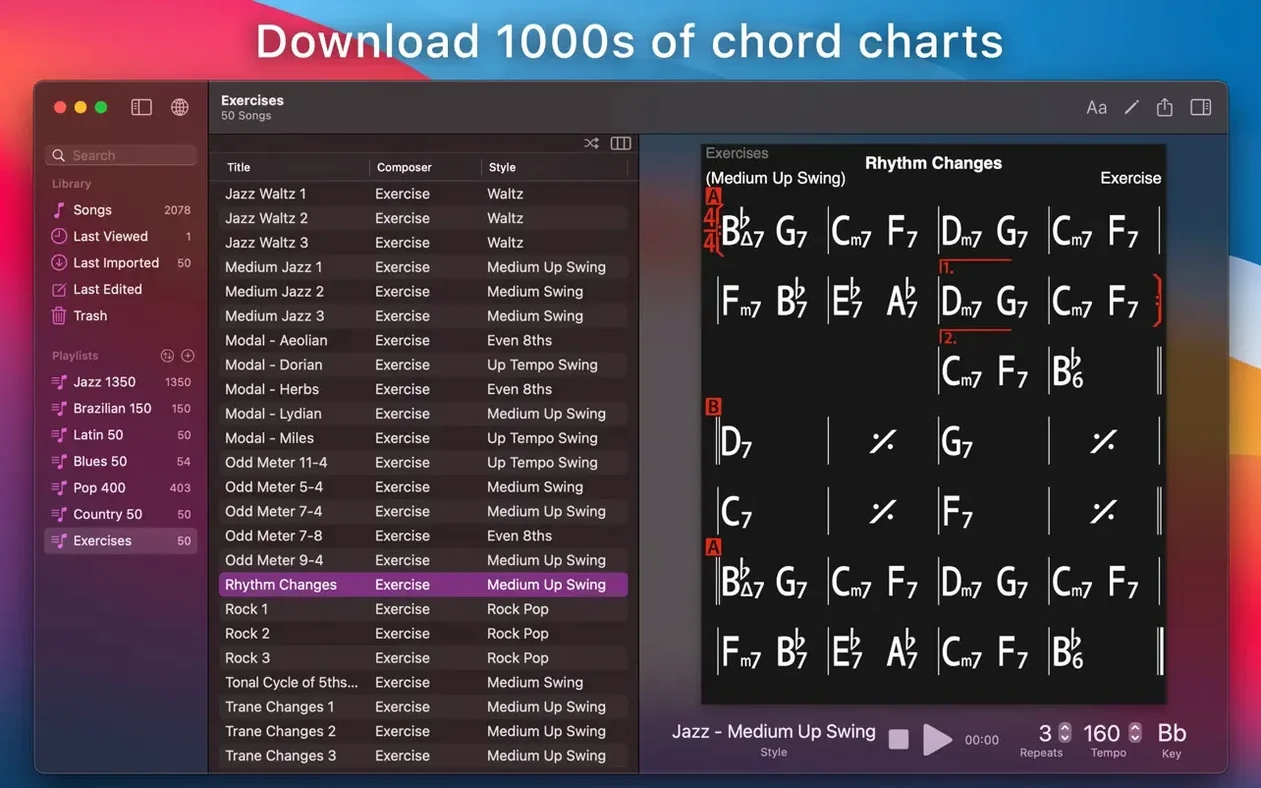
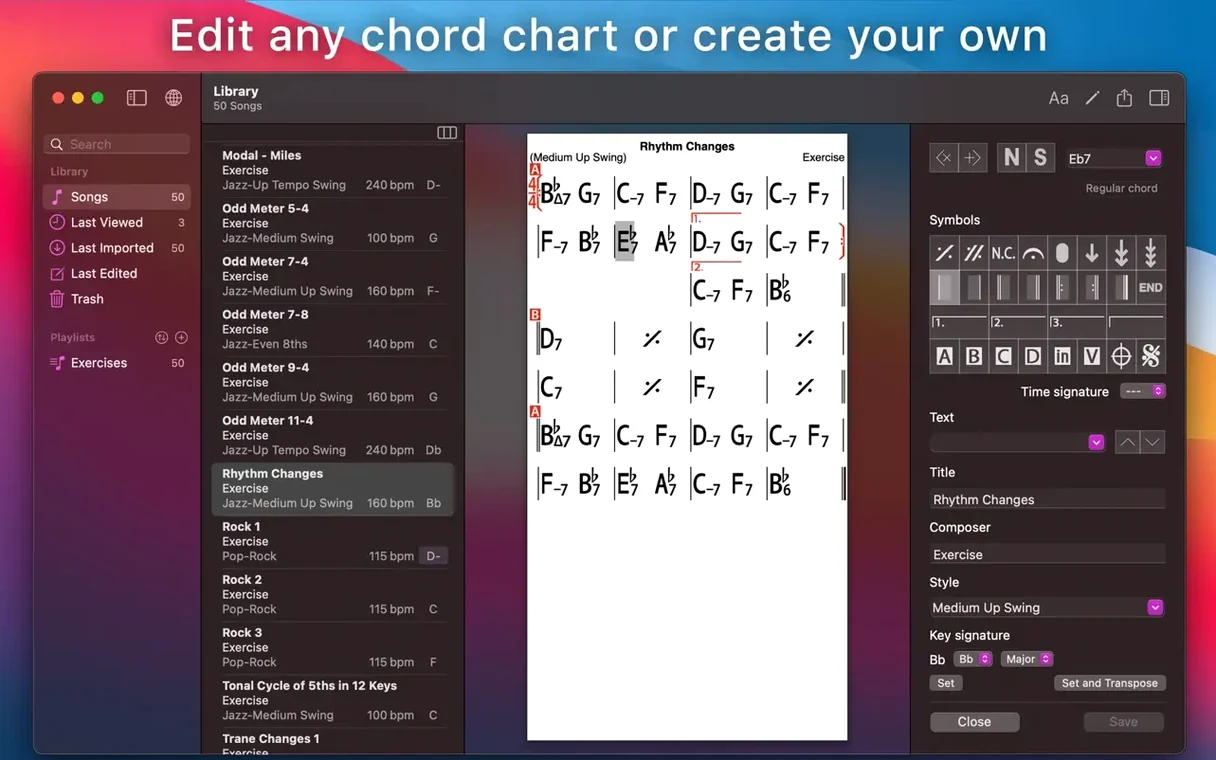
A guitarist or pianist with a Mac and a few chord changes can have a full backing band in minutes. iReal Pro simulates piano, guitar, bass and drums that follow your chord chart. You play or sing over the top – useful for rehearsing tunes you don’t have a band for, or working out arrangements.
The workflow runs like this:
- Create or download a chord chart for the song.
- Set the tempo, style and key.
- Hit play. The accompaniment follows the chart.
- Record your own playing or singing with the backing.
The chart editor shows guitar tab, ukulele tab and piano fingerings. Export as PDF or MusicXML if you need a lead sheet for a rehearsal or a student.
Transpose to Nashville numbers with one flip
The transpose feature does more than shift key. You can also flip any chart to number notation (Nashville numbers) – useful in a classroom where everyone needs to play in a different key from the same sheet. The scale suggestions per chord are tucked in the same menu; turn them on and you get a quick reference for improvising over each change.
Fifty built-in exercises cover common progressions: ii-V-I, blues turnaround, rhythm changes and so on. They’re not just static examples. You can play along, change the tempo or mute individual parts. Good for warm-up or ear training without leaving the app.
Playlists are editable and you can reorder songs by dragging. Sync with iCloud means your phone or iPad list matches the Mac version without exporting and re-importing. The free library of user-submitted chord charts is large enough that you’ll often find what you need before writing your own.
Bypass Gatekeeper with a Terminal command
Gatekeeper blocks launch on the first run. The installer instructs you to mount the disk image, then run a Terminal command to bypass Gatekeeper. If the app still won’t open, check that SIP (Secure Enclave / Secure Boot) is disabled on your Mac – the ‘K’ed by TNT team’ release from the torrent requires it. Re-enable SIP afterwards if you need it for other software.
Audio output is silent or crackles. This is usually a buffer-size or sample-rate mismatch. Open your Mac’s sound settings and lower the sample rate to 44100 Hz if you’re on an external interface. The app itself doesn’t have its own audio control panel, so the Mac’s built-in mixer is where you adjust.
iReal Pro freezes when importing a large playlist. If you’ve grabbed a library of hundreds of charts from the forum or a backup, the app can choke on metadata for a few seconds. Let it sit – it often catches up. If it stays frozen, delete the last few imported songs and re-import in batches of fifty.
PDF export cuts off the bottom of the chart. Check your page size under File → Print Setup before exporting. The app defaults to A4; if your country uses Letter, change it there. The margin settings also affect how much of the chord diagram survives the export.
Band simulation instead of MIDI instrument patches
iReal Pro fills a narrower niche than general notation software. MuseScore can create full scores and playback, but its auto-accompaniment is built around MIDI instrument patches, not the band simulation iReal Pro does. You have to layer staff by staff to get piano, bass and drums; iReal Pro does it from a chord symbol.
Band-in-a-Box is the heavyweight cousin. It offers far more styles and deeper arrangement control, plus the ability to generate full tracks from chord symbols. But its interface is busier, its file format is proprietary and the cost is higher. For someone who wants a quick backing track without menus, iReal Pro is faster to get through.
ChordPulse is simpler still – just chord playback without editing or notation export. iReal Pro sits between that and Band-in-a-Box: enough control for a working musician or teacher, without the learning curve of a full DAW.
Runs fully offline after installation
Does it need an internet connection to work? No. Once installed, everything runs offline. The free chord chart library and iCloud sync obviously need a connection, but the app itself doesn’t phone home for playback or editing.
Can I use it with a MIDI keyboard? Not directly for input. iReal Pro’s chord editor is text-based: you type chord symbols (Cmaj7, Dm7, G13) on a grid. You don’t play them in from a keyboard. MIDI input for playback control isn’t supported either – tempo and start/stop are mouse or keyboard shortcuts only.
Will it run on an Apple Silicon Mac? Yes. The version here is a universal binary covering ARM and x86 (64-bit). It works on both Intel and Apple Silicon Macs under macOS 12.4 or later.
Can I export a song as an audio file to put on my phone? Yes. Audio export gives you WAV, AAC or MIDI. WAV is uncompressed and large; AAC is fine for listening back on a phone. MIDI keeps the chord changes but uses whatever soundfont your playback device has, so the piano/guitar part won’t sound the same as in iReal Pro.
Is there a way to search the free library without installing the app? Not officially. The library is browsable inside the app only. Some online archives mirror parts of it, but they’re not affiliated with the developer. Downloading the app and its included library is the reliable route.
No “what's new” for 2026.3.2. The release line gave nothing I could check, and I will not stretch it into a changelog.
- macOS 12.4 or later
- Intel or Apple Silicon
Staffroom comments 0
Sign in or create an account here to leave a comment.
Nobody has commented on this one yet.
Other Mac Apps tools
All Mac Apps tools-
 Imagenomic Plugin Suite
2027
71 MB
Mac Apps
-
 iZotope Ozone
12.1.0
1.1 GB
Mac Apps
-
 Jump Desktop
10.15.46
62 MB
Mac Apps
-
 HitPaw Watermark Remover
2.4.7Intel Macs only
290 MB
Mac Apps
-
 KeyShot
2025.1
1.8 GB
Mac Apps
-
 HitPaw Video Converter
4.5.0Intel Macs only
577 MB
Mac Apps
-
 Kontakt
8.14.1
1.6 GB
Mac Apps
-
 Guitar Rig
7.0.2
951 MB
Mac Apps