Mimestream 1.10.8 (macOS)
One download for Apple Silicon and Intel. Opens the install steps and mirrors.
- Version
- 1.10.8
- Size
- 12 MB
- Earliest macOS
- 12 or later
- CPU type
- Universal
- Updated
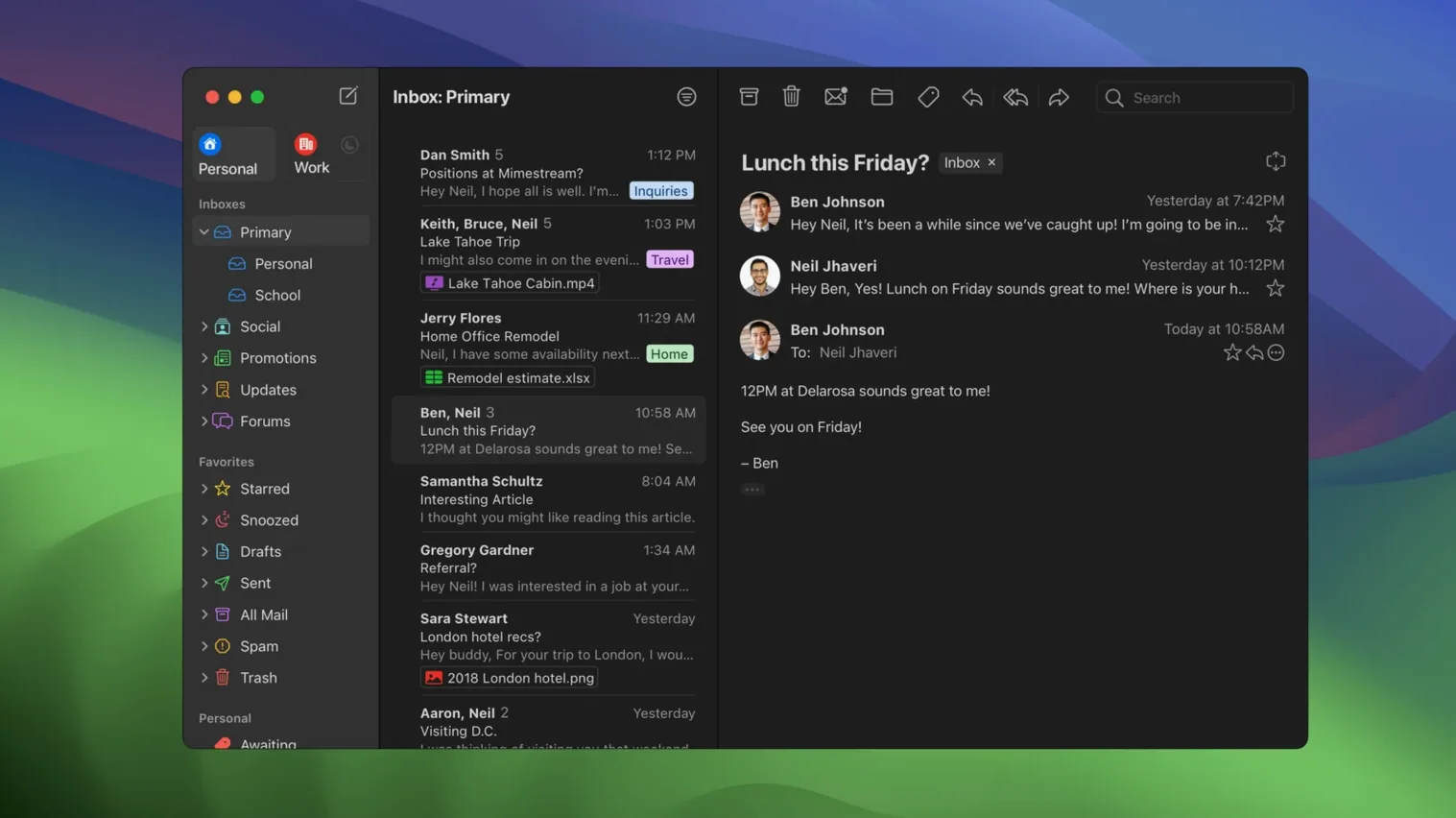
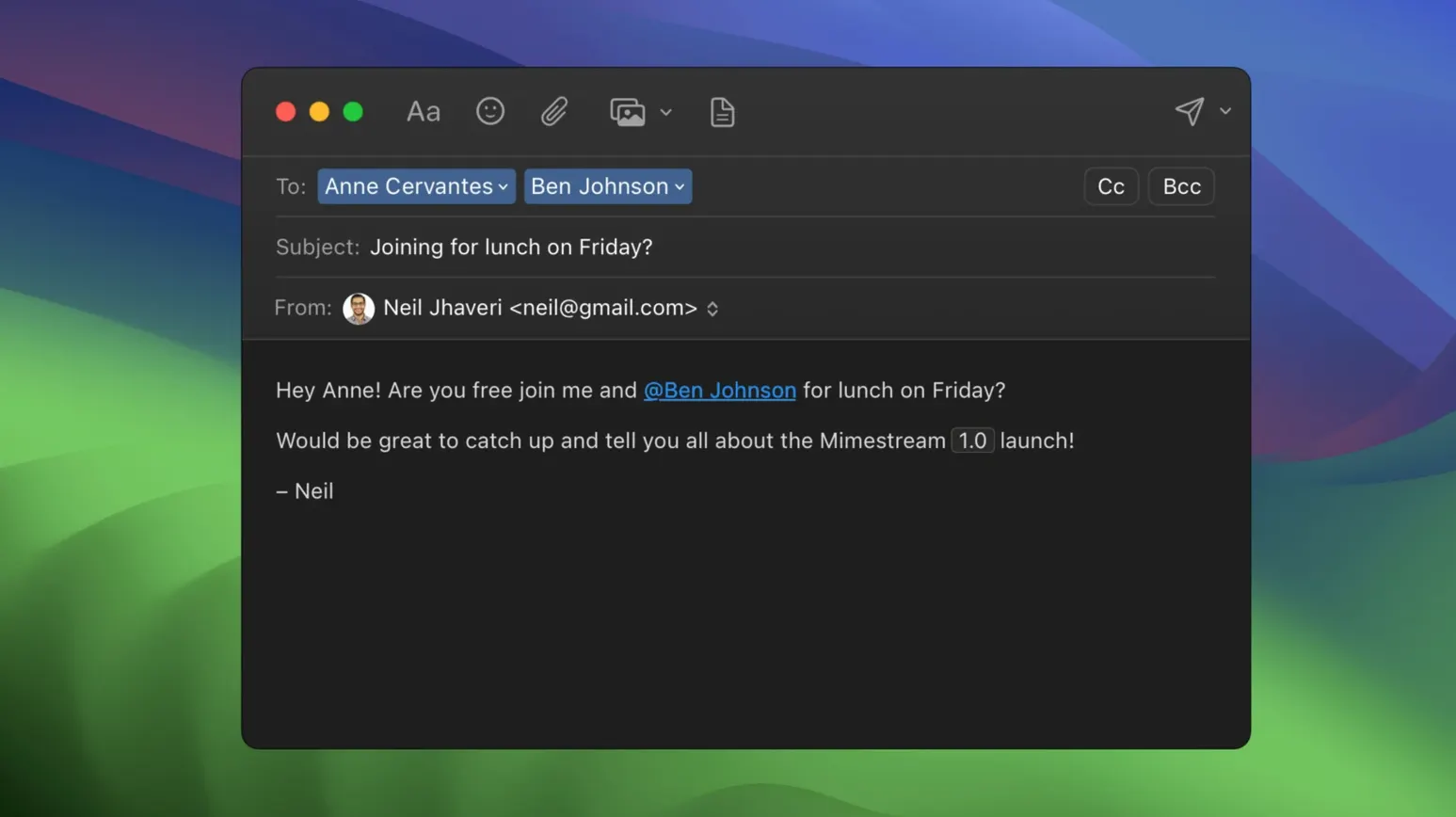
Mimestream uses the Gmail API directly — no IMAP, no setup fiddling. It is a native macOS client written in Swift that only works with Google accounts, but it does that very well. If you manage multiple Gmail accounts or aliases, they sync automatically. The app supports macOS swipe gestures for archiving and sorting, sends system notifications, and understands Gmail search syntax. It runs on macOS 12 Monterey and later, though future versions will require macOS 14.
Swipe to archive and search with Gmail operators
Open Mimestream and sign in with your Google account. The first thing you notice is how fast it feels. Swipe left on a message to archive it — that gesture alone saves time. Try searching with Gmail operators like from: or has:attachment; the results appear instantly. If you use aliases, they show up in the From field without any configuration. The app also handles multiple profiles neatly, so you can keep work and personal mail separate.
Gmail API mirrors labels without IMAP sync delay
Because it uses the Gmail API, Mimestream mirrors your Gmail labels, categories, and filters exactly. There is no IMAP sync delay. It also supports Private Push notifications on macOS 26 and later, so new mail arrives without polling. The interface is clean and macOS-native — no Electron overhead. It is not a general email client; it is a specialist tool for anyone who lives inside Gmail but prefers a desktop app over a browser tab.
MacOS notifications and swipe gestures for new mail
Mimestream works with macOS system notifications rather than its own in-app alerts. You get the standard macOS notification banner for new messages, which means you can act on them from the notification itself. The app also uses macOS swipe gestures with the trackpad or a Magic Mouse — left to archive, right for other actions. If you use macOS Focus or Do Not Disturb modes, notifications respect those settings.
For users who keep multiple Gmail accounts running, the profile switcher is quick. Switch accounts without signing out. The app caches recent messages locally for offline reading, so aeroplane mode does not mean lost productivity. Search queries run against the local cache when you are not connected.
Tracking pixel blocking and auto-synced Gmail signatures
Tracking pixel blocking is handled quietly — more than 50 tracking services are blocked by default. You do not see a placeholder or a warning; images from known trackers simply do not load.
Gmail signatures sync automatically, so your work signature with an image or a legal disclaimer appears exactly as you set it in the browser. The keyboard shortcuts are configurable between Gmail and Apple Mail layouts, which helps if you switch between this app and Apple Mail for other accounts.
Right-click quick actions and drag-and-drop attachments
Mimestream integrates with macOS Quick Actions from the right-click menu, which means you can forward or reply to messages using system-level shortcuts. If you use third-party tools for task management or note-taking, you can drag attachments directly from Mimestream into those apps — the macOS drag-and-drop protocol handles it natively.
The app honours your macOS default browser for any links you click inside messages. There is no separate link handler to configure. When you need to search for a contact or message outside Mimestream, Cmd+Space launches macOS Search with Mimestream included in the results.
Conveniences that slip by
Version 1.10.8 adds addresses for unknown senders, which means contacts not in your Google Contacts still show a clickable address rather than a raw email string. The All profile option lets you see every account in one unified inbox without switching profiles.
Notification actions are configurable — you can choose whether clicking a notification opens the message, archives it, or marks it read. Private Push notifications mean your mail server sees less polling traffic, which is a small benefit if you manage many accounts. These are not headline features, but they make daily use simpler.
- Private Push notifications are enabled by default on macOS 26 and later.
- Version 1.10 adds Private Push notifications, an optional All profile, addresses for unknown senders, and configurable notification actions.
- 1.10.8 is the latest stable release.
- macOS 12 Monterey or newer
- Intel or Apple Silicon
- Google account required
Questions people ask
Does Mimestream work with non-Google email accounts?
No, it only supports Google accounts. It is designed specifically as a Gmail client, not a general email app.
What macOS version does Mimestream require?
Mimestream requires macOS 12 Monterey or newer. Future versions will require macOS 14 or later.
Staffroom comments 0
Sign in or create an account here to leave a comment.
Nobody has commented on this one yet.
Other Mac Apps tools
All Mac Apps tools-
 Moho Pro
14.4
622 MB
Mac Apps
-
 Motion
6.3
2.6 GB
Mac Apps
-
 MAXON Cinema
2024.2.0
721 MB
Mac Apps
-
 MotionVFX mInfographics
8 MB
Mac Apps
-
 MotionVFX - mLowers Universal for FCP
71 MB
Mac Apps
-
 MotionVFX mModules
5 MB
Mac Apps
-
 Motionvfx - mTitle Cinematic
5 MB
Mac Apps
-
 MAMP PRO
6.9.0Intel Macs only
472 MB
Mac Apps