TouchDesigner 2025.31550 (macOS)
Intel build. On Apple Silicon it runs through Rosetta 2. Opens the install steps and mirrors.
- Version
- 2025.31550
- Size
- 615 MB
- Earliest macOS
- 10.14 or later
- CPU type
- Intel
- Updated
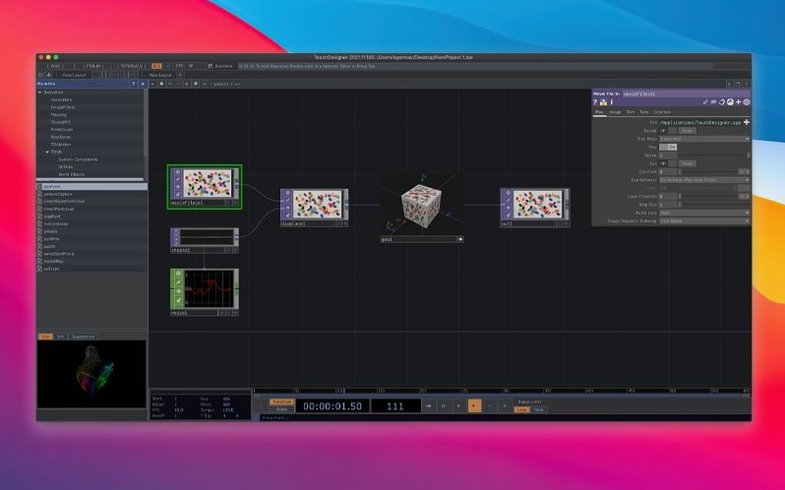
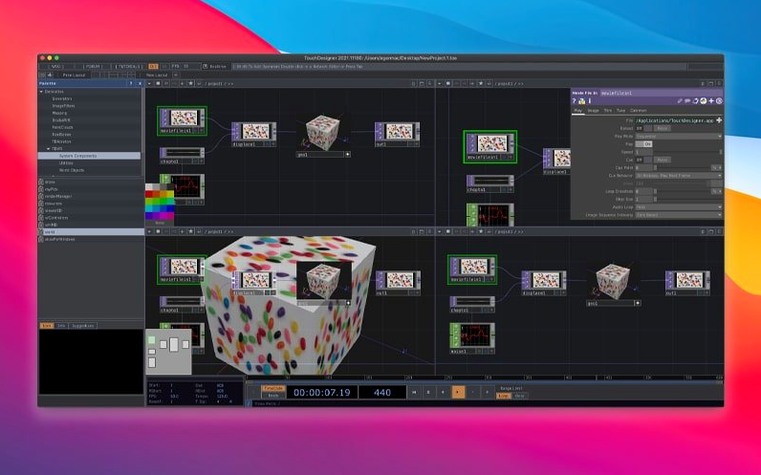
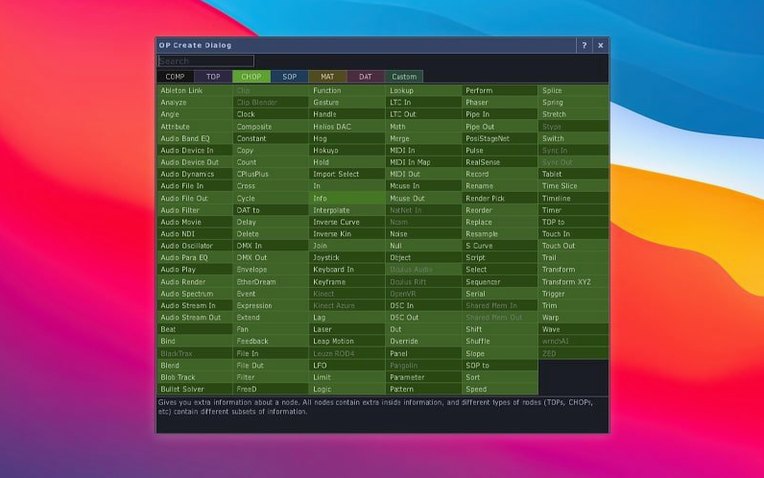
TouchDesigner is a visual programming environment for interactive real-time media and graphics. It lets you build application logic and the user interface in one environment, making it a tool for installations, performances, and creative works.
Real-time 3D graphics with TOPs and native 3D textures
- Real-time 3D graphics and compositing with TOPs (texture operators) that now support 3D textures and 2D arrays natively.
- Building interactive installations that connect to lighting, audio, input devices, and show-control systems.
- VR work – includes built-in VR tools.
- Point cloud manipulation with the new Point Operators (POPs) family introduced in the 2025 release.
Intel-only with no native Apple Silicon build
- Runs on macOS 10.14 or later, Intel-only. No native Apple Silicon build yet.
- Interface is English only.
- The Kinect Azure wrapper was updated to 1.10.3; the Orbbec SDK is at 1.10.16 and now supports Intel Macs.
Lives alongside Ableton Live, Resolume, and QLab via OSC and MIDI
TouchDesigner does not compete with your usual Mac software. It lives alongside Ableton Live, Resolume, QLab, and anything that speaks OSC, MIDI, or DMX over Art-Net. The environment is a node in a larger signal chain — you feed it sensor data, audio analysis, or network messages, and it outputs visuals, lighting cues, or OSC replies.
On macOS it uses the standard networking stack, so sending or receiving UDP over localhost works without extra configuration. If you use a MIDI controller or a hardware fader bank, TouchDesigner picks it up through the OS MIDI service. The same applies to serial devices — any USB-to-serial adapter recognised by macOS is usable inside a patch.
The built-in browser panel lets you pull in web APIs, which is useful for live data feeds or control interfaces served from a local machine. I have seen setups where a TouchDesigner patch on a Mac mini drives a projection-mapped show while a separate laptop runs audio-reactive processing and sends it over the network. The two machines talk without a central server.
Start with the example files and press Play
If this is your first time opening TouchDesigner, start with the example files that ship with the application. They are in the Examples folder inside the application directory. Open one, press Play, and watch the network of operators execute. Then pause it, drag a node, and see what breaks — that is how you learn the data flow.
- Keep the Help window open on a second monitor if you have one. It documents every operator's inputs and outputs as you hover.
- Set your patch to output to a window, not a fullscreen display, while you test. Fullscreen mode hides the UI and makes debugging harder.
- Create a folder for your own projects before you save anything. TouchDesigner patch files are small, but they accumulate fast.
- Check the console tab (bottom of the UI) for errors. A red message there usually means a missing file or a wrong data type being passed into an operator.
If you use a sensor like an Orbbec camera, plug it in before launching the app. The SDK initialises at startup, and connecting a device later may require a restart of TouchDesigner.
Best for media artists building unattended installations
TouchDesigner suits three kinds of Mac users more than others.
Media artists building installations. If your work runs in a gallery, a theatre, or a public space for hours at a time, you need an environment that can run unattended. TouchDesigner has a kiosk mode and can start a patch automatically when the machine boots. You set it up once, then let it run.
VJs and live performers. The ability to map MIDI controllers, faders, or a tablet interface directly to visual parameters means you can change a show on the fly without touching the Mac's keyboard. The 2025 update with POPs gives you real-time point cloud manipulation that reacts to audio input through FFT operators.
Prototypers and educators. Because the interface and the logic are built in the same environment, you can sketch a visual idea in ten minutes without writing code. That makes it useful in classrooms where students have varied programming experience. The visual nature of the patches also makes them easier to explain than a block of Processing or openFrameworks code.
For anyone else — someone who just wants to apply an effect to a video clip — there are simpler tools. TouchDesigner rewards the user who wants to connect, trigger, and react in real time, not the user who wants to render a single file to disk.
- Point Operators (POPs) introduced.
- Most TOPs now natively support 3D textures and 2D arrays.
- Orbbec SDK upgraded to 1.10.16.
- macOS 10.14 or later
- Intel processor
Questions people ask
What hardware does TouchDesigner support?
It works with Kinect Azure (wrapper 1.10.3) and Orbbec cameras (SDK 1.10.16, now on Intel Macs), plus lighting, audio, and show-control gear.
Are the new Point Operators (POPs) for point clouds only?
POPs are a new operator family introduced in the 2025 release, designed for point cloud data and similar real-time 3D workflows.
Staffroom comments 0
Sign in or create an account here to leave a comment.
Nobody has commented on this one yet.