Sweet Home 7.5.7 (macOS)
One download for Apple Silicon and Intel. Opens the install steps and mirrors.
- Version
- 7.5.7
- Size
- 356 MB
- Earliest macOS
- OS X 10.9 or later
- CPU type
- Universal
- Updated
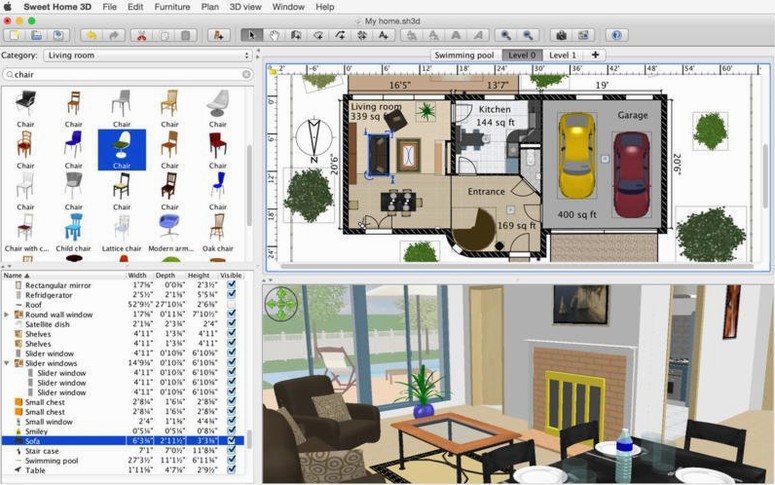
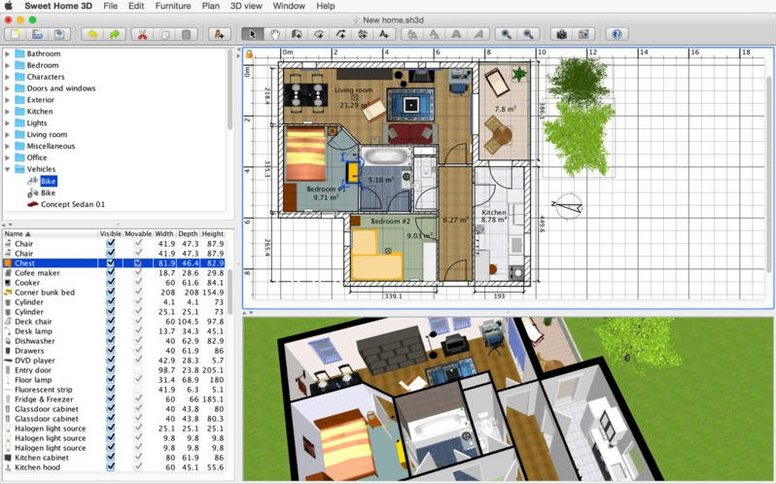
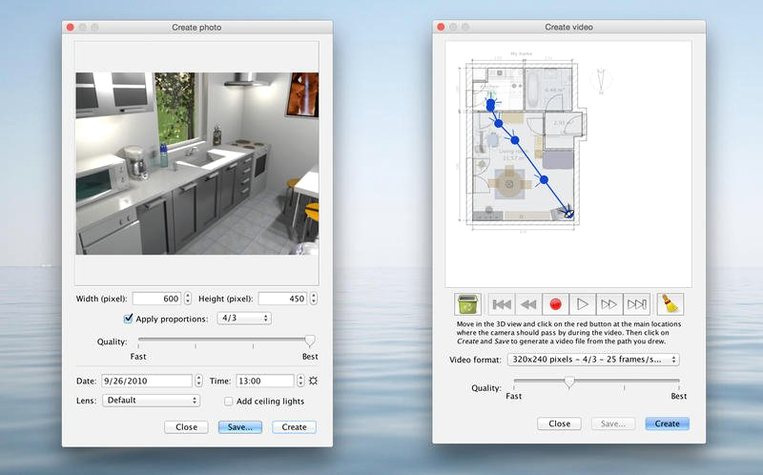
Over 1,400 objects ship with Sweet Home 3D, enough to furnish most house plans without importing anything. The app handles the whole workflow: draw walls, drop in doors and windows, then switch to 3D to walk through the result.
Draw a floor plan
Start by laying out rooms and walls on a grid. The catalogue opens alongside the plan, so you drag furniture straight onto the drawing. Each object’s size, rotation, height, colour and texture can be edited later.
Place windows and doors
Windows and doors snap into walls automatically. The catalogue has interior and exterior styles, and you can adjust the opening direction or frame colour. The 3D view updates in real time as you drop items.
Walk through in 3D
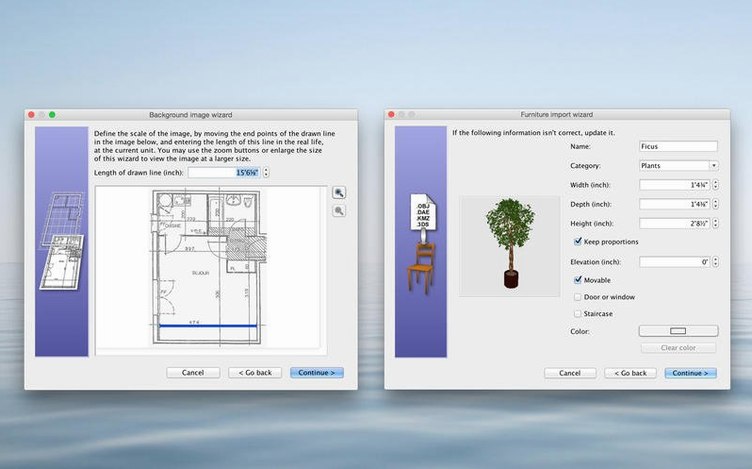
Switch between an aerial view and a visitor’s-eye angle. The separate 3D window syncs with the plan, so moving a sofa on the drawing shifts it in the 3D view too. You can also import your own 3D models from the web.
Alternatives and how they compare
Other interior design apps exist for macOS, but they tend to aim at different use cases. Two worth noting are HomeByMe and Roomstyler (now part of a larger suite).
HomeByMe is online-only: you work in a browser and download renders. That means no offline editing and no local file management. Sweet Home 3D runs entirely on your Mac, so network drops don’t interrupt the workflow. HomeByMe also hides many furniture items behind registration; Sweet Home 3D’s catalogue of over 1,400 objects is available immediately.
Roomstyler (the iOS and web version) focuses on decorating a pre-existing room photo rather than drawing walls from scratch. It works well for quick furniture swaps but lacks the plan-drawing tools and multi-level support that Sweet Home 3D offers. If you need to design a whole house — walls, stairs, roof lines — Sweet Home 3D gives you the drafting tools to do it.
Neither alternative offers integrated 3D video walkthroughs or the same flexibility for importing user-made 3D models.
3D view window no longer desyncs during edits
Version 7.5.7 is a maintenance release. The changes that affect everyday use are minor but practical:
- The separate 3D view window no longer desyncs when you edit the plan. Previous builds could lag behind if you moved objects quickly between the 2D and 3D panels.
- Underground levels — basements, cellars — now render at the correct elevation in the 3D view. Earlier versions showed them at ground level, which made split-level plans look wrong.
- Thai interface text displays properly now. If you work in that locale, the font rendering issue is fixed.
None of these add new features, but they fix quirks that could slow down a project. The app remains the same 7.5 branch with the same catalogue and export options.
If you search for a sweet home 3d crack or sweet home 3d pro crack, you will find modified builds that claim to unlock extra content, but the standard catalogue covers most household furnishings. The TNT team release here is the full 7.5.7 build with activation handled, so you get the complete object library and all export formats out of the box.
- macOS OS X 10.9 or later
- Intel or Apple Silicon Mac
Questions people ask
Can I edit furniture appearance in Sweet Home 3D?
Yes, you can edit each furniture item’s size, orientation, height, colour and texture.
What file formats does Sweet Home 3D support for importing models?
It can import 3D models you make yourself or download from the internet, though the app does not list specific file formats in its system requirements.
Staffroom comments 0
Sign in or create an account here to leave a comment.
Nobody has commented on this one yet.
Other Mac Apps tools
All Mac Apps tools-
 Super Vectorizer Pro
2.4.0
8 MB
Mac Apps
-
 TablePlus
6.8.0
91 MB
Mac Apps
-
 Sublime Text
4.0
54 MB
Mac Apps
-
 SketchUp Pro
27.0.267
1.6 GB
Mac Apps
-
 Topaz Gigapixel AI
1.4.0
372 MB
Mac Apps
-
 Topaz Video AI
1.7.2
1.6 GB
Mac Apps
-
 TouchDesigner
2025.31550Intel Macs only
615 MB
Mac Apps
-
 Typeface
4.5.1
23 MB
Mac Apps