iZotope Insight 2.4.0 (macOS)
- Version
- 2.4.0
- Updated
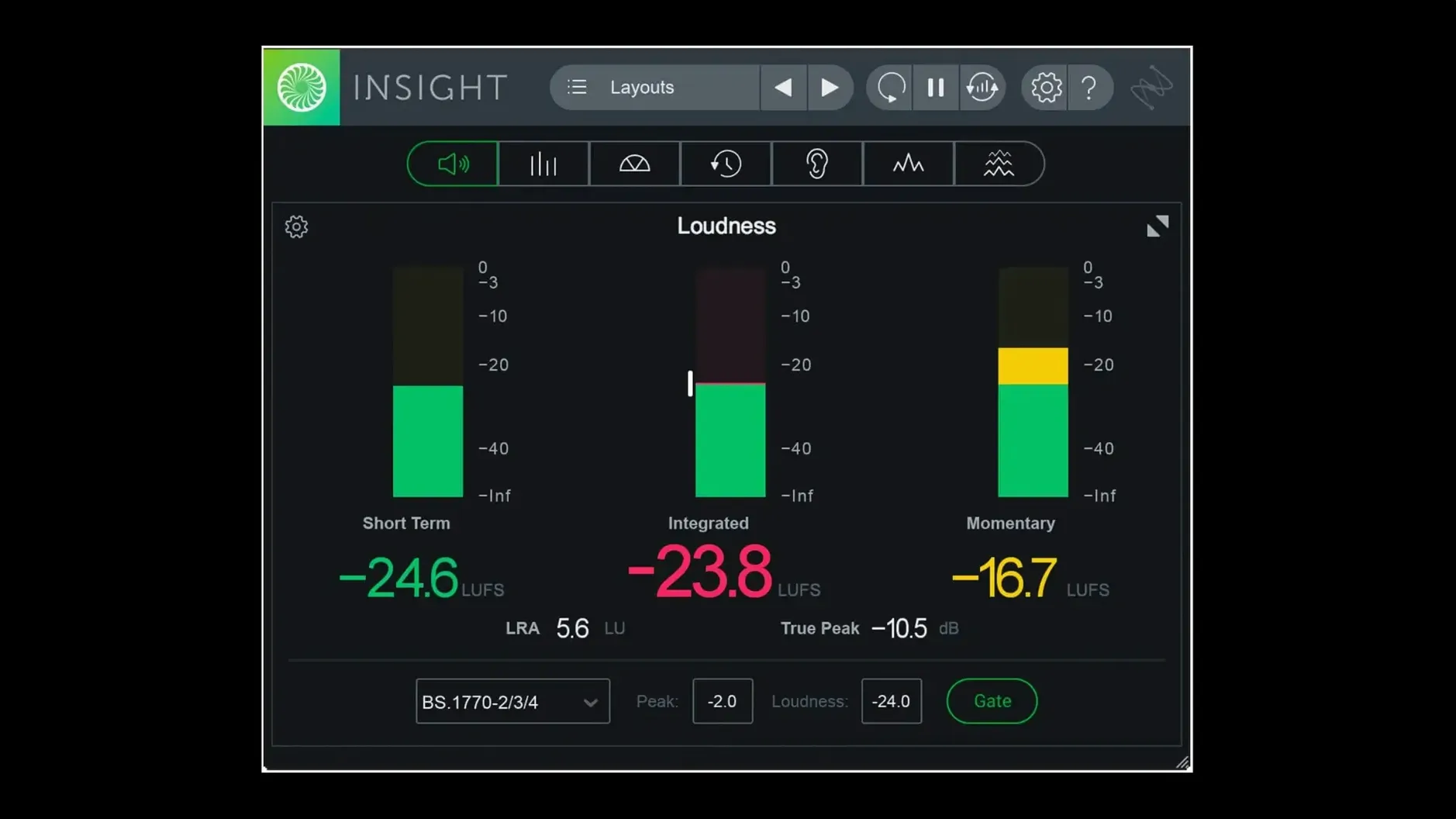
iZotope Insight 2 is an audio metering and analysis plug-in for macOS.
Works with native arm64 AAX in Pro Tools 2023.3+
Insight 2 supports native arm64 AAX for Pro Tools 2023.3+ on Apple silicon Macs, along with standard VST and AU formats. The minimum macOS version is Big Sur.
What does it measure?
It shows mix loudness, intelligibility, spectral balance, and related metrics. You can verify audio against current broadcast loudness standards, including multichannel support up to Dolby Atmos 7.1.2.
Troubleshoots problematic mixes with factory and custom presets
Intended for visualising changes during mixing and mastering, Insight 2 helps troubleshoot problematic mixes. Factory and custom preset tabs in the preset manager speed up repeat work.
Setting up an analysis workflow
When I bring Insight 2 into a mix session, I tend to start with the Loudness Meters and the True Peak Meters on the master bus. This gives me an immediate read on overall loudness and peak levels. From there I add the 2D Spectrogram on a separate track that I route through a bus — drums or backing vocals, for example — to spot frequency build-ups that might not be obvious by ear.
The Vectorscope is useful for checking stereo width and phase correlation. A tight centre image with wide, coherent sides is what I look for. The colour signals on each meter make it easy to see when something is out of range without having to stare at numbers. Once the session is set up, I leave Insight 2 running in the background and glance at it when something sounds off.
Native arm64 AAX support ends Rosetta for Pro Tools users
The main change for anyone on Apple silicon is the native arm64 AAX support for Pro Tools 2023.3 and later. No more running under Rosetta for Pro Tools users. The installer itself now also supports native arm64 installation, which means fewer compatibility layers in general.
Factory and custom preset tabs were added to the preset manager. If you switch between broadcast loudness standards or different analysis views regularly, saving those as presets saves time. The authorisation workflow was also changed, and Relay is no longer included directly in the installer. For multi-user installations — a school or shared studio — the updated installer handles that better now.
Runs on Intel and Apple silicon from Big Sur onward
Does it work on an Intel Mac? Yes. The minimum macOS version is Big Sur, and Insight 2 runs on both Intel and Apple silicon. The native arm64 support is an addition, not a replacement.
Can I use it on more than one machine? The version described here is DRM-free, so the usual copy-and-activate approach applies. The installer includes instructions for activation.
Is it only for Pro Tools? No. It supports VST and AU formats, so it works in Logic Pro, Cubase, Reaper, and other DAWs that accept those plug-in formats. The arm64 AAX support is specifically for Pro Tools 2023.3+ on Apple silicon, but the other formats cover everything else.
Do I need to know what all the meters do before I start? Not really. The colour signals and real-time visual monitoring mean you can spot problems without deep prior knowledge. The preset manager helps you set up a standard layout once and reuse it across sessions.
- Native arm64 AAX support for Pro Tools 2023.3+ on Apple silicon Macs.
- Native arm64 install support for Apple silicon Macs.
- Factory and custom preset tabs added to the preset manager.
- macOS Big Sur or later
- Apple Silicon or Intel processor
- Interface language: English
Questions people ask
Does Insight 2 run natively on Apple silicon Macs?
Yes. Native arm64 install support was added in version 2.4.0, along with native arm64 AAX support for Pro Tools 2023.3+.
Staffroom comments 0
Sign in or create an account here to leave a comment.
Nobody has commented on this one yet.
Other VST Plugins tools
All VST Plugins tools-
 iZotope RX
12.1.0
3.6 GB
VST Plugins
-
 iZotope Tonal Balance Control
3.0.0
264 MB
VST Plugins
-
 LFOTool
1.768
7 MB
VST Plugins
-
 Melodyne
5.4.2
97 MB
VST Plugins
-
 EZdrummer
3.1.2
786 MB
VST Plugins
-
 EZbass
1.3.3
81 MB
VST Plugins
-
 elastiquePitch
2.5.0
17 MB
VST Plugins
-
 Devious Machines Infiltrator
2.5.26
46 MB
VST Plugins