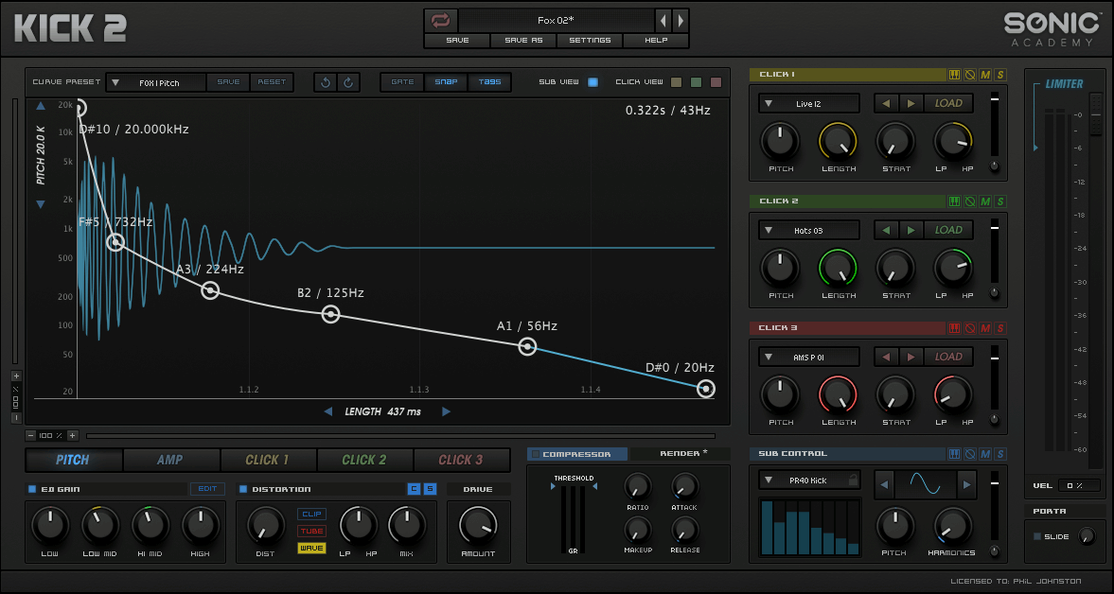
Sonic Academy KICK 1.1.8 (macOS)
One download for Apple Silicon and Intel. Opens the install steps and mirrors.
- Version
- 1.1.8
- Size
- 358 MB
- Earliest macOS
- 10.13 or later
- CPU type
- Universal
- Updated
Electronic music producers and sound designers who need tight, punchy kick drums reach for Sonic Academy KICK. It is a dedicated kick drum synthesizer plugin — the updated version of Kick by Nicky Romero — and it lives on a track or a bus in your session, doing one job well.
Where does KICK sit in a session?
Drop KICK on a MIDI track and it generates the kick from scratch. You feed it a note, it outputs a synthesised kick drum. That track then routes to the drum bus or direct to the master.
What processing does it bring?
The plugin bundles an equaliser, compressor, limiter and distortion effects, plus one low-frequency oscillator. You can shape the transient, the body and the sub without extra inserts. Additional waveforms for sub-bass creation go beyond a plain sine wave.
How many presets come with it?
Over 230 factory presets are included. They cover genres from techno to hip-hop. A quick browse gets you close, then you tweak the LFO, EQ or distortion to fit the mix.
Building a kick from scratch in five minutes
Start by loading KICK on a MIDI track and writing a single C1 note, looped. Pick one of the over 230 factory presets that is in the right ballpark — a techno thump or a hip-hop boom. Then turn to the click-shaping areas.
The click is the attack that cuts through a mix. The plugin gives you three click-shaping areas to work with. Audition each and pick one that has the right snap. Shorten the decay if the click bleeds into the body. Lengthen it if you want the transient to punch through a busy arrangement.
Next, the sub oscillator. A sine wave is the default, but you can switch to additional waveforms for sub-bass creation. A saw or square wave adds harmonic content that works well on smaller speakers. Adjust the pitch envelope so the sub drops in tune with the root note of your track.
Run through the three distortion algorithms. A light saturation on the body adds presence. A harder clip on the transient tightens the hit. Dial in the compressor next — a 2:1 ratio with a fast attack controls the body without squashing the click. Finish with the limiter on the output to catch any stray peaks. The whole process takes a few minutes and leaves you with a kick that needs no further inserts.
Set pitch envelope for electronic genres
When you open KICK for the first time, a few adjustments save you time later. Set the pitch envelope range so the sub slides from around 60 Hz down to 45 Hz — that fits most electronic genres. Disable the limiter on the output while you compose; it is useful for final mixdown but masks level changes during sound design.
Check the distortion routing. The three distortion algorithms can run in series or parallel. Parallel is safer for initial tweaking because it keeps the sub clean while adding grit to the click and body. Switch to series only when you want a more aggressive, integrated sound.
Save your own template preset once you have a starting point you like. The factory presets are varied, but a custom template with your default pitch range, EQ curve and limiter state means every new session begins with your preferred foundation.
KICK layers with other drum plugins on one track
Some people ask whether KICK works alongside other drum plugins on the same track. It does. You can layer a KICK instrument track with a drum machine or a sample-based kick. The plugin lives on its own MIDI track, so it does not interfere with audio clips on adjacent tracks. Route the output of both to a drum bus and blend to taste.
Another question is about preset management. The 230 factory presets are read-only, but you can save your own presets to a user folder. The plugin loads them alongside the factory set. If you overwrite a factory preset by mistake, reinstall the factory set from the included installation archive.
People also wonder about using KICK on an older DAW. The plugin is 64-bit x86, so it requires a 64-bit host. Most modern DAWs — Logic Pro, Ableton Live, Cubase, FL Studio — run 64-bit by default. Check your DAW's plugin manager if KICK does not appear after installation. Sometimes a rescan or a manual path addition is needed.
Sonic Academy KICK lets producers build punchy kick drums without needing a kick vst crack. The package handles the activation process itself. No extra steps are required beyond following the instructions inside the package.
No “what's new” for 1.1.8. The release line gave nothing I could check, and I will not stretch it into a changelog.
- macOS — version not specified
- Intel (64-bit x86)
Questions people ask
Is KICK compatible with Apple Silicon Macs?
The current build is 64-bit x86 (Intel). Apple Silicon support is not listed.
What is the interface language?
English.
How many factory presets are included?
Over 230 factory presets come bundled with the plugin.
Staffroom comments 0
Sign in or create an account here to leave a comment.
Nobody has commented on this one yet.
Other VST Plugins tools
All VST Plugins tools-
 Slate Digital Submerge
1.0.5
38 MB
VST Plugins
-
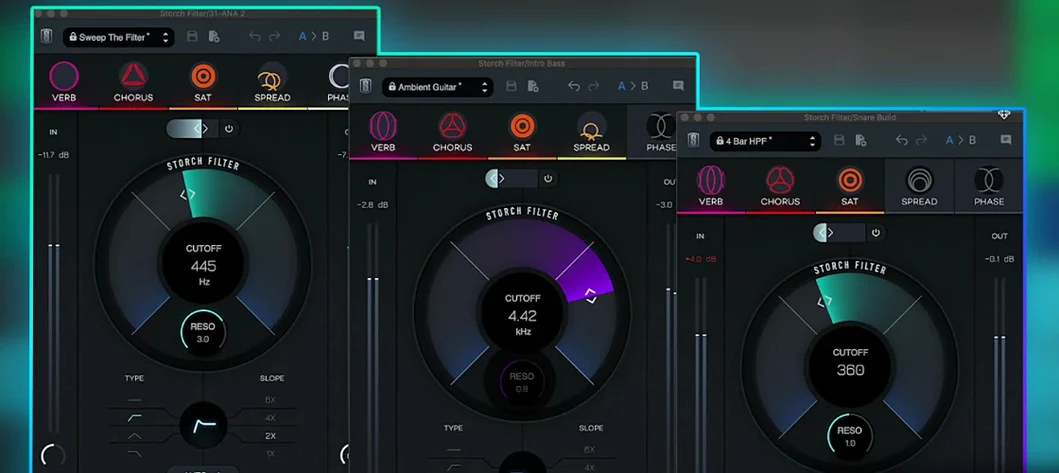 Slate Digital Storch Filter
1.0.6
69 MB
VST Plugins
-
 Steinberg SpectraLayers Pro
13.0.20
3.9 GB
VST Plugins
-
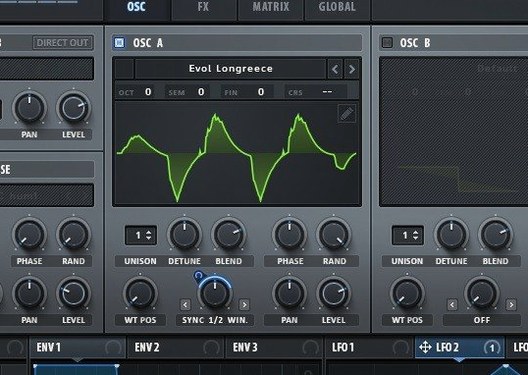 Serum
2.1.5
1.2 GB
VST Plugins
-
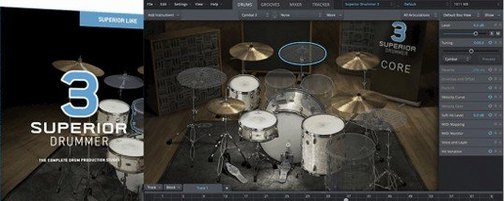 Superior Drummer
3.4.4
625 MB
VST Plugins
-
 Scaler 3
3.3.2
1.4 GB
VST Plugins
-
 T-RackS
6.3.2
2.3 GB
VST Plugins
-
 Safari Pedals Everything Bundle
2026.05
628 MB
VST Plugins