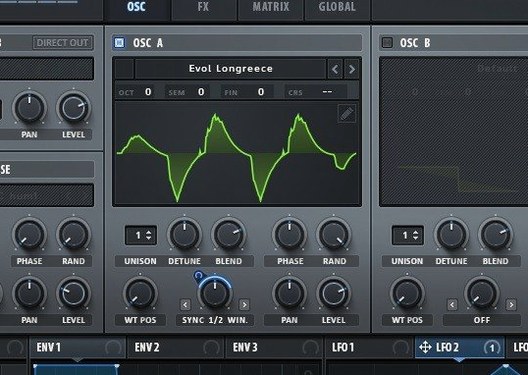
Serum 2.1.5 (macOS)
One download for Apple Silicon and Intel. Opens the install steps and mirrors.
- Version
- 2.1.5
- Size
- 1.2 GB
- Earliest macOS
- 10.13 or later
- CPU type
- Universal
- Updated
A thin lead part that disappears in a busy mix, or a bass patch that falls apart the moment you play a chord — Serum was built to fix density problems like these without stacking a dozen plugins afterwards.
Wavetable editor — the core of the synth. Draw, import or mangle waveforms straight on the grid. Changes are immediate, so a dull sawtooth can turn into something metallic while the loop plays.
Stack — layers notes at set intervals, usually octaves, from a single key press. Adds weight without touching the filter or doubling a track.
Unison WT Pos — maps a different wavetable frame to each unison voice. Spread the voices and the stereo field fills with movement, not just detune.
Sample-rate reduction — lives in the filter section. Drops the bit-crushed grit downstream of the filter, so the tone stays controllable as it breaks apart.
Modulation — drag-and-drop routing from LFOs, envelopes and macros onto almost any parameter. A single macro knob can shift the wavetable position, open the filter and tighten the amp envelope in one motion.
A session with Serum, step by step
I open a new project, add Serum on an instrument track and call up an init patch — saw wave, open filter, no modulation yet. The goal is a pad that shifts without sounding like a preset.
Step one: pick a wavetable. The default saw is flat, so I drag a vocal-sounding table from the wavetable menu and watch the waveform render top-right. I scroll WT Position slowly; the waveform morphs through partials. I land on frame 64 — hollow, glassy — and leave it.
Step two: stack. One note now carries an octave shimmer that stays behind the fundamental. I add a second stack voice at -5 semitones for a fifth below. Three notes ring from one key.
Step three: unison widening. Each voice grabs a different wavetable frame. The stereo image spreads without the usual chorus-y wobble — the timbre changes across the field, not just the pitch.
Step four: filter and grit. I pull in the sample-rate reduction from the filter menu, set it modestly — just enough to round off the highs into a grainy tail. A low-pass filter follows it, key-tracked so higher notes open slightly. The pad breathes.
Step five: modulation. I drag an envelope onto WT Position, set a gentle attack and decay. The wavetable drifts on every note press. A second LFO nudges the filter cutoff. Two sources, two destinations, no automation lanes yet.
By the time I play a four-note chord, the patch feels alive. No external effects. I bounce a rough take and it sits in the arrangement without eating headroom.
WT Pos as a transient shaper
- WT Pos as a modulation target — beyond the obvious sweep, tiny envelope amounts turn a static wave into a transient shaper. A 5% decay drop on WT Pos can give a pluck its bite.
- Unison Warp — works alongside Unison WT Pos. It skews the unison voices asymmetrically, so the detune character changes from left to right rather than just spreading evenly. Subtle, but effective on wide bass patches.
- Dual filter routing — you can switch or crossfade between two filter types. A comb filter into a phaser, controlled by the same envelope, yields formant-like movement with almost no patching effort.
- Filter note tracking — the flanger, phaser and comb filters can track the played note. That means a comb filter tuned to a fundamental stays musical across the keyboard, rather than smearing at the extremes.
- Drag-and-drop modulation — grab an LFO or envelope source and drop it directly onto a knob. The target highlights. No menu diving.
- Wavetable import — you can drag a short audio file straight onto the wavetable editor. Serum analyses it and builds a table from the spectral content. Handy for turning field recordings into oscillator material.
Start with 3-voice unison
Out of the box, Serum defaults to a single voice and no stacking. A few tweaks make the init patch a better starting point for sound design work.
Set unison voices to 3 or 4 — enough for width without collapsing to mono incompatibility. Keep detune low, around 10–15 cents, so the fundamental stays clear.
That gives instant octave weight. Save as a template or default patch if you build pads often.
Map macros early. Assign macro 1 to WT Position, macro 2 to filter cutoff, macro 3 to unison detune amount. Three knobs then control the core timbre of any patch without reopening the interface. Good for live tweaking or automation in the DAW.
Check the filter routing. The default is a single filter in serial. Switch to parallel routing if you want to blend a clean low-pass with a gritty sample-rate reduction path. The mix balance alone produces sounds that would otherwise need two instances.
Set the LFO trigger mode. By default, LFOs free-run. Change to envelope trigger or note trigger for rhythmic patches — syncs modulation to key presses rather than the transport clock.
Workflow: designing a bass that cuts through a dense mix
The problem: a sub-bass patch that works solo disappears when the kick and guitars come in. I need harmonics that poke through without thinning the low end.
I start with an init patch, square wave, filter wide open. First move: wavetable selection. I pick a table with strong odd harmonics — something between a square and a narrow pulse. I set WT Position to a frame where the waveform still has a solid fundamental but the top edge sharpens.
Next, stack. This adds a harmonic that cuts through guitar amps without overpowering the root note.
The slight frame variation across voices creates a moving overtone structure. Unison Warp set low, maybe 10%, so the voices tilt asymmetrically.
Filter section: I split into dual filters, parallel. Path A gets a low-pass around 300 Hz — this carries the sub weight. Path B gets a band-pass around 1.2 kHz with a touch of sample-rate reduction. The grit lives only in the midrange, keeping the sub clean.
Modulation: an envelope with fast attack and short decay modulates WT Position by about 10%. The transient of each note grabs a slightly brighter frame, then settles back. This gives the bass a percussive front edge without a separate click layer.
Macro assignments: macro 1 controls the band-pass filter cutoff — useful for tuning the bite depending on the track. Macro 2 controls the stack mix, so I can pull back the extra harmonic in sparser sections.
The result: a bass that sits below the kick but still registers on small speakers. The patch uses one instance of Serum, no external EQ and no layering of samples. If the track needs a darker variant later, I save the patch and tweak macros rather than rebuilding.
Some producers chasing a specific wavetable synth will search for xfer serum mac torrent or serum para mac when they need the plugin on a Mac. Others look for serum 2 mac os torrent if they want
No “what's new” for 2.1.5. The release line gave nothing I could check, and I will not stretch it into a changelog.
- macOS 10.13 or later
- Apple Silicon or Intel 64-bit Mac
- Interface language: English
Questions people ask
Does Serum run natively on Apple Silicon Macs?
Yes. Serum 2 supports ARM and x86 64-bit Macs, so it runs natively on both Apple Silicon and Intel machines.
How does the unison section differ from standard detune?
Unison WT Pos assigns a different waveform to each unison voice rather than simply detuning copies of one waveform. The result is stereo width with distinct timbral movement.
Staffroom comments 0
Sign in or create an account here to leave a comment.
Nobody has commented on this one yet.
Other VST Plugins tools
All VST Plugins tools-
 Scaler 3
3.3.2
1.4 GB
VST Plugins
-
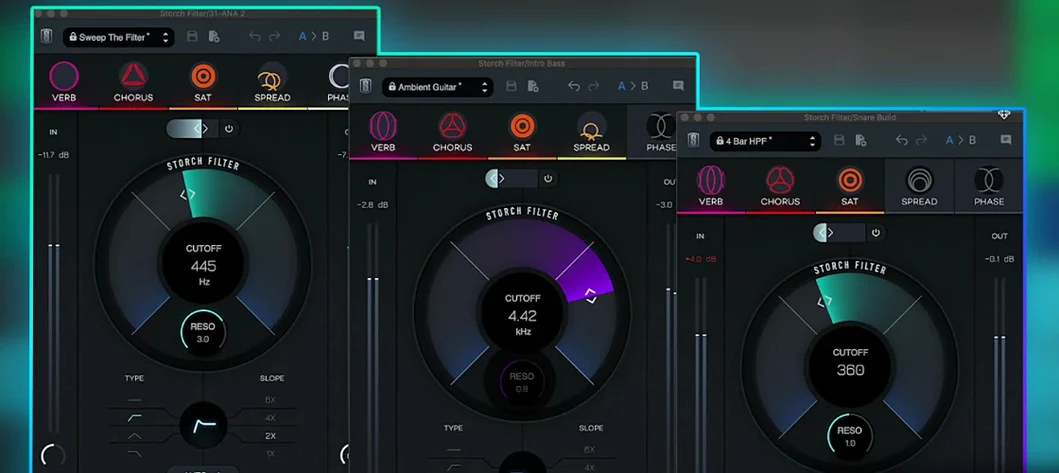 Slate Digital Storch Filter
1.0.6
69 MB
VST Plugins
-
 Slate Digital Submerge
1.0.5
38 MB
VST Plugins
-
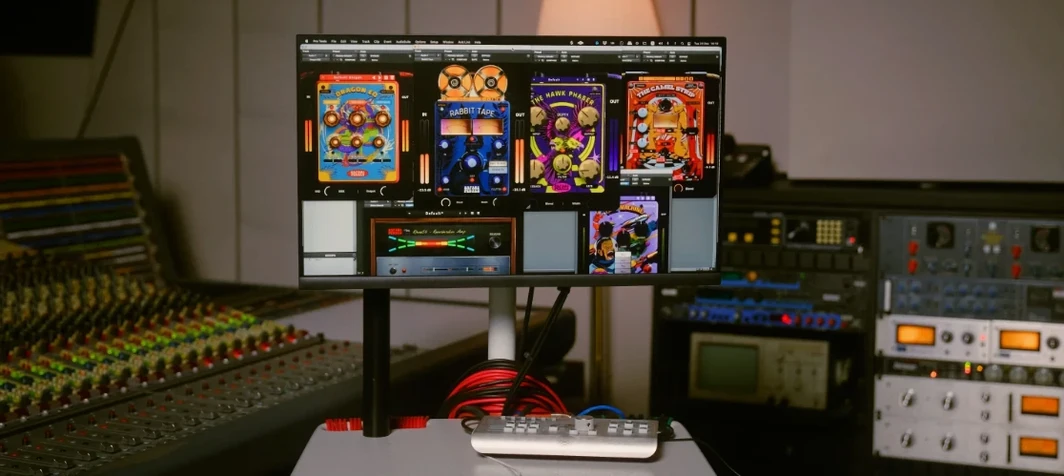 Safari Pedals Everything Bundle
2026.05
628 MB
VST Plugins
-
 Roland ZENOLOGY Pro
2.0.7
1.8 GB
VST Plugins
-
 Sonic Academy KICK
1.1.8
358 MB
VST Plugins
-
 RipX DAW Pro
8.0.3
1.6 GB
VST Plugins
-
 Revoice Pro
5.1.30
39 MB
VST Plugins