VocalNet 1.0.4 (macOS)
One download for Apple Silicon and Intel. Opens the install steps and mirrors.
- Version
- 1.0.4
- Size
- 669 MB
- Earliest macOS
- 10.15 or later
- CPU type
- Universal
- Updated
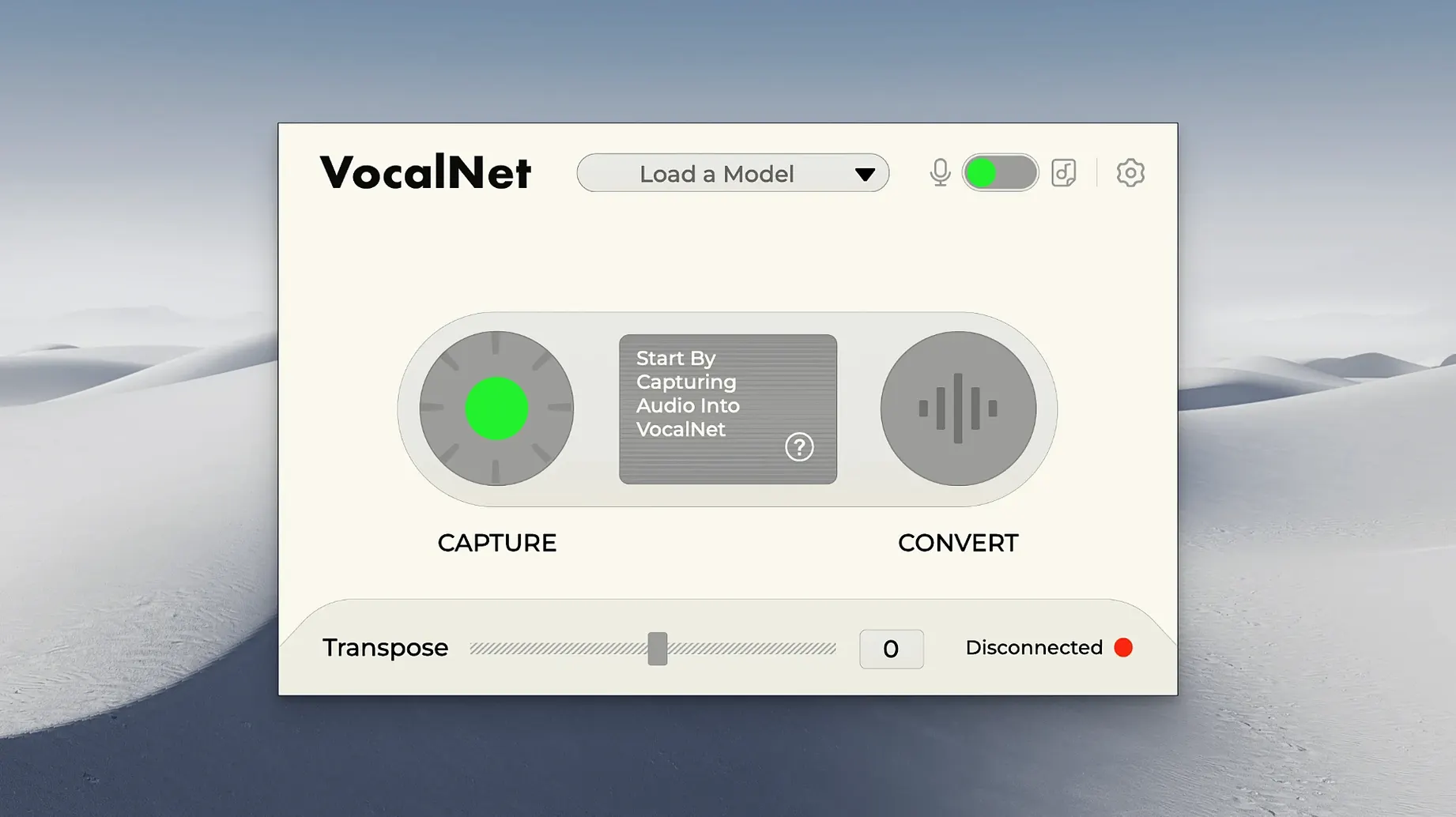
VocalNet runs on macOS 10.15 or later, supporting both Intel and Apple Silicon systems. It installs as a standard plugin for any DAW that accepts the format.
Change vocal timbre in real time
- Changing a vocal timbre in real time — raise or lower a voice without pitching the whole mix.
- Creating hybrid sounds by morphing smoothly between uploaded voice samples.
- Adding character to dialogue, backing vocals or spoken word parts.
- Quick idea work: load a sample, tweak, and hear the result mid-session.
Insert it on a track or aux bus for live processing
- It processes audio live, so track or bus placement matters. Insert it on a vocal track for direct transformation, or on an aux bus to blend processed and dry signals.
- It needs a voice sample to analyse — the AI builds a new timbre from what you give it.
- Interface is English only.
Outside the obvious morphing and real‑time processing, VocalNet has a few smaller touches that make it easier to live with in a session.
Blend multiple voice samples into one reference
Voice samples load as separate files, but you can blend several into one timbre. That means a choir recorded in one go can be reduced to a single reference, or you can layer a whisper over a full voice to get something in between. The blend is continuous, so you can automate it in your DAW and get a sound that shifts during a phrase.
Because the AI runs locally, there is no latency from a remote server. The plugin responds to changes in the sample blend or the character knobs without a reload. That matters when you are adjusting a take and want to hear the result before the next line.
On a school‑networked Mac where permissions block writing to system plugin folders, the installer places formats in the standard user‑accessible locations. VST3, AU and AAX are all included, so it will appear in Logic, Cubase, Pro Tools and most other DAWs without extra steps.
No internet needed; all processing stays local
Works on a pre-recorded vocal without re-recording
Yes. Drop the plugin on the track, load the same audio as a sample, and VocalNet rebuilds the timbre from what is there. You do not need to re‑record the part.
Route vocal to an aux bus to keep the dry signal untouched
Route the vocal to an aux bus, insert VocalNet there, and blend the processed return against the original track. The plugin itself does not have a mix knob, but your DAW’s bus routing covers that.
Runs natively on M1 and M2 Macs
No. Every calculation happens on the local machine. That also means no upload delays and no privacy concern about the recordings leaving the room.
Load a short, dry sample before starting a session
Yes. The installer includes ARM‑native code. It runs in Logic, Cubase, Studio One, Reaper and Pro Tools under Rosetta or natively depending on the host.
No upload delays and no privacy concerns
Before you start a session, load a short, dry voice sample — a single sustained note or a spoken phrase. That gives the AI a clean reference. Then move the blend slider to hear how the plugin changes the timbre with that sample alone. Once you know the range, add a second sample and sweep between them to find the hybrid spot you want.
If you are after subtle thickening rather than full transformation, keep the blend weighted towards the original sample and raise the character parameter slightly. The plugin responds to small shifts, so a little goes a long way.
For live monitoring during recording, set your DAW buffer low enough that the real‑time processing does not introduce noticeable delay. VocalNet is light on CPU for a single instance, but running it on a busy session with many other plugins may need a buffer adjustment.
No “what's new” for 1.0.4. The release line gave nothing I could check, and I will not stretch it into a changelog.
- macOS 10.15 or later
- Intel 64-bit or Apple Silicon
- A DAW that supports the plugin format
Questions people ask
Does VocalNet work on Apple Silicon Macs?
Yes, it supports both Apple Silicon and Intel 64-bit systems.
What does the AI part actually do?
It analyses an uploaded voice sample and creates a new timbre from it, which the plugin applies in real time.
Can I use it on a bus instead of a track?
Yes, you can insert it on a track for direct processing or on an aux bus to blend the transformed signal with the original.
Staffroom comments 0
Sign in or create an account here to leave a comment.
Nobody has commented on this one yet.
Other VST Plugins tools
All VST Plugins tools-
 WaveLab Pro
13.0.30
VST Plugins
-
 Valhalla DSP Bundle
2025.12
61 MB
VST Plugins
-
 UnderTone Audio UnFairchild
1.0.8
220 MB
VST Plugins
-
 UJAM Symphonic Elements STRIIIINGS
1.3.1
4.4 GB
VST Plugins
-
 XLN Audio Life
1.2.3
442 MB
VST Plugins
-
 XLN Audio XO
1.8.10
2.3 GB
VST Plugins
-
 Xpand!2
2.3.1
1.2 GB
VST Plugins
-
 T-RackS
6.3.2
2.3 GB
VST Plugins