Luminar AI 1.5.5 (macOS)
One download for Apple Silicon and Intel. Opens the install steps and mirrors.
- Version
- 1.5.5
- Size
- 1.8 GB
- Earliest macOS
- 10.13.6 or later
- CPU type
- Universal
- Updated
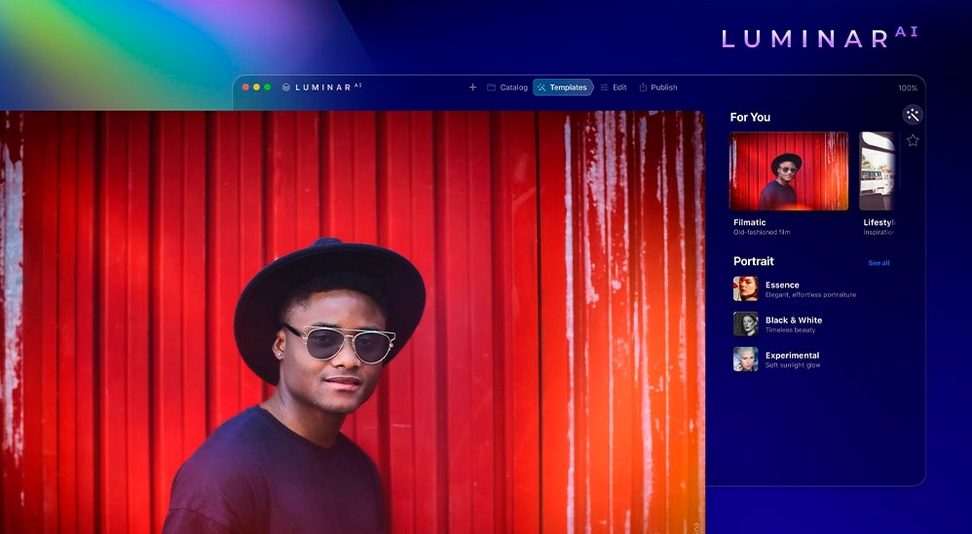
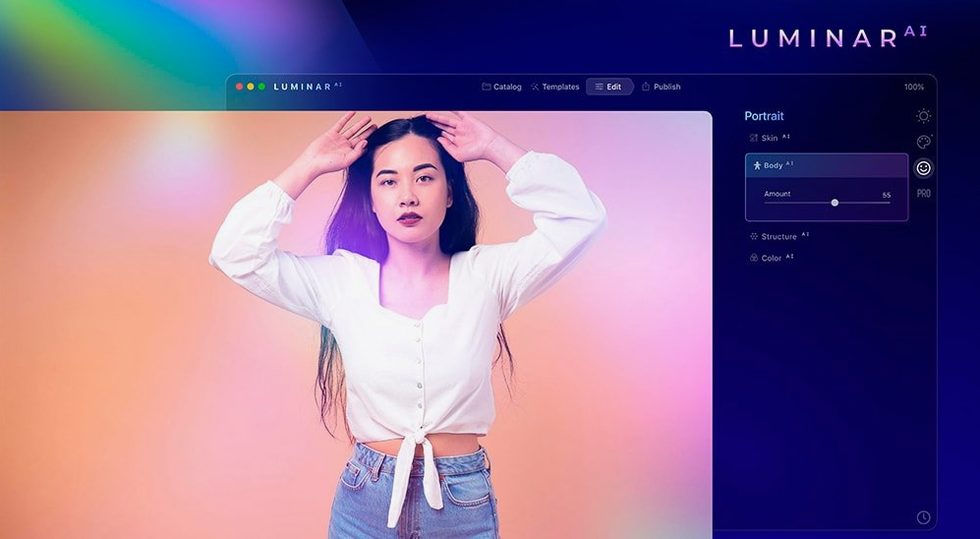
Portrait tools that do the fine work
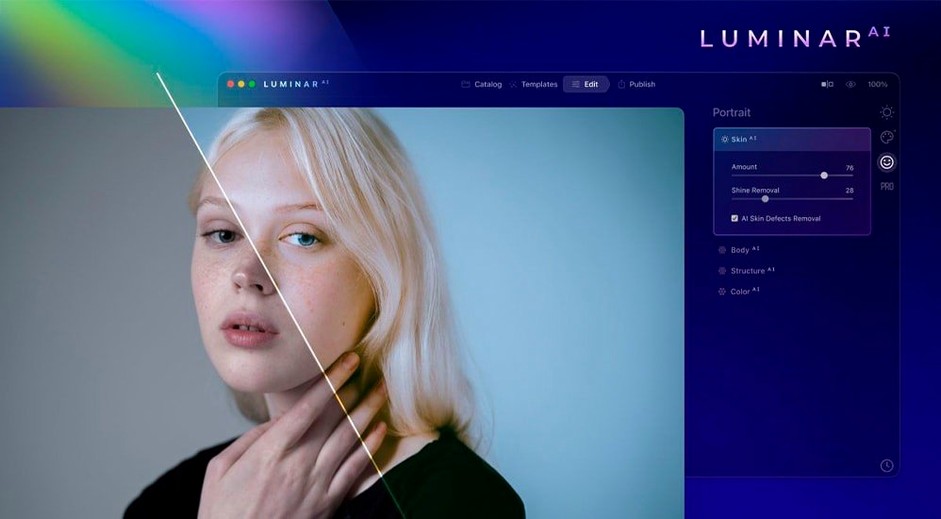
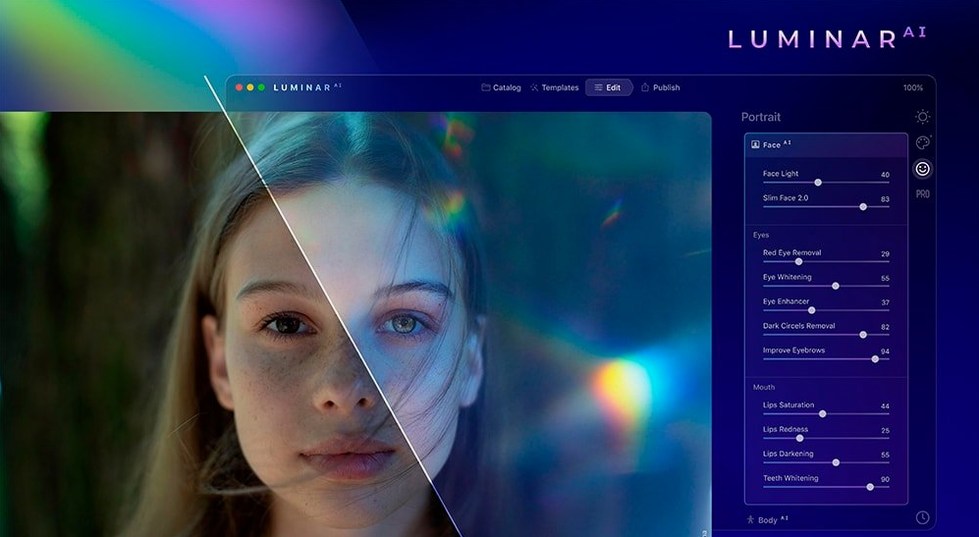
Face AI adjusts facial features and removes dark circles. Skin AI cleans up blemishes but leaves pores, texture, and hair intact. Iris AI edits eyes separately. Together they save minutes per portrait — the kind of time that adds up across a wedding or a school photo session.Atmosphere and structure without sliders
Atmosphere AI adds fog, haze, steam, or drizzle with one click. Structure AI sharpens detail in people, water, sky, and objects without halos. Bokeh AI simulates background blur where the lens couldn't. Each tool does one job, and it does it without dumping you into a panel of twenty sliders.Composition AI crops to standard rules
A few things in Luminar AI are easy to overlook if you click through quickly. Composition AI will crop a photo based on standard composition rules, which is handy when you have a batch of shots that need straightening and reframing. It picks the rule — rule of thirds, golden ratio, that sort of thing — and does the crop automatically.
The Accent AI slider is a single control that adjusts lighting and colour together. Useful when you just want a photo to look better without deciding whether it was exposure or saturation that was off. Move it one way, the image improves. That is the whole interaction.
For portrait work, the Body AI tool changes body shape. It is a separate control from Face AI and Skin AI, so you can adjust a subject's silhouette without touching their skin or face. Useful for group photos where one person is leaning oddly.
The interface itself is available in eleven languages, including Dutch, Korean, Traditional and Simplified Chinese. That matters in a school or studio where not everyone works in English.
Sits alongside Affinity Photo for automated jobs
If you have used Affinity Photo, you know it is a full layer-based editor with a traditional toolset. Luminar AI does not try to replace that. It sits alongside it, handling the jobs Affinity Photo does not automate — sky replacement, body reshaping, one-click atmosphere. Where Affinity Photo gives you curves and channels, Luminar AI gives you a single slider called Accent AI.
Luminar AI stays focused on the photo-editing part. It does not open as a design tool, so there is less clutter. For a portrait retoucher who only needs skin, face, and sky edits, Luminar AI gets them out faster than opening Photoshop and hunting through the Filter menu.
Capture One is the other common option in pro studios. Its strength is colour grading and tethered shooting. It has no native AI portrait tools, no Body AI, no Atmosphere AI. If your workflow is about colour, stay with Capture One. If it is about retouching many faces and skies, Luminar AI fills the gap.
Native support for Intel and Apple Silicon Macs
Version 1.5.5 (13797) is the current build. It runs on macOS 10.13.6 and later, and supports both Intel and Apple Silicon Macs natively. That means it works on M1, M2, and M3 machines without emulation. For everyday use, the main change is that the tools already in 1.5 keep working as they did — no new sliders added, no interface overhaul. The fix is in the stability and the Gatekeeper bypass procedure for the torrent release.
If you are running it on a newer Mac, the install still involves mounting the disk image, pressing Enter in Terminal to bypass Gatekeeper, and dragging the app to Applications. It opens from there without further steps. The plugin mode works the same way in this version.
No “what's new” for 1.5.5. The release line gave nothing I could check, and I will not stretch it into a changelog.
- macOS 10.13.6 or later
- Intel or Apple Silicon Mac
Staffroom comments 0
Sign in or create an account here to leave a comment.
Nobody has commented on this one yet.