iMazing 3.6.5 (macOS)
One download for Apple Silicon and Intel. Opens the install steps and mirrors.
- Version
- 3.6.5
- Size
- 242 MB
- Earliest macOS
- OS X 10.11 or later
- CPU type
- Universal
- Updated
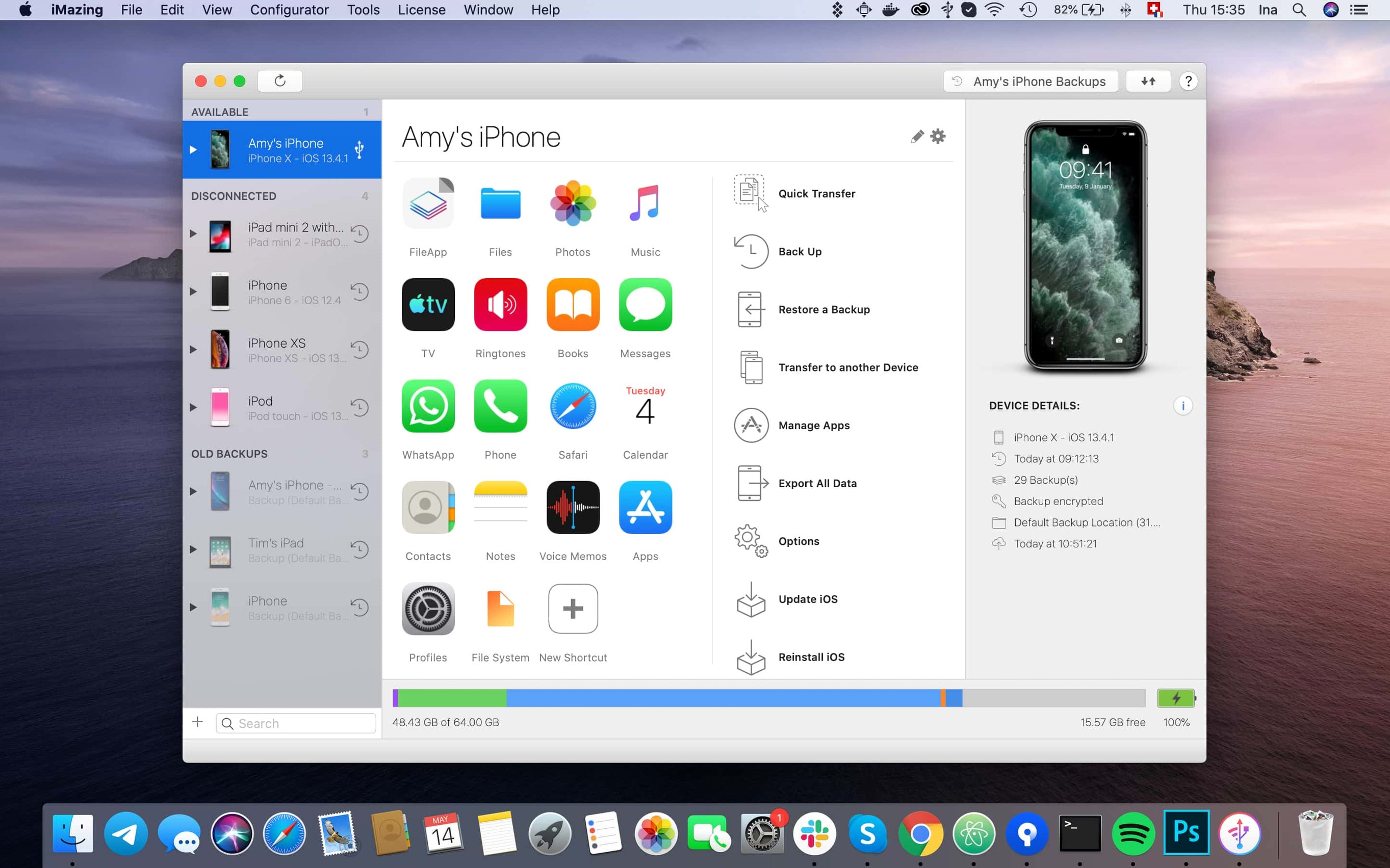
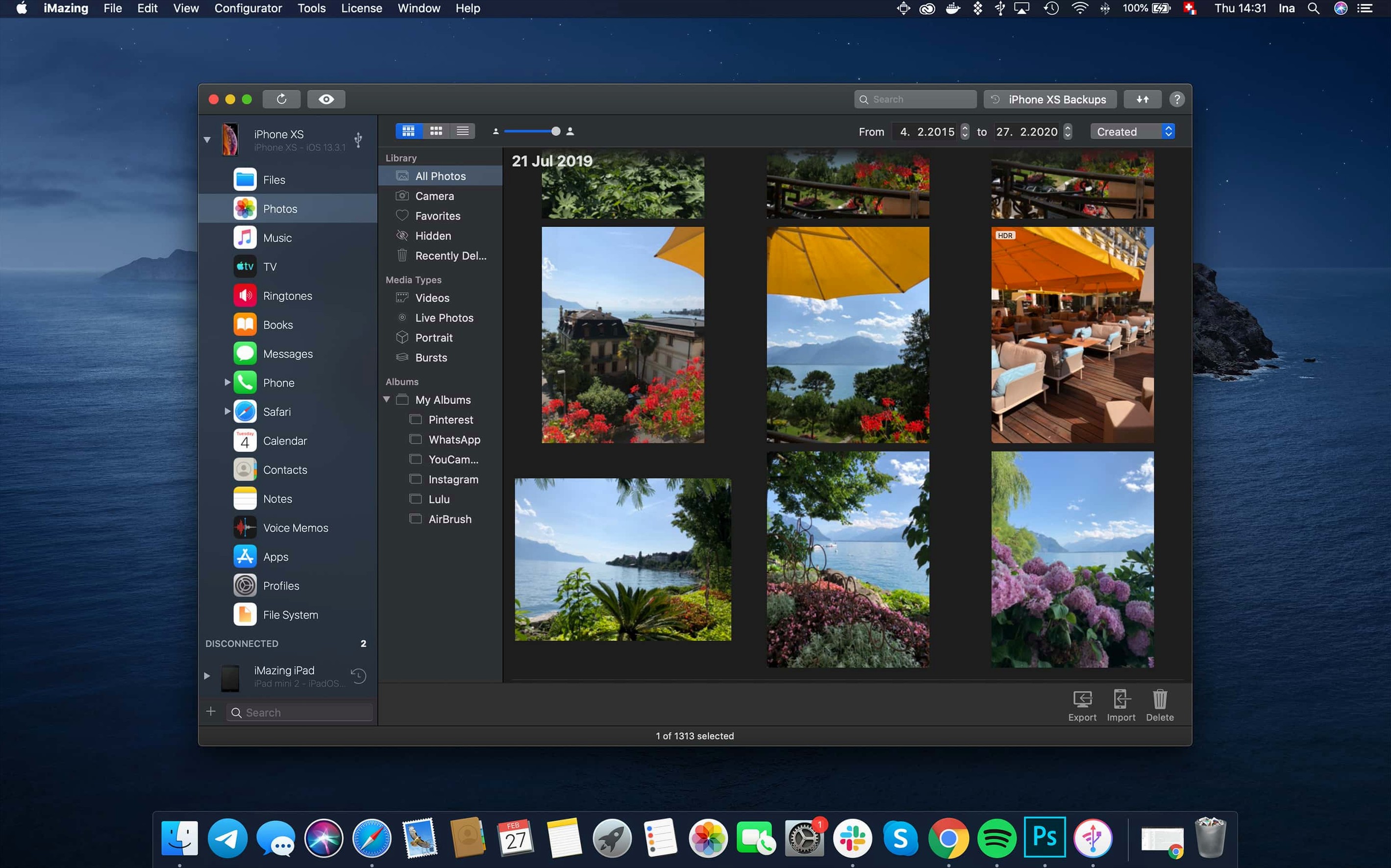
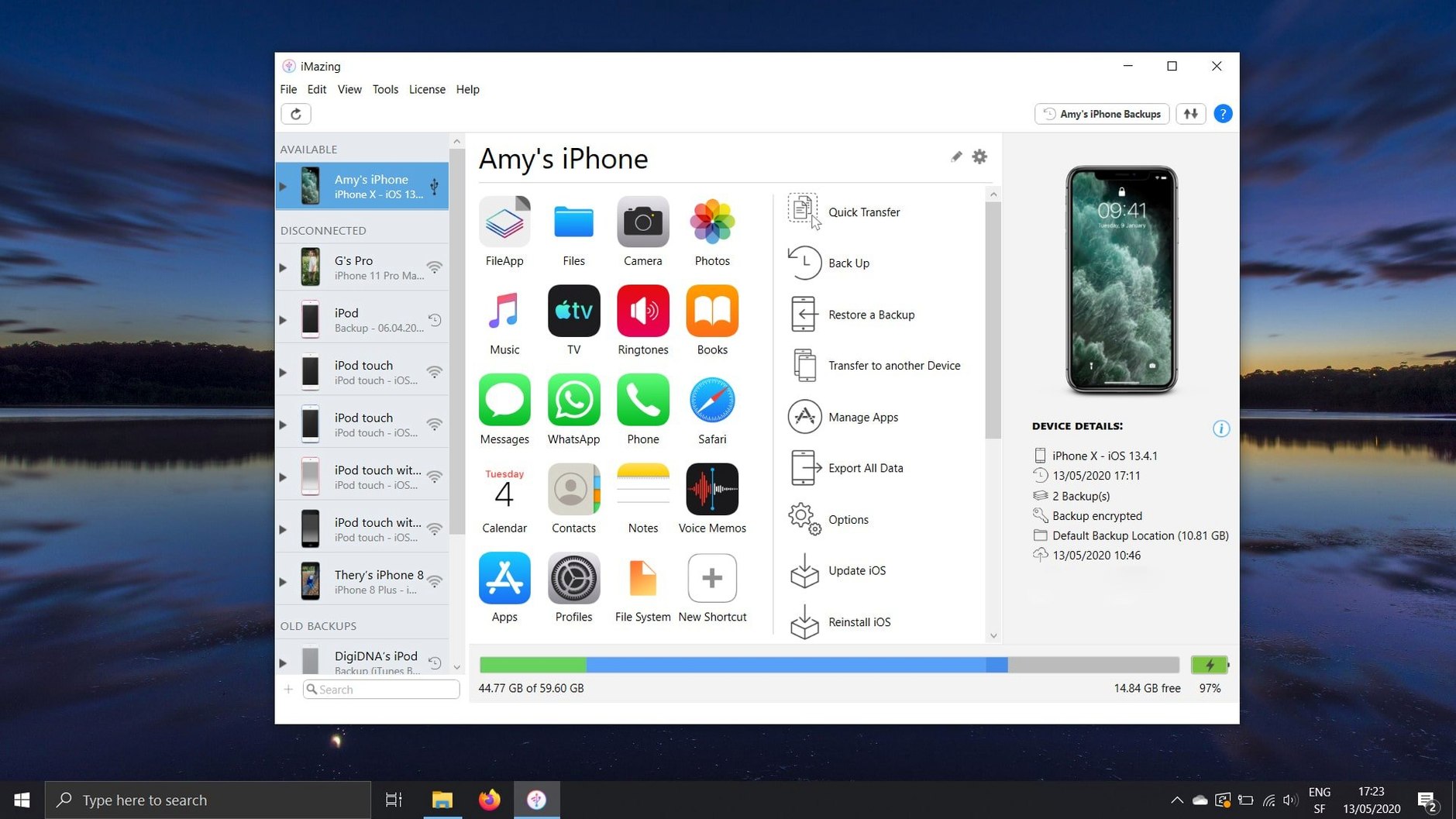
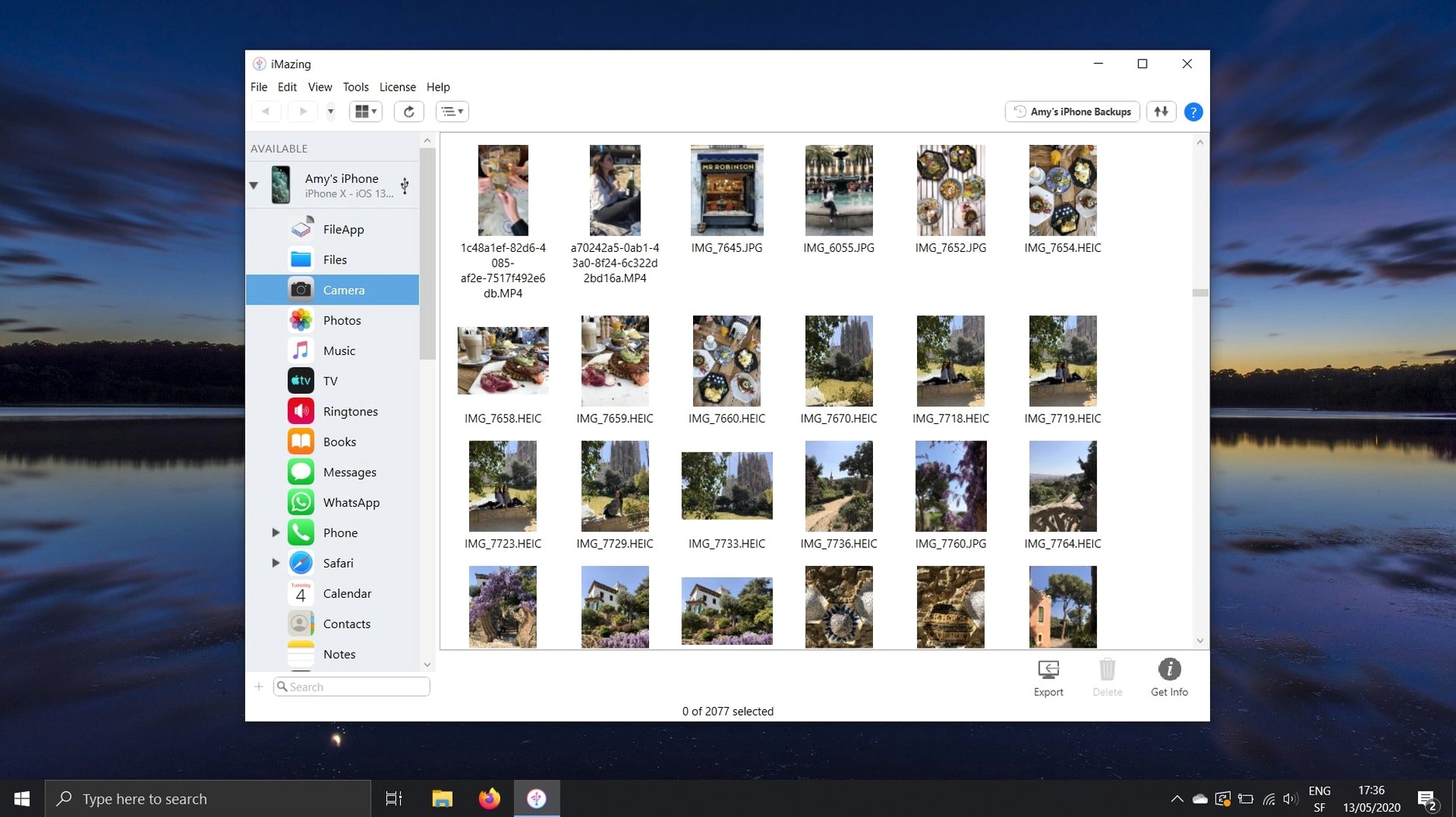
Version 3.6.5 of iMazing adds support for the iPhone 18 Pro line and the latest Apple Watches, plus a link to the iMazing Chatbot in the toolbar. It also now includes shared app group containers when you export .imazingapp files from backups.
Move music, photos, and videos without iTunes or iCloud
- Moving music, photos, and videos between a Mac and an iPhone or iPad without iTunes or iCloud.
- Copying Safari bookmarks, call logs as CSV, and ePub or PDF books in and out of Apple Books.
- Managing iOS apps: saving .ipa files to a Mac and sideloading them to devices.
- Using an iPhone or iPad as a flash drive for files.
- Backing up, modifying, and restoring documents, settings, and game data, including encrypted backups.
Works on Intel and Apple Silicon Macs
- Requires macOS 10.11 or later; works on both Intel and Apple Silicon Macs.
- Interface available in ten languages, including English, German, French, Spanish, and Japanese.
Change these settings right after installing
Once iMazing is installed and you have connected your iPhone or iPad for the first time, there are a few settings worth changing straight away. They save time later and make the tool work the way you expect.
Set up a wireless automatic backup
If you prefer not to plug in a cable every night, head to the backup settings and enable wireless automatic backups. iMazing will then back up your device when it is on the same Wi‑Fi network as your Mac. This is useful for overnight backups if you leave the Mac on. You do not need to remember to do it manually.
Choose where media exports go
By default iMazing puts exported photos, videos and voice memos in a folder inside your user directory. If you have a dedicated media drive or a specific folder for iPhone dumps, change the output location early. That way every export lands where you want it without you having to move files around afterwards.
Check the unified logs view
The unified logs view shows a running record of what iMazing is doing. In version 3.6.5 you can export complete log archives directly from that view. Doing this after a backup or a large transfer gives you a log file you can keep or send to support if something looks odd. Switch the view on from the toolbar and glance at it the first few times you transfer data, just to see what the tool is logging.
Drag-and-drop install on any Mac
iMazing 3.6.5 runs on macOS 10.11 and later. It works on both Intel and Apple Silicon Macs, so the same installer covers every Mac currently in use in most schools and homes. The app is a single drag‑and‑drop install from a disk image; the .dmg opens, you drag the iMazing icon into Applications, and it is ready to launch from Launchpad. No extra libraries or frameworks are bundled in, and no system‑wide changes are made beyond writing its own configuration files in your user folder.
The interface is available in eleven languages — Russian, English, German, Arabic, Spanish, Italian, Simplified Chinese, Korean, Portuguese, French and Japanese. Switching languages happens inside the app settings, not through the macOS language menu.
Because the app works with connected iOS devices and their backups, it reads from both the device itself and from any encrypted or unencrypted backup files you have already created. It does not alter the device unless you explicitly start a write operation such as transferring a file to the phone or restoring a backup.
Use flash drive mode for easy device access
Several features in iMazing do not call attention to themselves but solve specific annoyances that iTunes and iCloud leave unaddressed.
- Flash drive mode. Once you plug in an iPhone, iPad or iPod touch, iMazing lets you access it as if it were a USB drive. You can copy files on and off without syncing, without iTunes seeing them, and without iCloud having to mirror them. Useful for dropping a PDF onto an iPad quickly, or pulling a photo off an iPhone that has no other way to share files.
- Call logs as CSV. iMazing exports call history to a CSV file. That is a straightforward way to get a list of calls into a spreadsheet or a reporting tool, or just to keep a local copy on your Mac.
- Voicemail saved as audio files. Instead of having to play back voicemails on the phone itself, iMazing copies them out as standard audio files. These can be archived, shared or transcribed later.
- Books in and out of Apple Books. ePub and PDF files can be imported into the Apple Books app, and books you already own can be exported to your Mac. This means you can back up your library or move books to a device that does not use Apple Books without having to re‑download them from a store.
- Safari bookmarks without iCloud. The direct transfer of bookmarks from an iPhone or iPad to a Mac or PC does not require you to turn on iCloud syncing for Safari. It is a one‑time pull, useful when setting up a new machine or migrating away from iCloud.
- App management. You can copy iOS app files (.ipa) to your Mac and also transfer them back to another iOS device. This is how you keep a local archive of a specific app version, or move an app to a tablet that does not have the store installed.
If you use iMazing to transfer data from an old device to a new one, the app handles contacts, calendars, text messages and their attachments, and app‑specific documents and settings alongside music and photos. The calendar export can be saved as ICS or CSV, so it works with Google Calendar, Outlook or just a spreadsheet.
Notes on the current release
Version 3.6.5 adds support for iPhone 18 Pro, iPhone 18 Pro Max and iPhone Duo, along with Apple Watch Series 12 and Apple Watch Ultra 4. If you are managing one of these newer models, this is the minimum version you need. The release also fixes an issue where scanned documents from iOS 26 only showed the first page — now all pages display correctly. App downloads that were failing with error code 429 have been resolved as well. Shared app group containers are now included when you export .imazingapp files from a backup, so those groups are not lost during a restore.
- Support for iPhone 18 Pro, iPhone 18 Pro Max, iPhone Duo, Apple Watch Series 12, and Apple Watch Ultra 4.
- Export complete log archives from the unified logs view.
- Link to iMazing Chatbot added to the main window toolbar.
- macOS 10.11 or later
- Intel or Apple Silicon
Questions people ask
Does iMazing run on Apple Silicon Macs?
Yes. iMazing supports both Intel and Apple Silicon architectures.
Can iMazing transfer files without iTunes?
It can. Music, photos, videos, and other data move between your Mac and iOS device without iTunes or iCloud.
What's new in iMazing 3.6.5?
It adds support for iPhone 18 Pro models and Apple Watch Series 12, exports complete log archives, and includes shared app group containers in exported backups.
Staffroom comments 0
Sign in or create an account here to leave a comment.
Nobody has commented on this one yet.
Other Utilities tools
All Utilities tools-
 iExplorer
4.6.0Intel Macs only
30 MB
Utilities
-
 iDownerGo
10.15.0Intel Macs only
76 MB
Utilities
-
 iTubeGo
10.15.0Intel Macs only
115 MB
Utilities
-
 Haptyk
2.0.4
18 MB
Utilities
-
 LanScan
8.2.17
17 MB
Utilities
-
 Gemini
2.10.2Intel Macs only
47 MB
Utilities
-
 Little Snitch
6.5
39 MB
Utilities
-
 Find Any File
2.6.1
14 MB
Utilities