
LanScan 8.2.17 (macOS)
- Version
- 8.2.17
- Size
- 17 MB
- Earliest macOS
- 11 or later
- CPU type
- Universal
- Updated
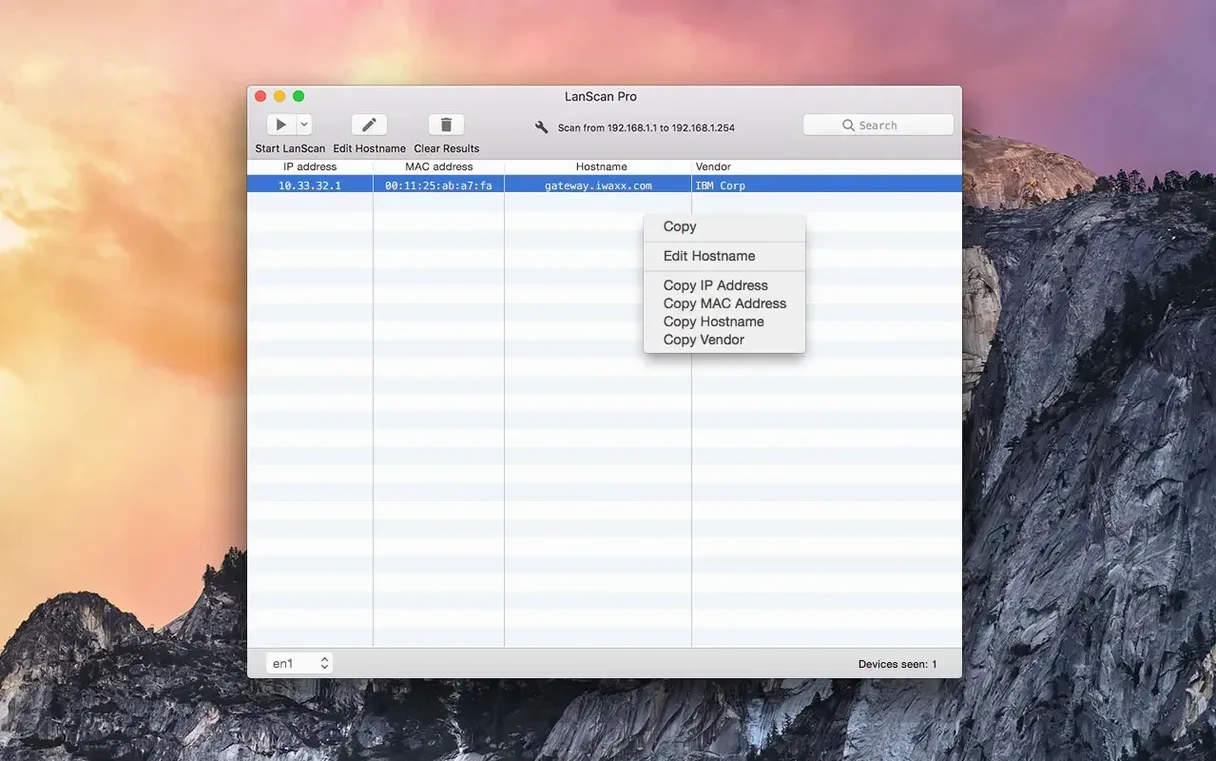
Network discovery on macOS can be patchy. The built-in tools show you a little but leave gaps — unknown devices, no vendor info, no way to annotate what you find. LanScan fills that gap without imposing a device limit or a scan-range ceiling. It works on both Intel and Apple Silicon Macs running macOS 11 or later.
- Scans from a single IP address to the full IPv4 address space, plus IPv6 networks.
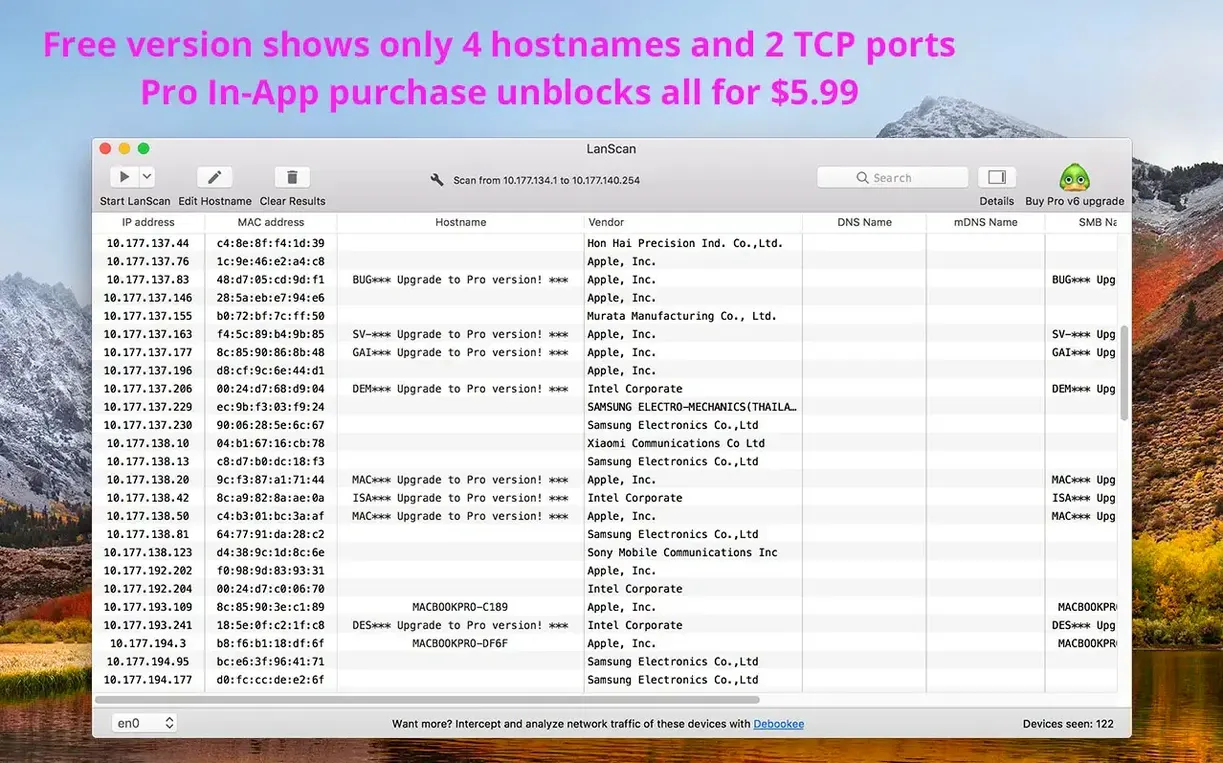
- Displays IP address, MAC address, host name, and vendor for every discovered device.
- Uses Ping, SMB, and mDNS packets for public range scanning; ARP packets for local network scanning.
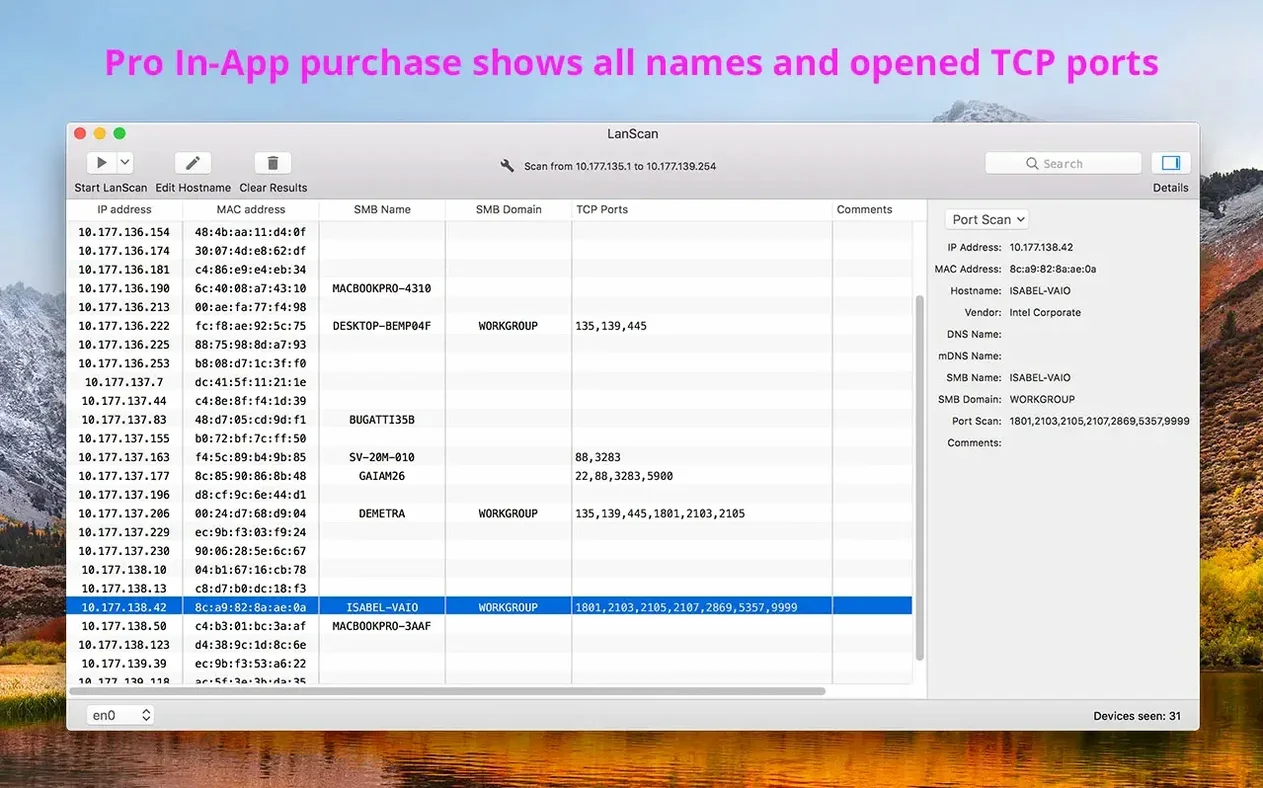
- Detects an SMB domain when one is configured on the network.
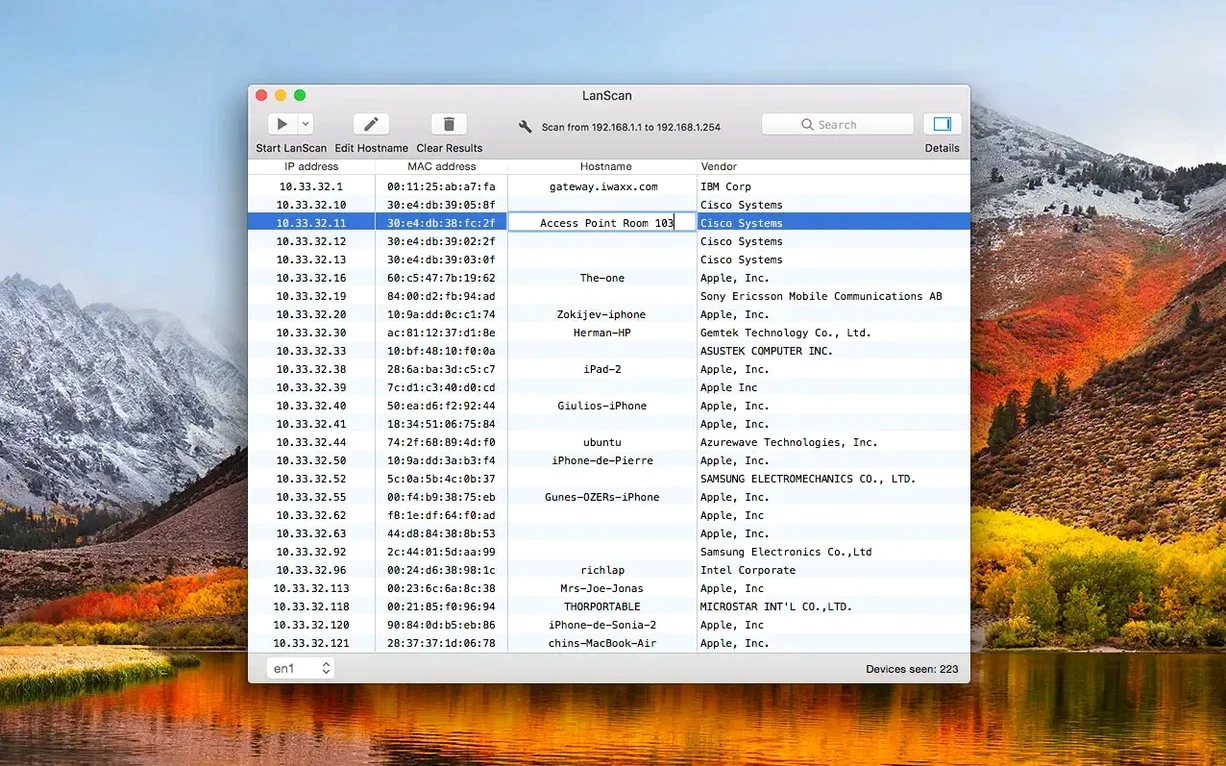
- Lets you edit host names manually and add a custom comment per device.
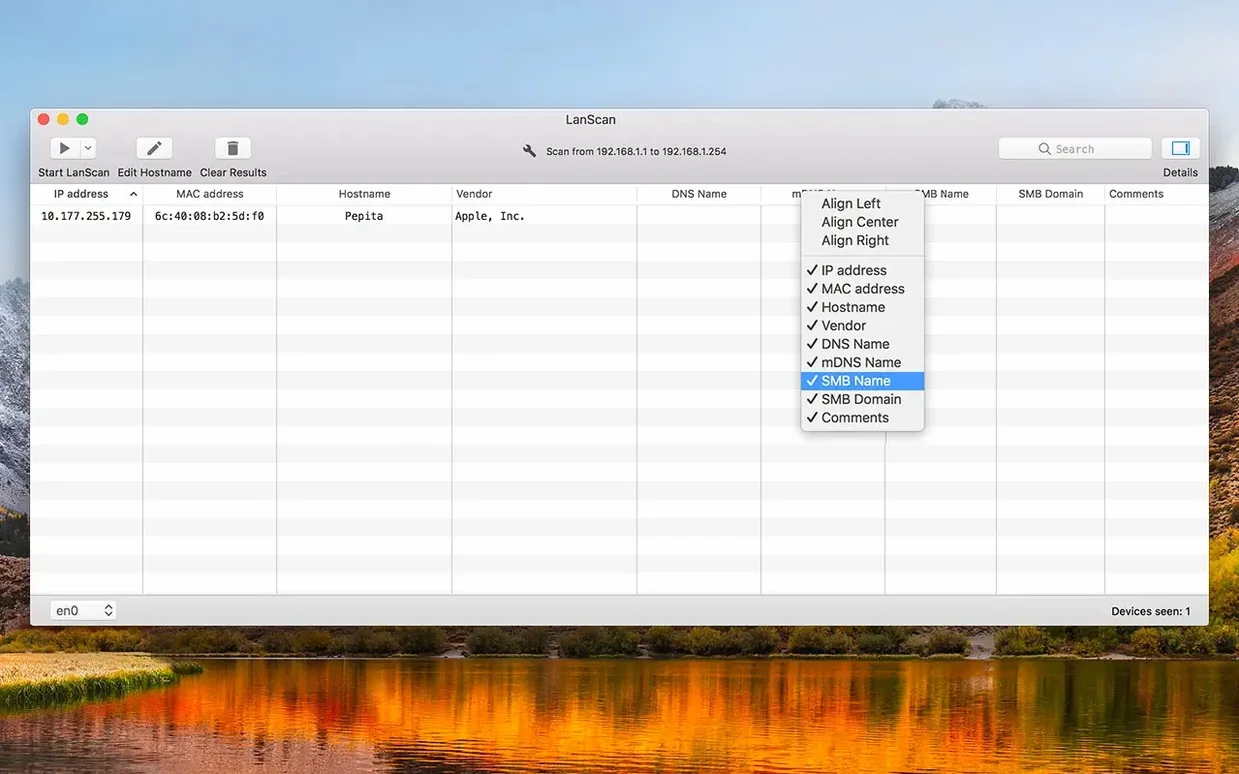
- Columns align individually, so lists stay readable on any screen width.
For a school IT technician or a home user who wants to map their network properly, LanScan is a straightforward tool. It does not limit you to X devices, it does not hide MAC addresses, and it lets you label the things you find. That is all it needs to do.
Drag the disk image to Applications
I open LanScan the same way every time: drag the disk image to the Applications folder alias, wait for the copy to finish, then launch from Launchpad. The interface appears quickly. I pick the interface I want — AirPort, Ethernet, or whichever virtual interface is active that day. One click starts the scan.
The results appear as a table. I scan a /24 subnet on the school network during lunch. Within a minute I see IP addresses, MAC addresses, host names and vendor names. A printer that keeps changing its IP shows up with its old host name still attached. I edit it manually, add a comment saying "Library printer, HP", and move on.
On the home network I run a wider scan — the full private range. LanScan finds everything: the NAS, the smart TV, the kids' tablets. I export the list to CSV, add columns for location and purpose later in a spreadsheet. No device limit, so the whole table fits.
IPv6 scanning now reliable by default
- Version 8.2.17 brought ARM and x86 (64-bit) support in the same download. No more hunting for the right build.
- IPv6 scanning became reliable enough that I leave it on by default for local subnets.
- Column alignment can now be set per column, so long host names stop pushing the vendor column off screen.
- The export to CSV now includes custom comments, which saves a manual copy-paste step when documenting a network.
One longer session that shows the workflow
I had a request to map the sixth-form common room network — about forty devices, mostly unknown. I opened LanScan, selected the Ethernet interface, and started a full-range scan on the subnet. The table filled quickly: a mix of Chromebooks, staff laptops and a few old iPads. Two devices had no host name at all, just a MAC address. I used the manual edit field to label them "Unknown Chromebook 1" and "Unknown Chromebook 2" so the record made sense later.
After the scan finished I noticed an SMB domain listed for the staff file server. That saved me a separate lookup. I added a comment to the server entry — "Staff share, sixth form" — and exported the whole table to CSV. The custom comments came through in the file without extra work. No device limit, so the export covered everything in one go.
How version 8.2.17 changed daily use
- The same download now works on both Intel and Apple Silicon Macs. No need to check architecture before downloading.
- IPv6 scanning is reliable enough that I leave it enabled for local subnets. It catches devices the IPv4 scan misses.
- Column alignment is now per-column. Long host names no longer push the vendor column out of view.
- CSV export includes custom comments. One less manual step when documenting a network.
No “what's new” for 8.2.17. The release line gave nothing I could check, and I will not stretch it into a changelog.
- macOS 11 (Big Sur) or later
- Intel or Apple Silicon processor
Questions people ask
Does LanScan work on Apple Silicon Macs?
Yes, it runs on both Intel and Apple Silicon Macs with macOS 11 or later.
Staffroom comments 0
Sign in or create an account here to leave a comment.
Nobody has commented on this one yet.
Other Utilities tools
All Utilities tools-
 Little Snitch
6.5
39 MB
Utilities
-
 iTubeGo
10.15.0Intel Macs only
115 MB
Utilities
-
 iMazing
3.6.5
242 MB
Utilities
-
 iExplorer
4.6.0Intel Macs only
30 MB
Utilities
-
 iDownerGo
10.15.0Intel Macs only
76 MB
Utilities
-
 MediaMate
3.8.4
7 MB
Utilities
-
 Haptyk
2.0.4
18 MB
Utilities
-
 Gemini
2.10.2Intel Macs only
47 MB
Utilities