PopClip 2026.8.1 (macOS)
One download for Apple Silicon and Intel. Opens the install steps and mirrors.
- Version
- 2026.8.1
- Size
- 7 MB
- Earliest macOS
- 13.5 or later
- CPU type
- Universal
- Updated
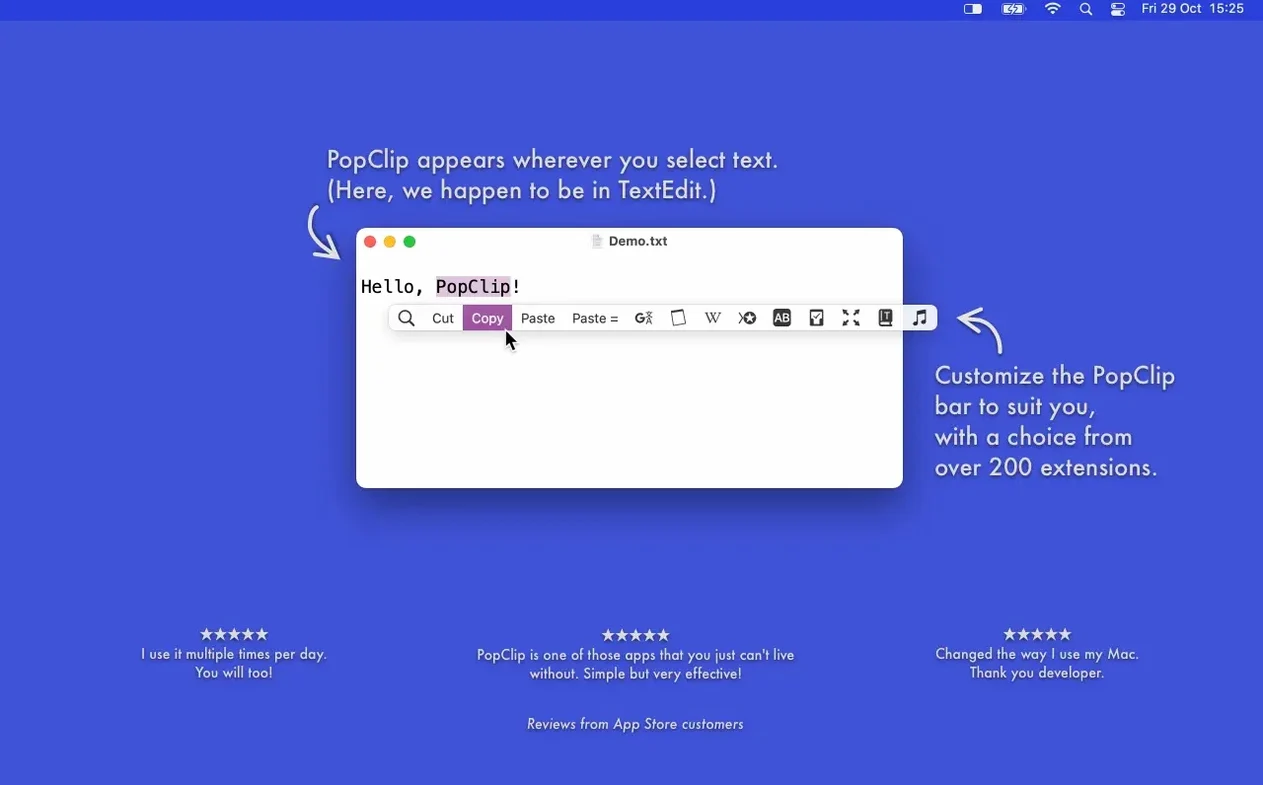
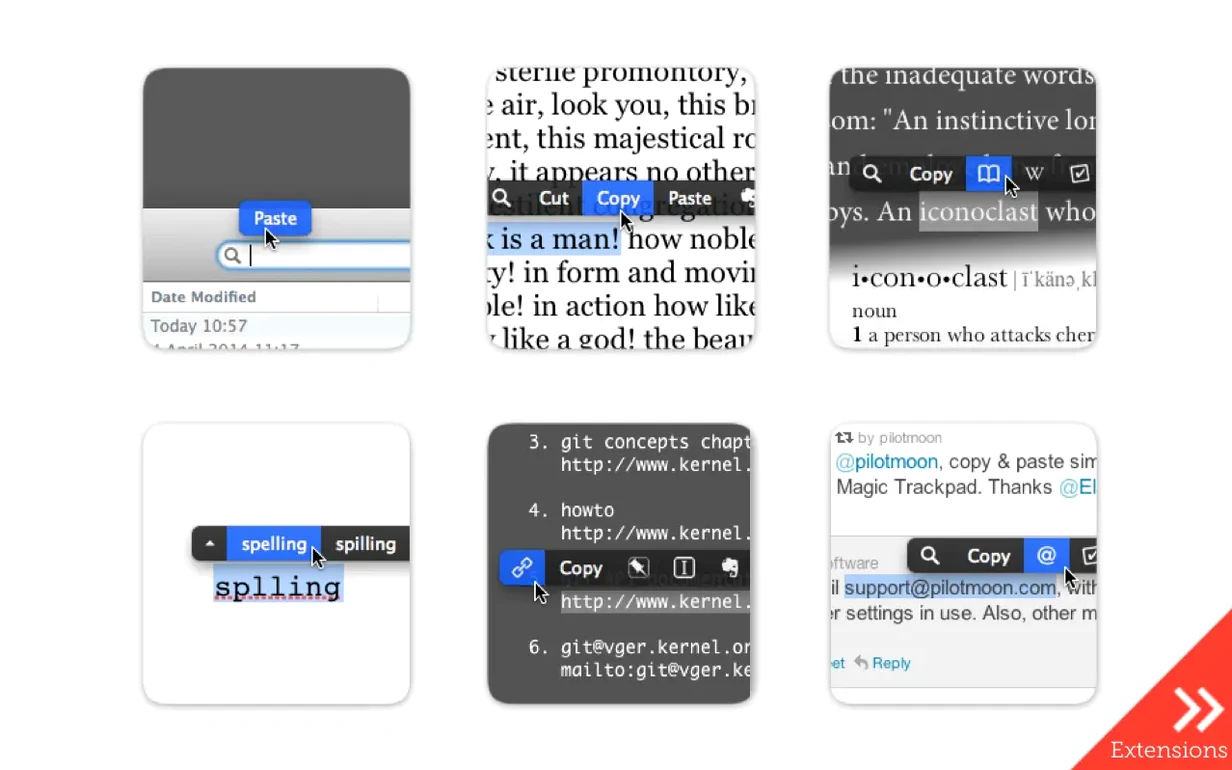
If you already use macOS text selection for copying and pasting, PopClip extends that muscle memory. Select any word or phrase with the mouse and a small bar of icons appears right there, offering actions relevant to what you've highlighted. It works in most Mac apps — Safari, Mail, Notes, TextEdit — and saves the trip to a right-click menu or a keyboard shortcut.
Select a German phrase in Safari, get instant translate
I'm reading a page in Safari and hit a German phrase I want in English. I double-click the phrase to select it — PopClip pops up immediately with the usual copy/paste icons plus a Translate action (assuming the extension is enabled in preferences). Click Translate, and a small popover shows the English equivalent. No extra app, no switching windows. If the translation is close enough, I can paste and style match it back into a note. The whole thing takes about two seconds.
What else it does
Beyond translation, PopClip can search Google or Wikipedia for the selected text, count words, change case, or send content straight to Evernote. The bar shows only the actions that fit what you selected — so URLs get a 'Open Link' option, while plain text gets word count. Extensions are the key; you enable what you need in the app's preferences. It's a small utility that stops you leaving the current app for a quick lookup or transformation.
Not all apps work: PopClip's compatibility limits
People often ask whether PopClip works in every Mac app. It doesn't. Some apps — ones that draw their own text controls rather than using macOS's standard text system — won't trigger the popup. Terminal, for instance, or code editors with custom text rendering. In practice, though, it works in the apps most people use daily: web browsers, email clients, text editors, note apps, and most document viewers.
A second question is whether PopClip interferes with the existing right-click context menu. It doesn't. The popup bar appears above the selection, leaving the right-click menu untouched. If you prefer keyboard shortcuts, you can also dismiss the bar by pressing Escape or by hitting Return to activate its default action.
Syncing extensions between Macs uses iCloud, so there's no extra account to set up. PopClip reads whatever Apple ID you're already signed into on that machine.
Scenario: a translator working between languages
A translator juggling documents in English and German spends most of the day selecting phrases, looking them up, and pasting translations into a working file. With PopClip, they select a word in Safari's DeepL or Google Translate page, click the dictionary action to check a definition, then click the Translate extension to get a quick equivalent — all without leaving the browser. The paste and style match extension then drops the result into a text editor with the original formatting preserved. It's one less set of keystrokes per lookup, and those add up over a full day of work.
- Version 2026.8.1, released 7 September 2026.
- Maintenance and cleanup release after PopClip 2026.7.
- Fixes EDiSO (details in the developer's changelog).
- macOS 13.5 Ventura or later
- Apple Silicon or Intel (64-bit) processor
- Interface languages: English, German, Spanish, French, Italian, Portuguese, Dutch, Russian, Japanese, Korean, Chinese (Simplified)
Questions people ask
Which versions of macOS does PopClip support?
PopClip requires macOS Ventura 13.5 or later. It runs on both Apple Silicon and Intel Macs.
Does PopClip work with every Mac app?
It works with most Mac apps, but not all. Compatibility depends on how the app handles text selection and the Mac accessibility system.
Staffroom comments 0
Sign in or create an account here to leave a comment.
Nobody has commented on this one yet.