
Apple Keynote 15.3.1 (macOS)
One download for Apple Silicon and Intel. Opens the install steps and mirrors.
- Version
- 15.3.1
- Size
- 356 MB
- Earliest macOS
- 15.6 or later
- CPU type
- Universal
- Updated

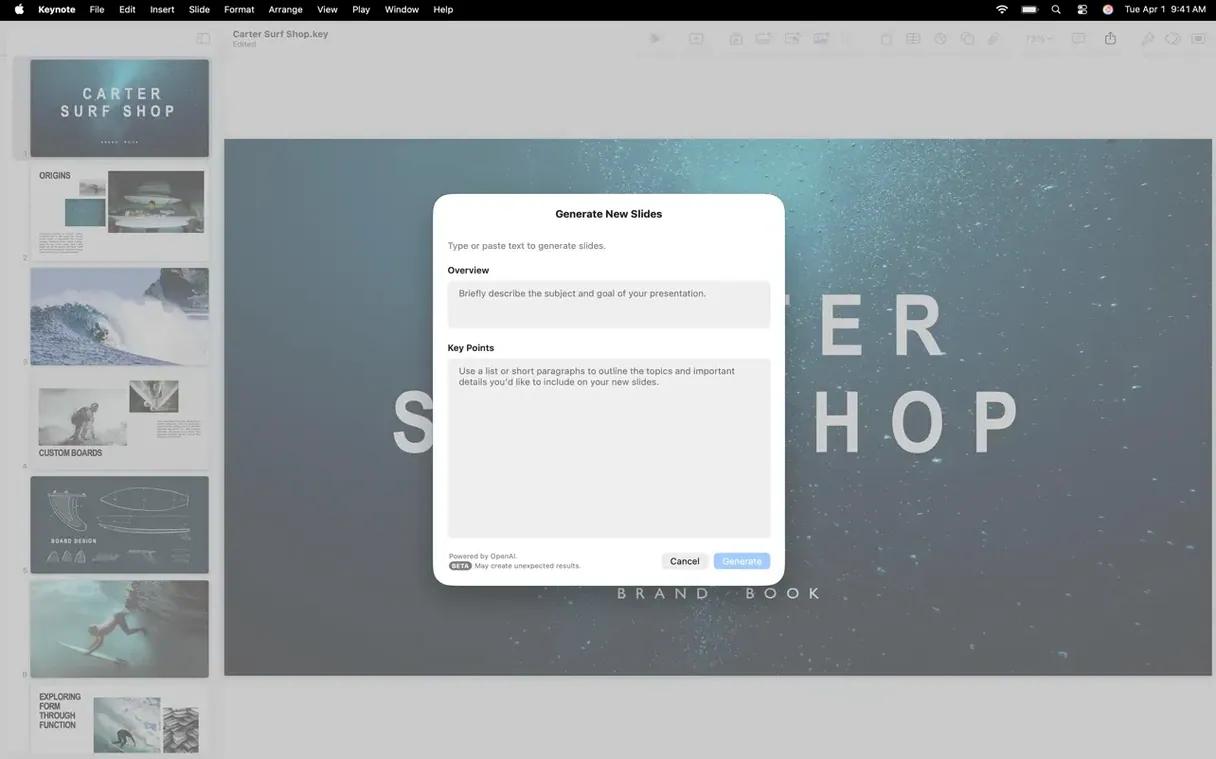
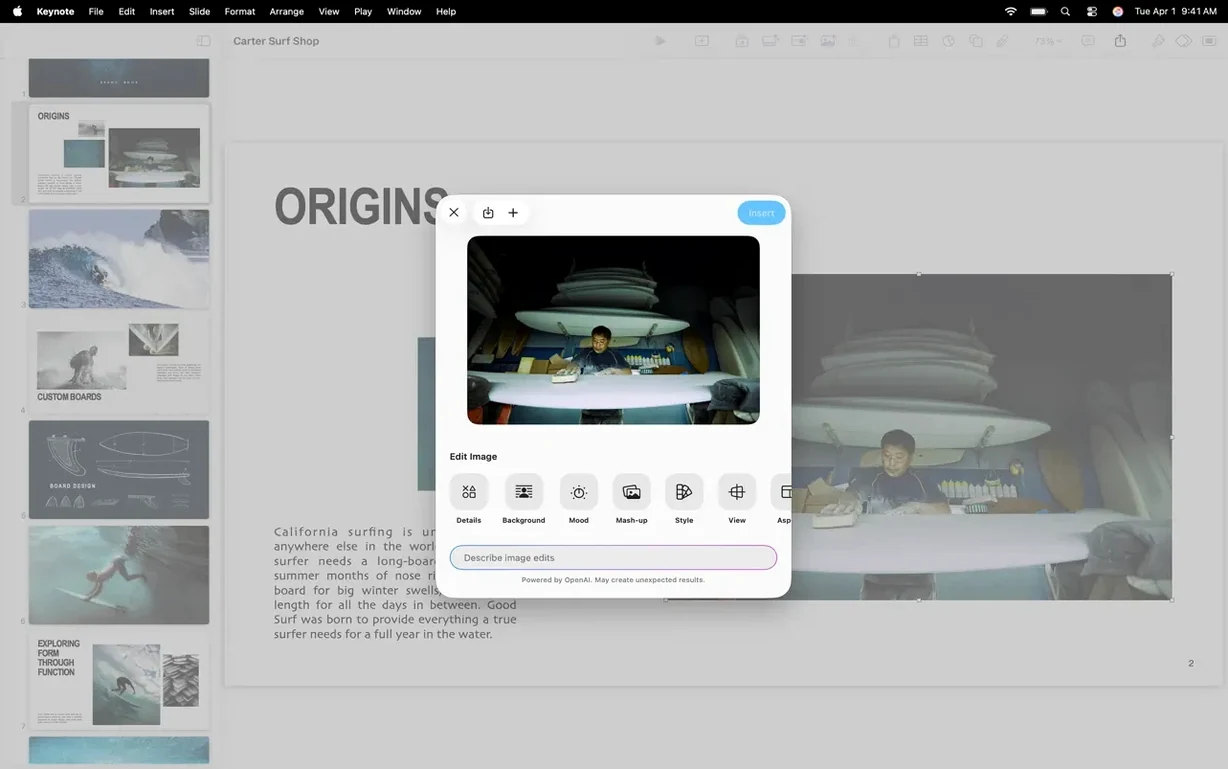
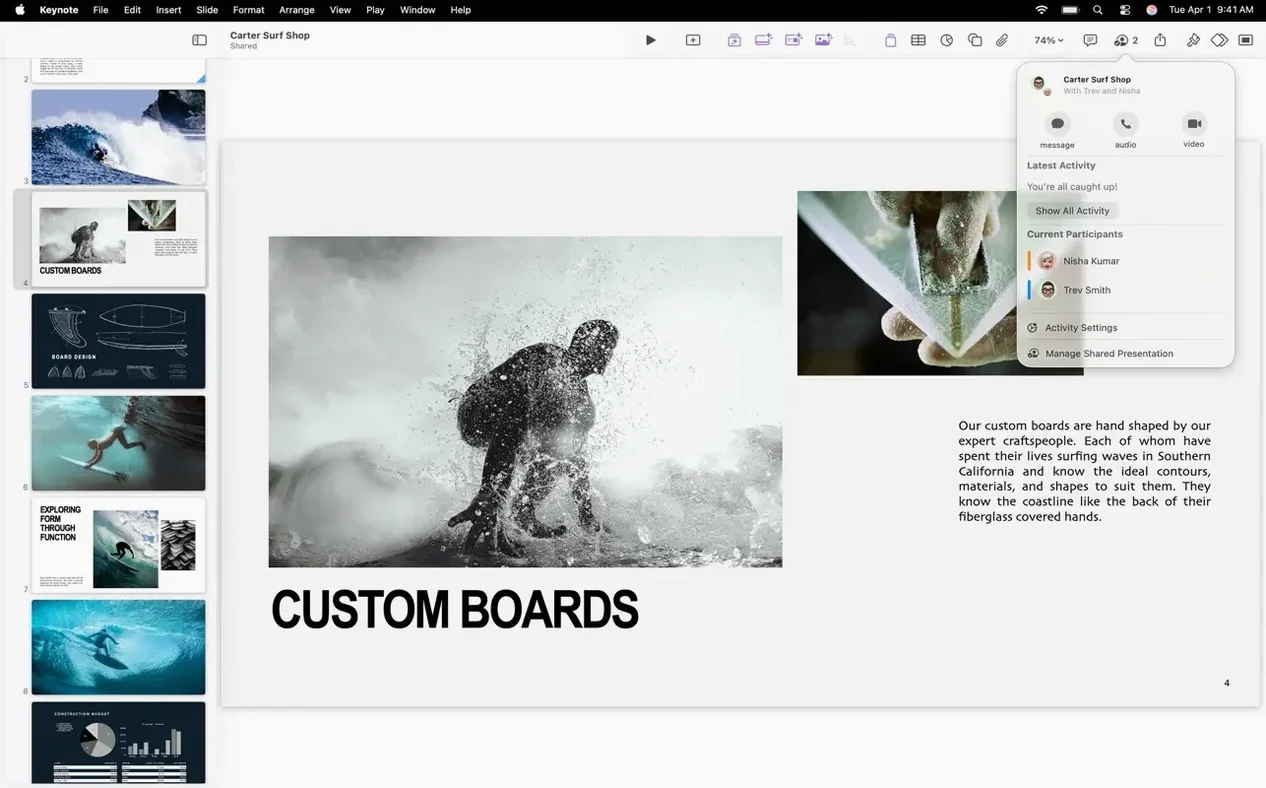
Teachers who need a tight slide deck for a governors meeting, technicians explaining a network upgrade to staff, or anyone who has moved past the default templates will find the deeper tools in Keynote worth learning.
Magic Move — a transition that animates objects between slides based on their position and scale, not a canned effect.
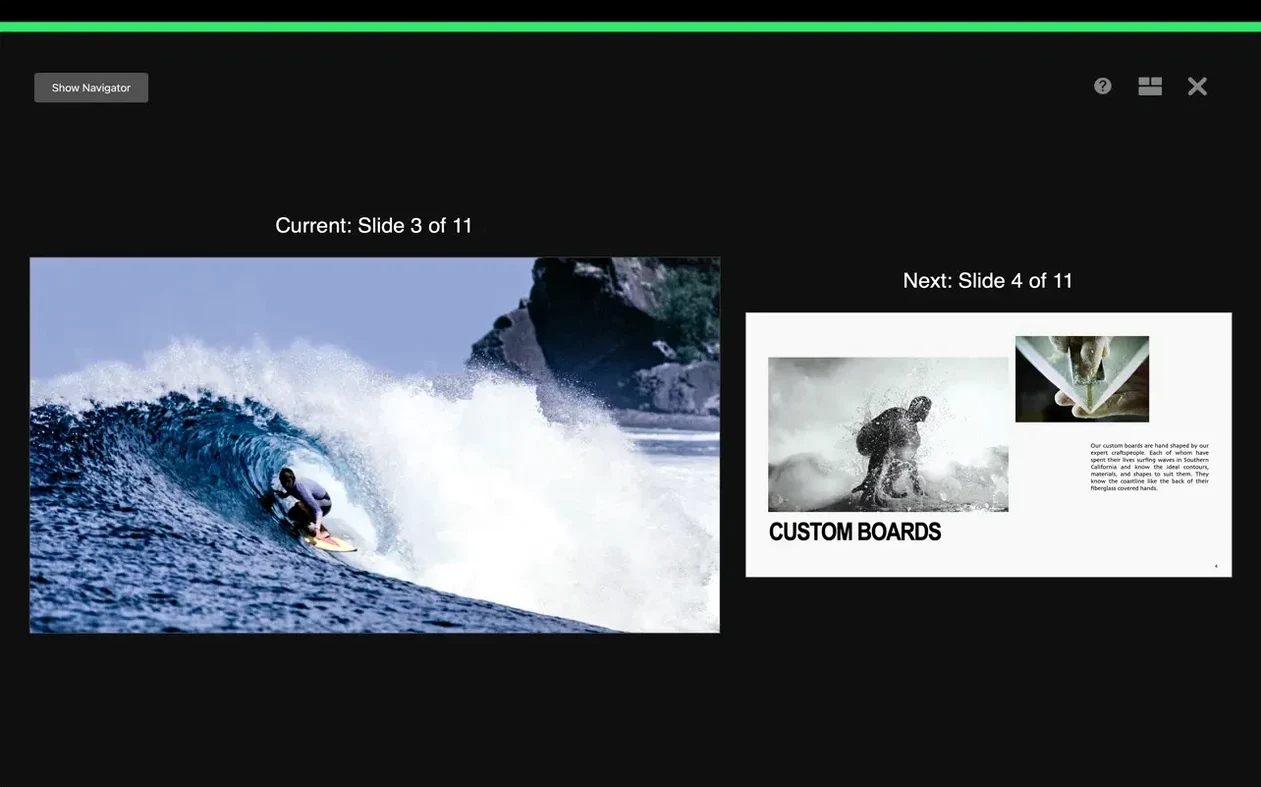
Presenter display — a customisable rehearsal view that shows current and next slides, notes, and a timer; you arrange what you need, where you need it.
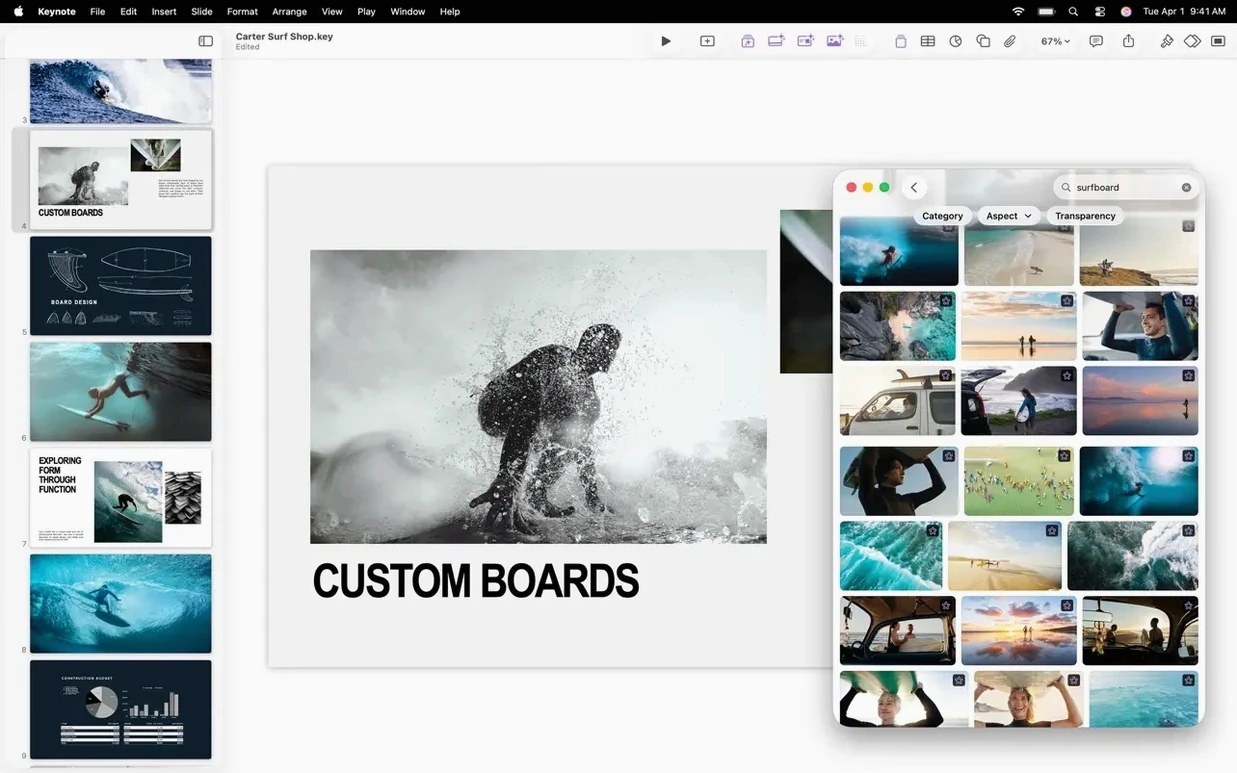
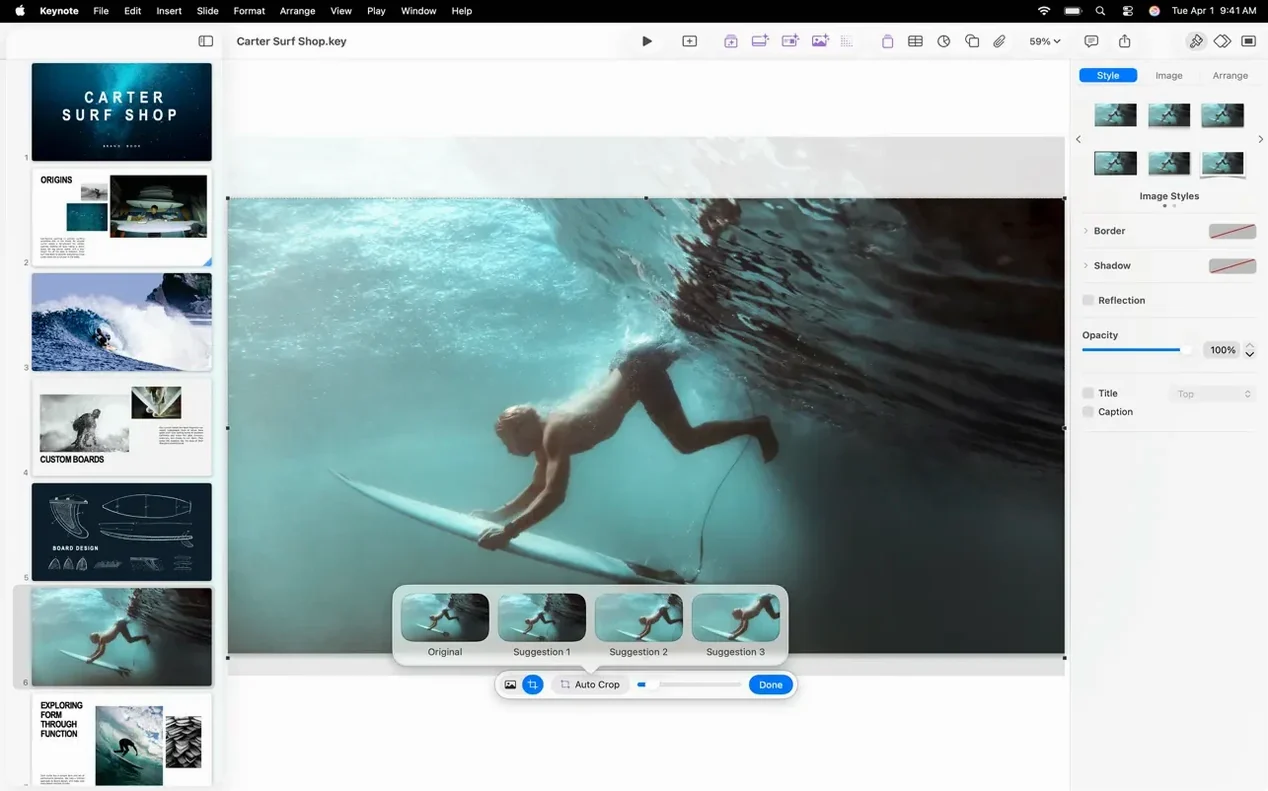
Content Hub — a panel for dropping in stock images and shapes; version 15.3.1 makes swapping images already on a slide quicker.
Export engine — pushes a deck out to PowerPoint, PDF, HTML, a self-playing movie file, or a folder of images; useful when the recipient does not have Keynote.
PowerPoint import — pulls in .pptx files and lets you edit them, which saves rebuilding a deck handed to you by a colleague.
iCloud sharing — publish a link or limit access to named users; changes sync and appear in real time when you edit on another Mac or iPad.
Sits alongside Pages and Numbers
Keynote is part of the iWork trio, so sharing data between them is straightforward. Copy a table from Pages or a chart from Numbers and paste it straight onto a slide — formatting usually survives the trip. For school business, that means you can drop a term’s budget breakdown from a Numbers spreadsheet into a presentation without re-entering numbers. The same paste-and-forget approach works for text from almost any Mac app.
Imports reliably from PowerPoint
PowerPoint for Mac handles the same job but feels heavier if all you want is a clean slide deck quickly. Import and export between the two is reliable enough that you can start a file in Keynote, finish in PowerPoint and back again. The trade-off is that PowerPoint’s online collaboration is tighter if everyone on the team is on Office 365.
Google Slides is the lightweight option — nothing to install, free for schools, and fine for basic decks. It lacks the cinematic transitions Keynote has, and the presenter display is nowhere near as configurable. For a one-off staff meeting briefing, it works. For a polished assembly presentation with timed builds and background removal on a photo, Keynote covers more ground.
OpenOffice Impress is available for schools on a tight budget. It opens basic .pptx files and has enough tools for simple slides, but the animation set is small and you miss Magic Move entirely. It is a fallback, not a daily driver.
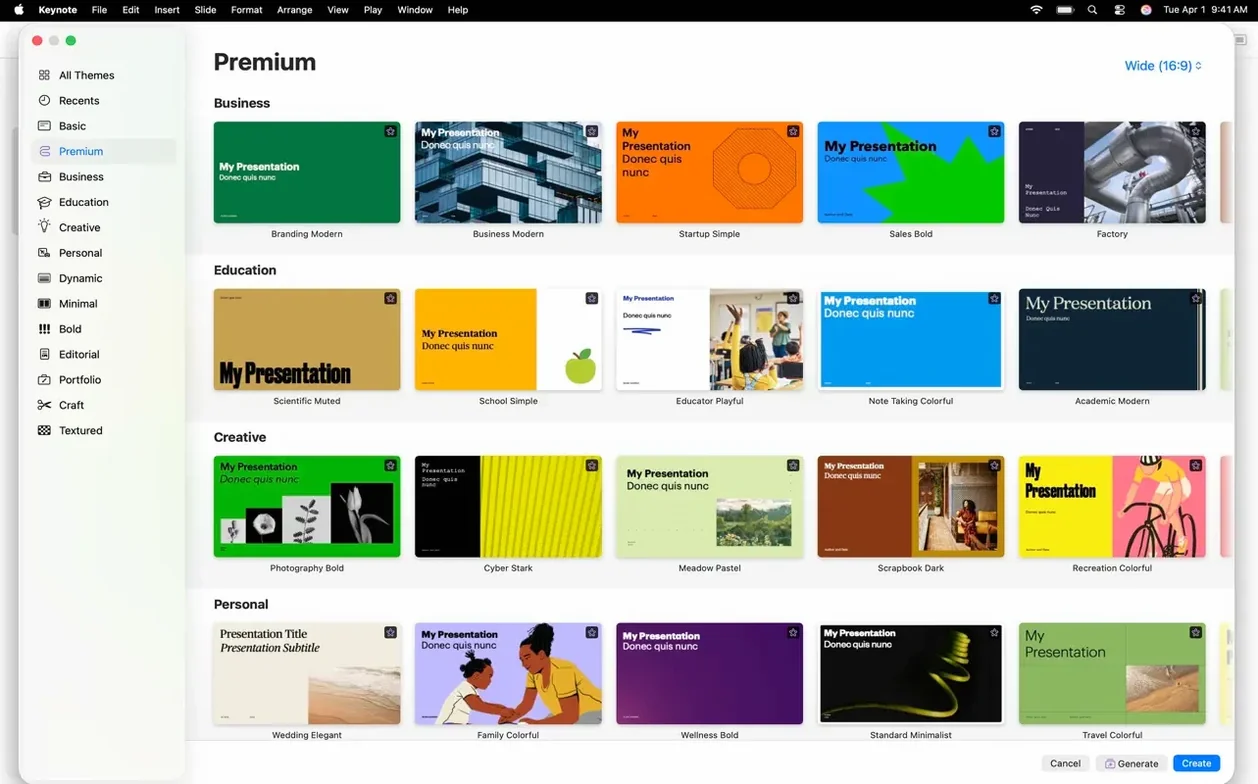
Opens a new presentation from an Apple theme
I open a new presentation from one of Apple’s themes. The inspector panel on the right shows slide properties and the Content Hub is collapsed until I need it. I paste in a logo, then drag a few placeholder images from a folder onto the slides — the new image-replace trick in 15.3.1 lets me click an existing picture and swap it from the Content Hub without losing the positioning.
I have a bullet list that I want to reveal point by point. I select the text box, apply a character blur build from the fresh set in this version, and tweak the timing so each bullet fades in over half a second. The radial wipe transition between two section slides feels less jarring than a plain fade when the topic changes.
I switch to the presenter display and arrange the notes panel on the right, the current slide large in the centre, and the next slide thumbnail below it. A quick lap through the deck with the timer running shows the whole thing runs just under my slot. I export a PDF for the headteacher who prefers paper handouts and save the native file to iCloud so the deputy can add a slide from an iPad later.
- Bug fixes and performance improvements.
- New slide transitions and builds: shift, radial wipe, and character blur.
- Quicker image replacement via the Content Hub.
- macOS 15.6 or later
- Intel or Apple Silicon Mac
Questions people ask
Can Keynote work with Microsoft PowerPoint files?
Yes. It imports and edits PowerPoint presentations and can export slides to the .pptx format for colleagues who use Office.
What are the system requirements for Keynote 15.3.1?
It requires macOS 15.6 or later and runs on both Intel-based Macs and those with Apple Silicon.
Staffroom comments 0
Sign in or create an account here to leave a comment.
Nobody has commented on this one yet.
Other Mac Apps tools
All Mac Apps tools-
 Artlantis
9.5.2Intel Macs only
370 MB
Mac Apps
-
 AI Transcription
2.16
5.1 GB
Mac Apps
-
 Affinity Designer
2.6.5
779 MB
Mac Apps
-
 Adobe XD
59.0.12
2.6 GB
Mac Apps
-
 Adobe Substance 3D Painter
12.1.5
3 GB
Mac Apps
-
 Audiobook Builder
2.2.9
25 MB
Mac Apps
-
 Adobe Premiere Rush
1.5.62Intel Macs only
1.6 GB
Mac Apps
-
 Adobe Premiere Pro
26.5.2
4.1 GB
Mac Apps