Audiobook Builder 2.2.9 (macOS)
- Version
- 2.2.9
- Size
- 25 MB
- Earliest macOS
- OS X 10.11 or later
- CPU type
- Universal
- Updated
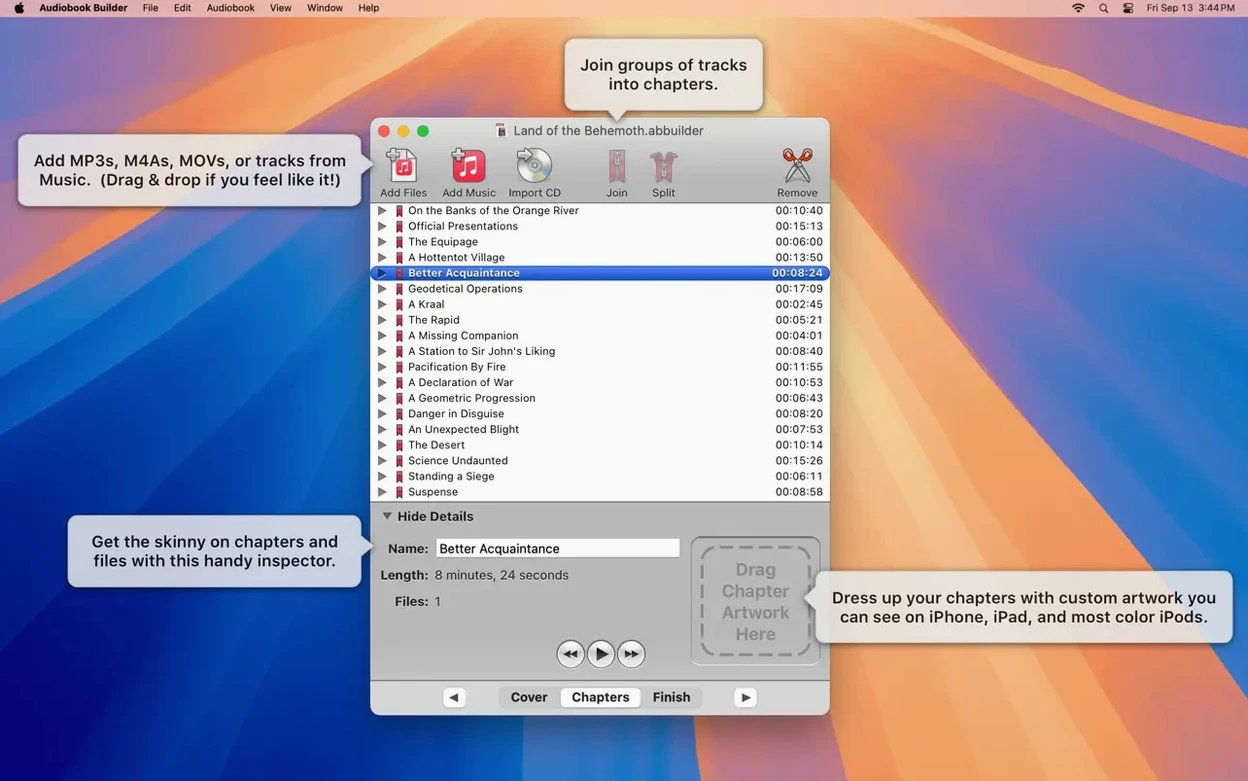
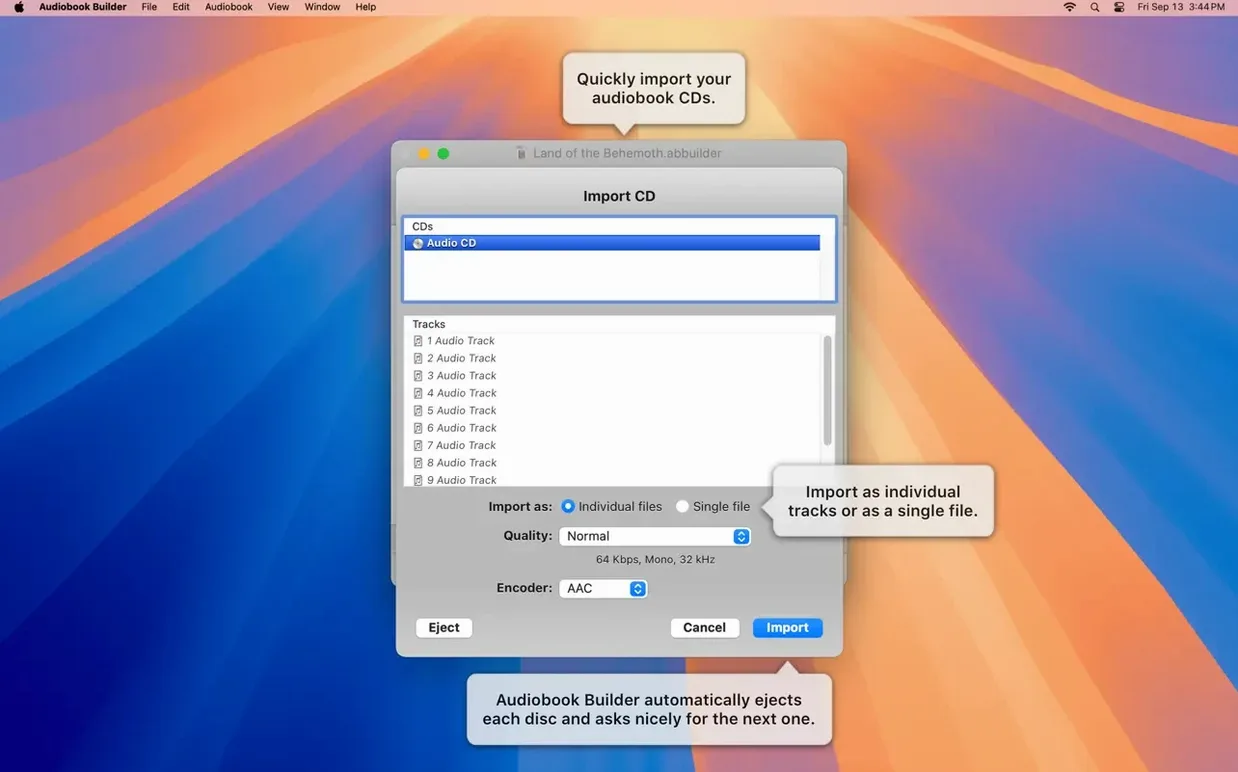
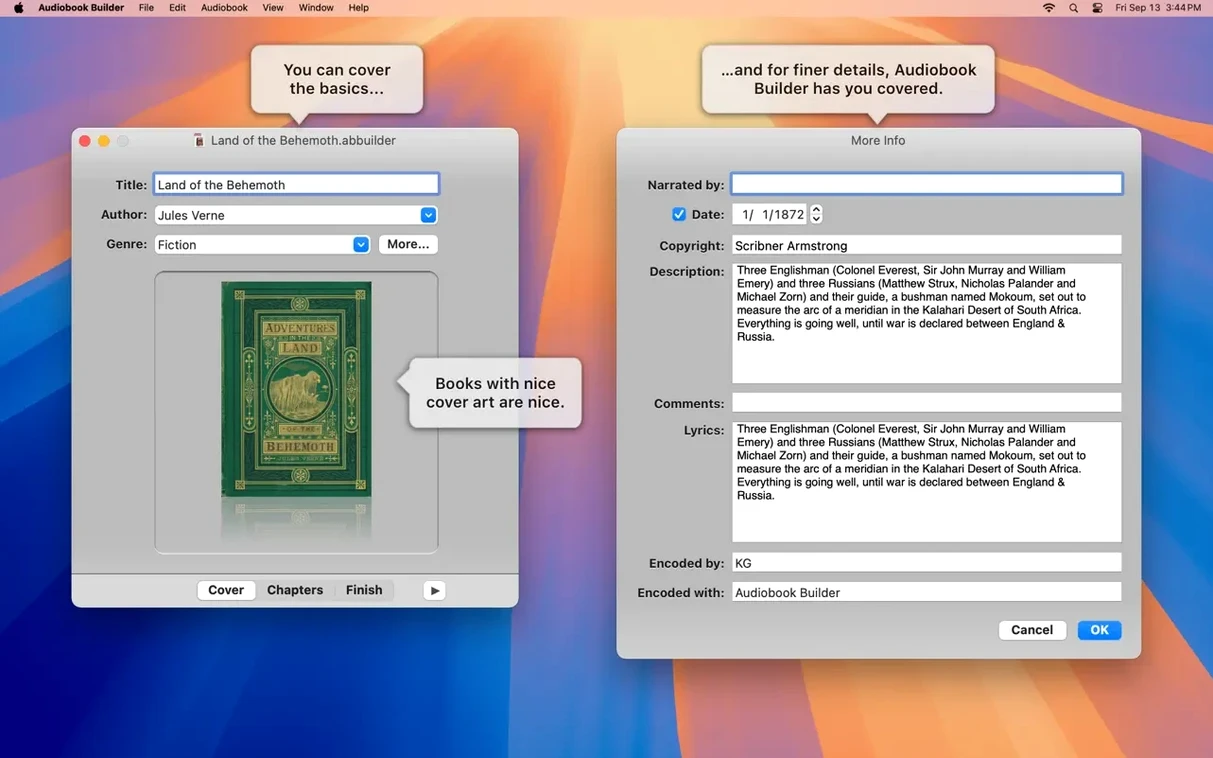
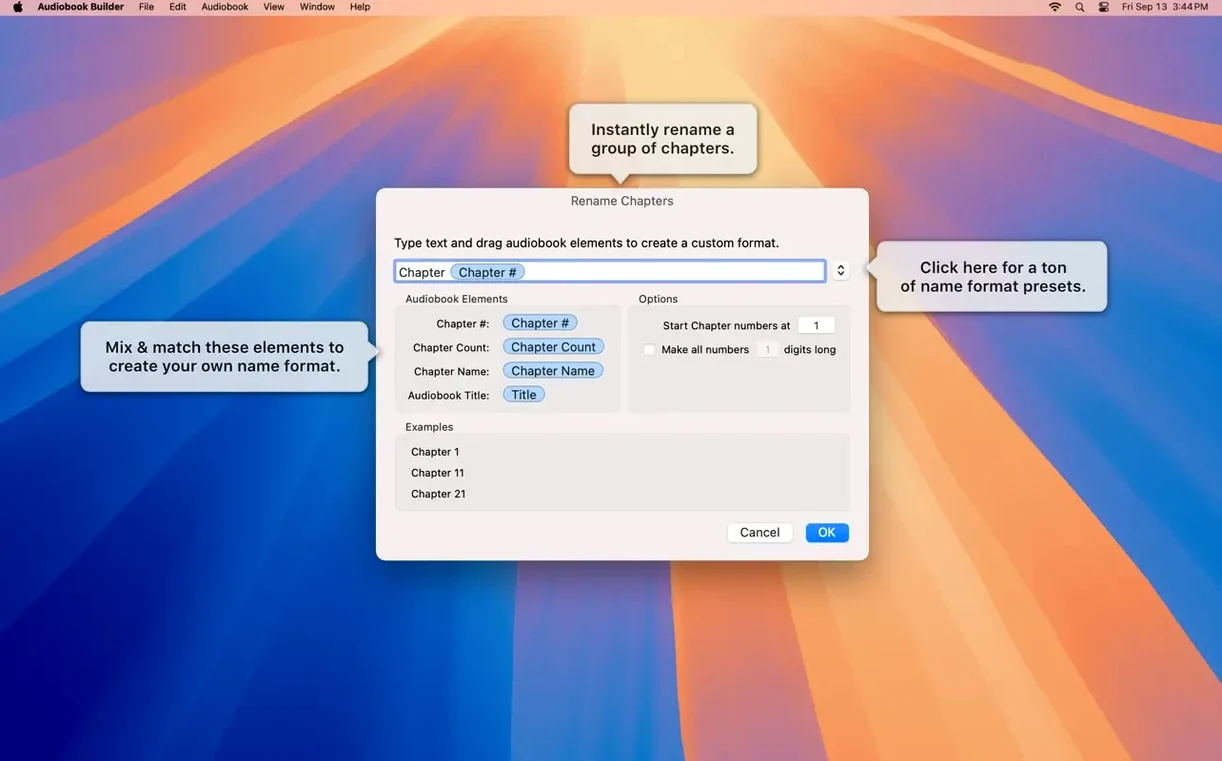
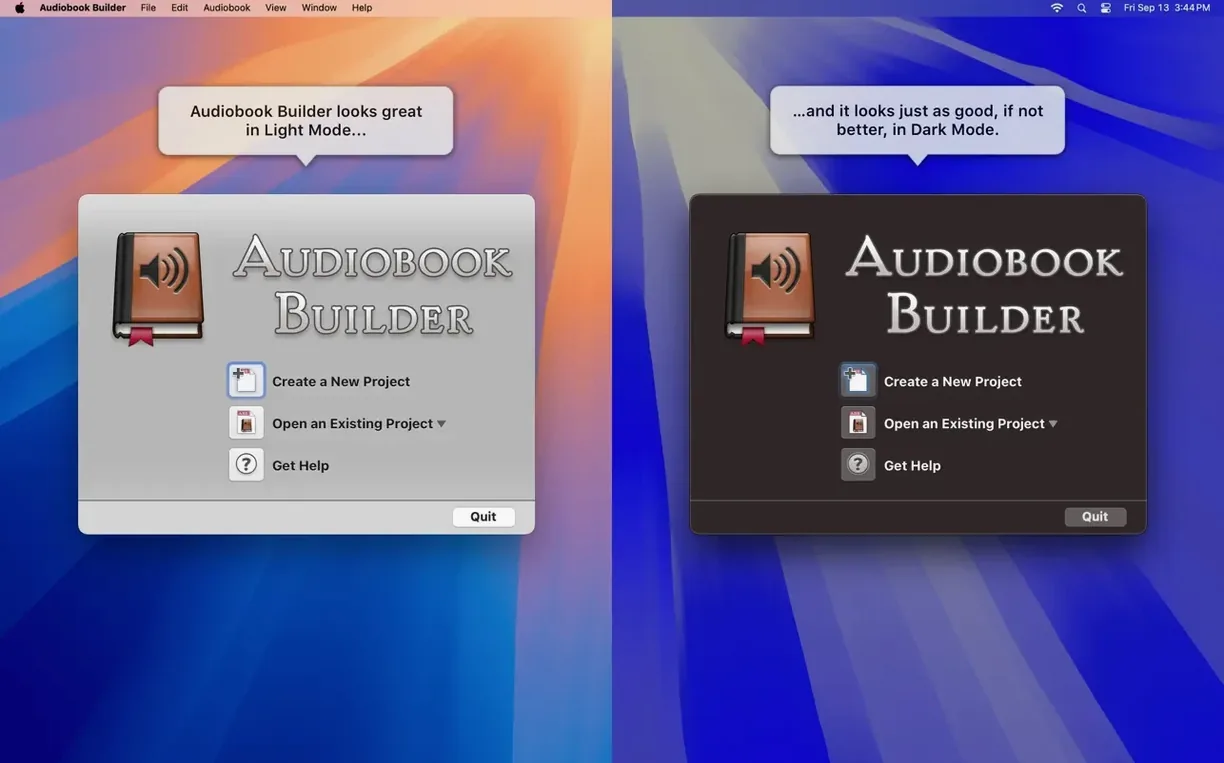
The Join feature is where most of the heavy lifting happens. You feed Audiobook Builder a stack of MP3s or a ripped CD, and the app stitches them into a single m4b file your Books app understands. No more scrolling past 47 untitled tracks from a single novel.
One job, end to end
- Drag in a folder of audio files — the app reads track order from filenames.
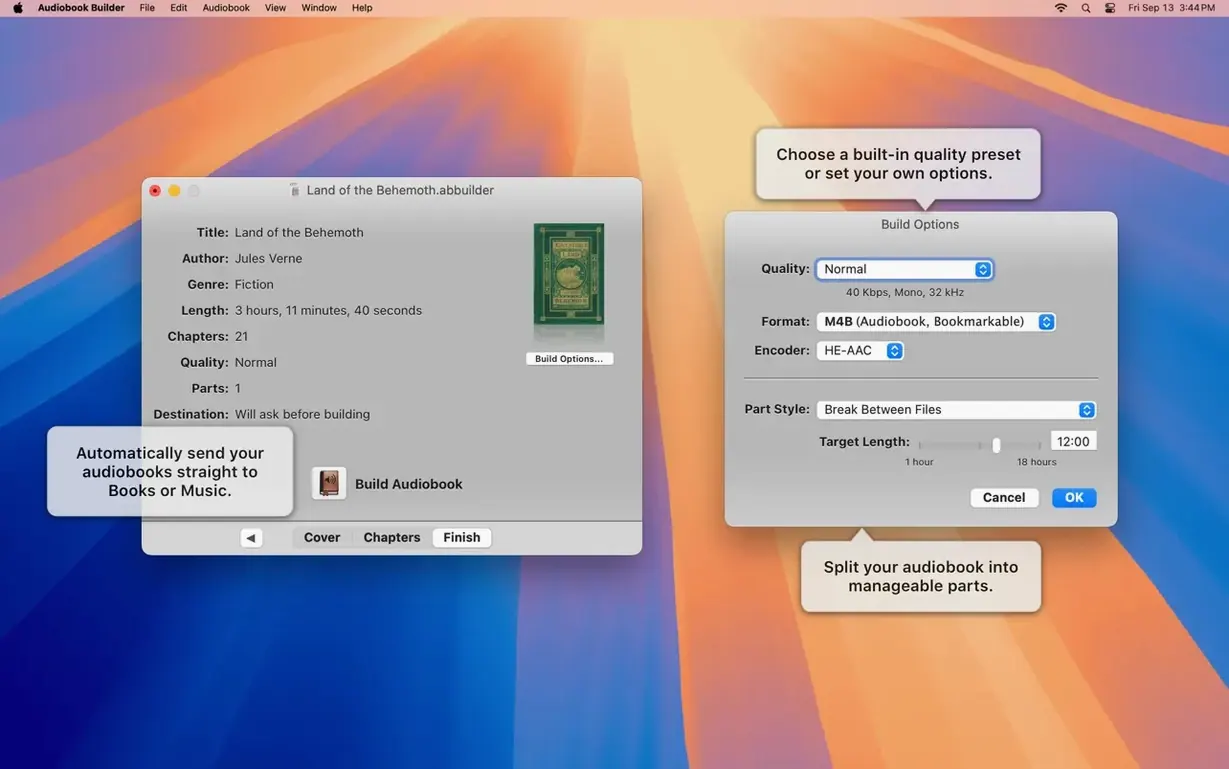
- Fill in the book title and author. Paste or drag cover art into the square.
- Pick a quality preset. Spoken word at 64 kbps mono saves space; higher rates suit music-heavy productions.
- Set chapter stops manually or let the app split by file. You can attach a different image to each chapter.
- Hit Build. The app hands you a single audiobook file, ready for an iPhone or iPad.
What you get control over
Chapter images stay embedded. The Description tag writes properly to classic iPods again in version 2.2.9. WAVE files with MP3 data no longer throw false “no audio” errors. The interface runs in English, German, Spanish, Portuguese, Swedish or Russian, and the whole thing still opens on an old El Capitan machine as easily as on a Mac running Sequoia.
When you run a small library for someone else
A volunteer at a talking-book charity rips CDs of short stories every month for a handful of members who still use iPods. Before Audiobook Builder, each story arrived as a folder of ten or twelve separate tracks. The volunteer now drags each folder in, sets the author and a single cover image, and builds one file per story. Chapter stops let listeners skip between stories without fumbling through untitled tracks.
Fills the gap iTunes left for audiobook handling
Audiobook Builder fills the gap iTunes left when it stopped handling audiobooks naturally. You can use the free mp3tag or Kid3 to clean up metadata before dragging files in, and the app respects the track order those tools set. Finished audiobooks land inside Apple Books or Music depending on your macOS version, so they sync to an iPad or phone over USB or WiFi with no extra steps. Cover art comes from a folder of Amazon images or from a quick screenshot of the book jacket — any JPEG or PNG you have works.
Building a language-learning collection
One user I know works through French audio courses. Each lesson comes as ten or twelve short MP3s — drills, dialogues, vocabulary lists. Rather than queue them individually in iTunes every time, they pull the whole lesson into Audiobook Builder, name it by course and chapter, and output a single m4b. Chapter images show the lesson number, so on an iPod classic the screen tells you which drill is playing without digging through menus.
Pairing with Finder and iTunes
The app reads any folder you drop in, so you can keep your source files organised by author in Finder and never need to move them. Finished books land in the Books or Music library automatically, matching whatever sync setup you already use. If you prefer manual transfers, the output folder is easy to reach for dragging onto a device. The app doesn't force its own library — your audiobook stays in the same place as your other media.
- Ready for macOS 15 Sequoia.
- Cover and chapter artwork fixed on macOS 13 Ventura.
- WAVE files containing MP3 audio data no longer trigger false “no audio in file” errors.
- Error reporting glitch corrected on Macs running pre-11.3 systems.
- Description tag restored for some classic iPods.
- macOS 10.11 El Capitan or later
- 64-bit Intel or Apple Silicon processor
Staffroom comments 0
Sign in or create an account here to leave a comment.
Nobody has commented on this one yet.
Other Mac Apps tools
All Mac Apps tools-
 Binary Ninja
6.0.10601
584 MB
Mac Apps
-
 Artlantis
9.5.2Intel Macs only
370 MB
Mac Apps
-
 Bitwig Studio
6.1
592 MB
Mac Apps
-
 Apple Keynote
15.3.1
356 MB
Mac Apps
-
 BricsCAD
24.2.04Intel Macs only
1.1 GB
Mac Apps
-
 CapCut
9.3.0
1.1 GB
Mac Apps
-
 Capture One
16.9.0
1.2 GB
Mac Apps
-
 AI Transcription
2.16
5.1 GB
Mac Apps