
Binary Ninja 6.0.10601 (macOS)
One download for Apple Silicon and Intel. Opens the install steps and mirrors.
- Version
- 6.0.10601
- Size
- 584 MB
- Earliest macOS
- 10.15 or later
- CPU type
- Universal
- Updated
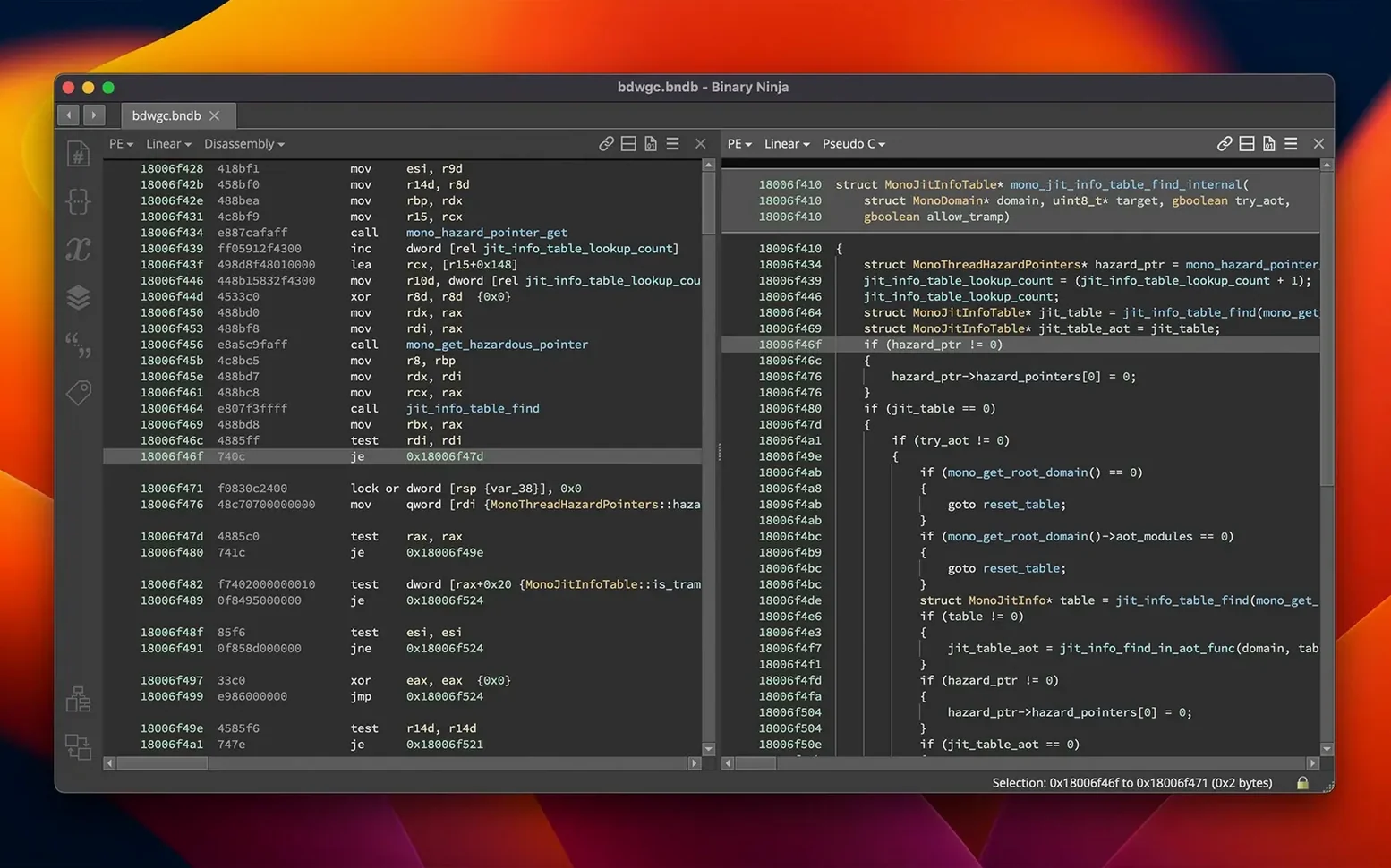
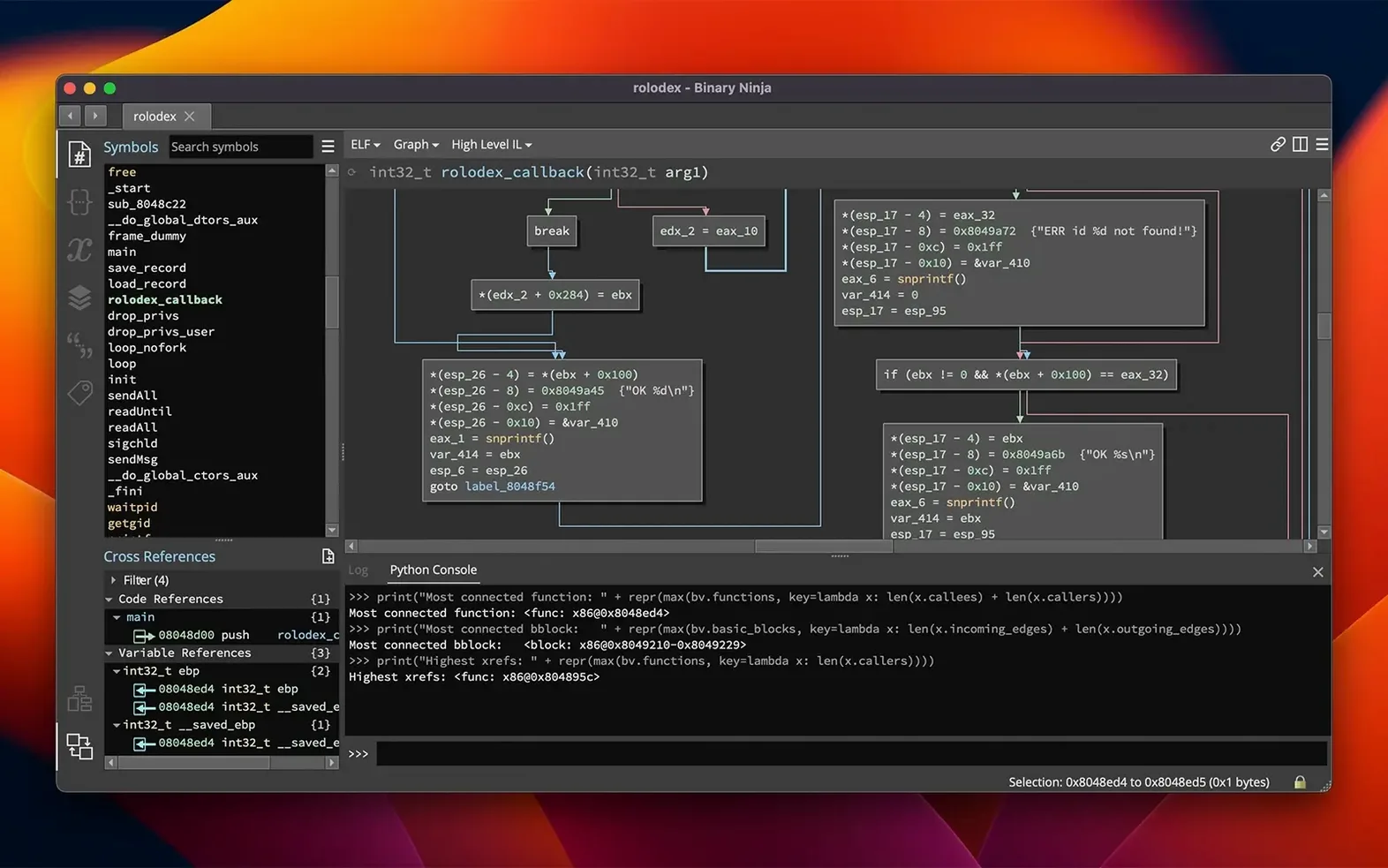
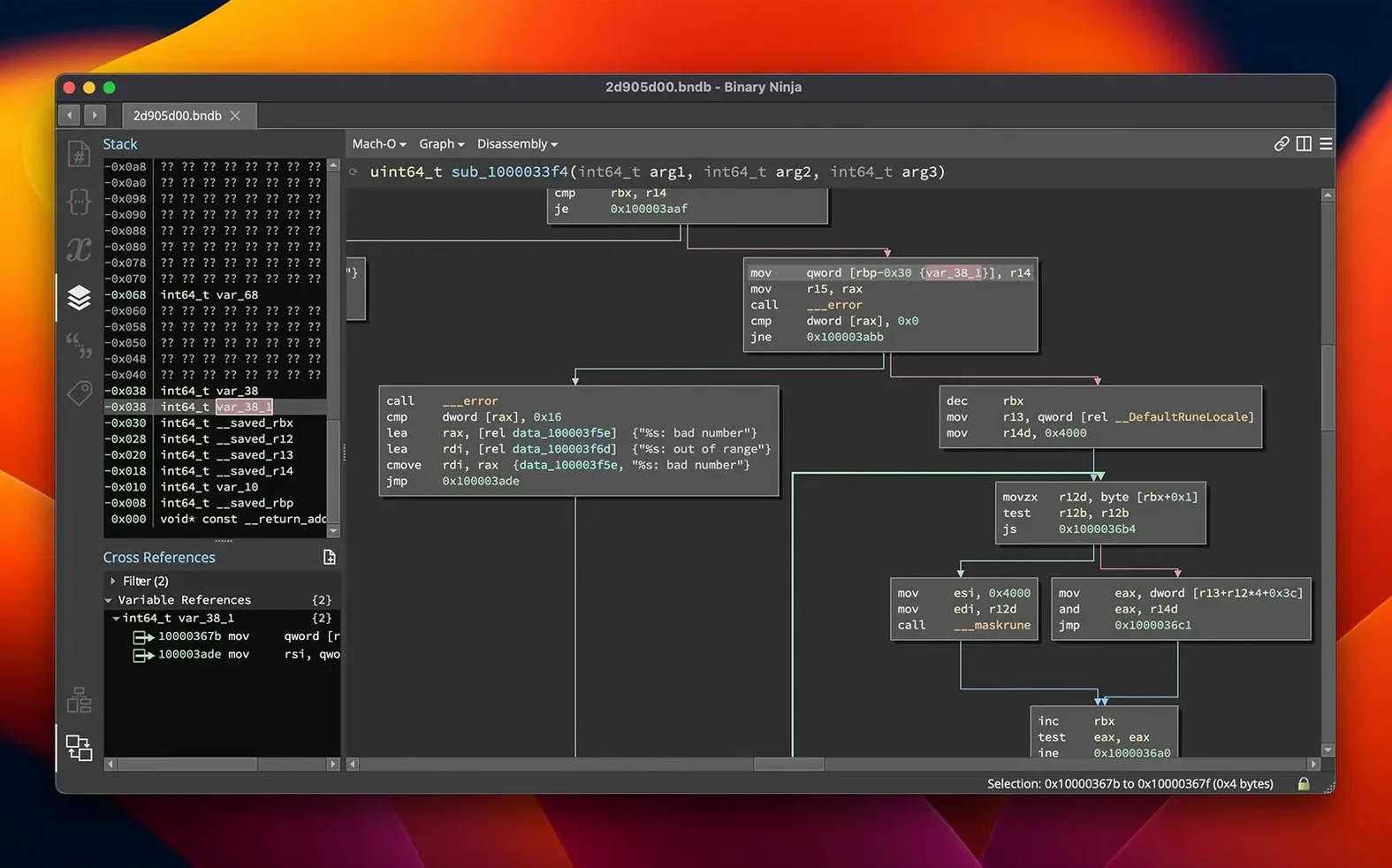
The linear sweep disassembler is where you start. Open any binary and the default view already shows instructions, hex bytes and control-flow arrows. Before you touch a decompiler or rename a function, watch how the graph tracks basic blocks. Single-click a branch and the cross-reference pane updates faster than most tools on Apple Silicon.
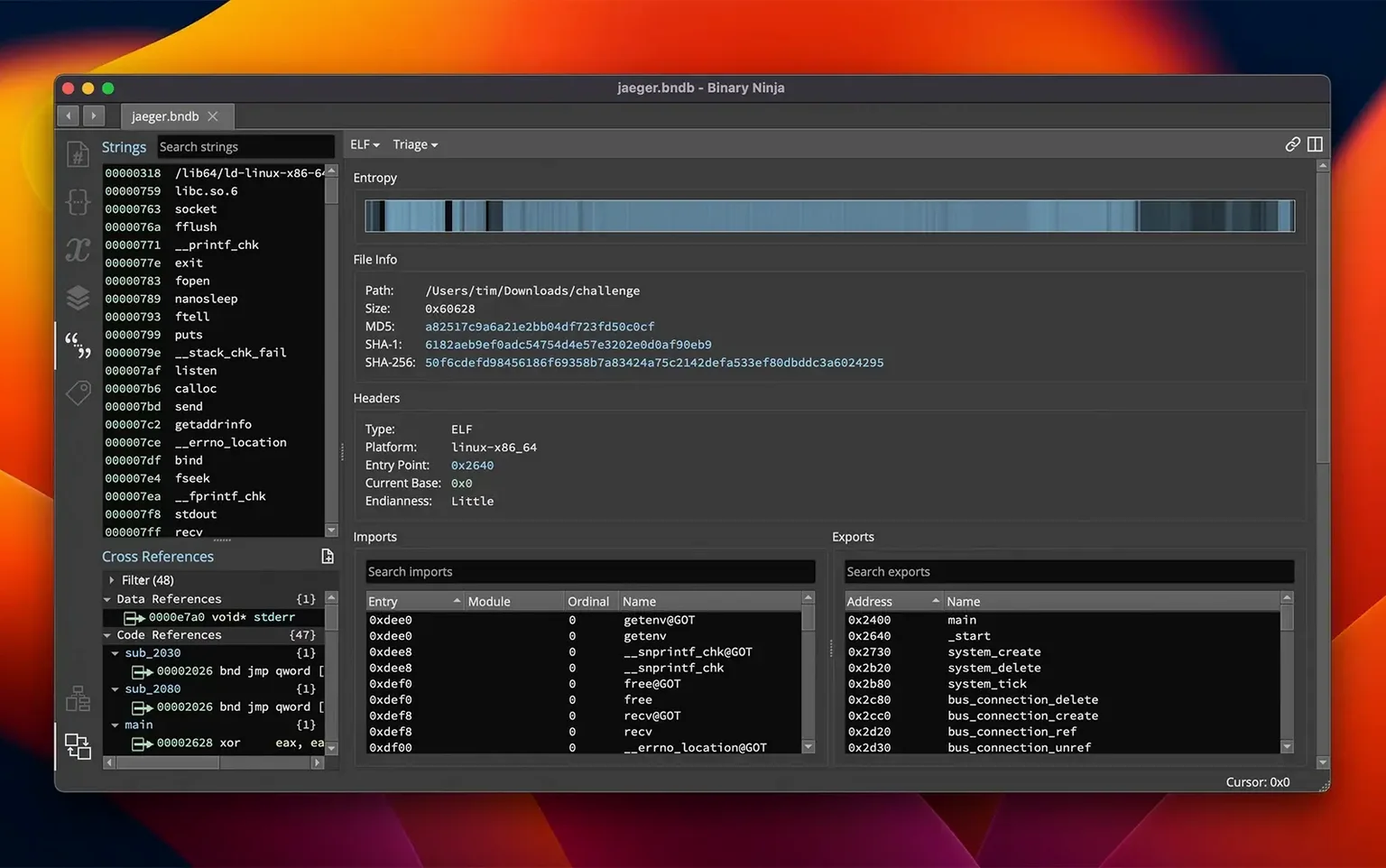
Entropy graph and variable renaming on first use
- Entropy graph — open it from the sidebar. High-entropy spikes point straight to packed or encrypted sections, no guessing.
- Variable renaming and type application — double-click a local, give it a name, then press
Yon it and pick a type. The decompiler output tightens immediately. - Extension Manager — version 6.0 replaced the old plugin manager. Grab the Sourcetrail connector or a MCP server plugin and you have batch analysis scripting in minutes.
Why the BNIL decompilation matters early
Newcomers often jump straight to C output. Binary Ninja’s intermediate language view sits one level below that. Switch to BNIL, even just for a single function, and you see what the platform actually reasons about — no syntax sugar, just the raw lifted representation. It makes the cross-architecture support (x86-64, ARM, the new TMS320C6x in 6.0) feel like one consistent language.
Malware analysts patching obfuscated PEs in graph view
Malware analysts spend their days picking apart obfuscated Windows PE files that hit the SOC inbox. Binary Ninja lets them rename variables on the fly, patch out C2 checks in assembly, and re-export the binary without leaving the graph view. Vulnerability researchers working 0-days in Linux ELF binaries lean on the cross-reference navigation and the SCC compiler for surgical patches. Software developers auditing third-party libraries get the batch-processing pipeline and headless mode, so they can script analysis of an entire firmware directory overnight.
A session from file open to patch
Monday afternoon, you drop a suspicious Mach-O into the window. The disassembler populates the graph immediately — no extra clicks. You spot a spike in the entropy graph around offset 0x4000; that is a packed section. You select the block, press Y to apply a guessed type, rename the local to decoded_buffer, then switch the function view to BNIL. The real instruction flow is visible now, not the obfuscator’s noise.
You trace a cross-reference through three basic blocks and find the decryption loop. You open the hex editor, patch the jump condition with two bytes, then compile a short C snippet in the SCC compiler to replace the whole function. The binary is fixed. You export it, note the patch offset, and close the project. Total time is shorter than a second coffee run.
Where each user type gets value
Malware analysts working packed Windows PE samples save time with the entropy graph. No need to run third-party unpackers first — Binary Ninja highlights encrypted sections immediately. Vulnerability researchers working on Linux ELF binaries lean on cross-reference navigation and the SCC compiler for surgical patches. Software developers auditing third-party libraries benefit from headless batch processing; point it at a firmware directory and let it run overnight.
Drag a Mach-O into graph view and find packed sections instantly
Morning shift. You drag a Mach-O into Binary Ninja. The graph view populates before you lift your hand from the mouse. The entropy graph shows a spike at 0x4000 — packed section. You select the block, rename the local to decoded_buffer, switch to BNIL, and see the real instruction flow under the obfuscator’s noise. You follow a cross-reference through three basic blocks, find a decryption loop, open the hex editor, patch two bytes, compile a short C snippet in the SCC compiler, replace the function, export the fixed binary, and close the project.
- New MCP server and Binary Similarity feature.
- Plugin Manager redesigned as Extension Manager.
- TMS320C6x architecture support added.
- macOS 10.15 or later
- Apple Silicon or Intel 64-bit
Staffroom comments 0
Sign in or create an account here to leave a comment.
Nobody has commented on this one yet.
Other Mac Apps tools
All Mac Apps tools-
 Bitwig Studio
6.1
592 MB
Mac Apps
-
 BricsCAD
24.2.04Intel Macs only
1.1 GB
Mac Apps
-
 Audiobook Builder
2.2.9
25 MB
Mac Apps
-
 CapCut
9.3.0
1.1 GB
Mac Apps
-
 Capture One
16.9.0
1.2 GB
Mac Apps
-
 Clip Studio Paint
4.1.4
403 MB
Mac Apps
-
 Cockos REAPER
7.4.8
57 MB
Mac Apps
-
 Artlantis
9.5.2Intel Macs only
370 MB
Mac Apps