Nook X 2026.10.24 (macOS)
- Version
- 2026.10.24
- Size
- 36 MB
- Earliest macOS
- 13 or later
- CPU type
- Universal
- Updated


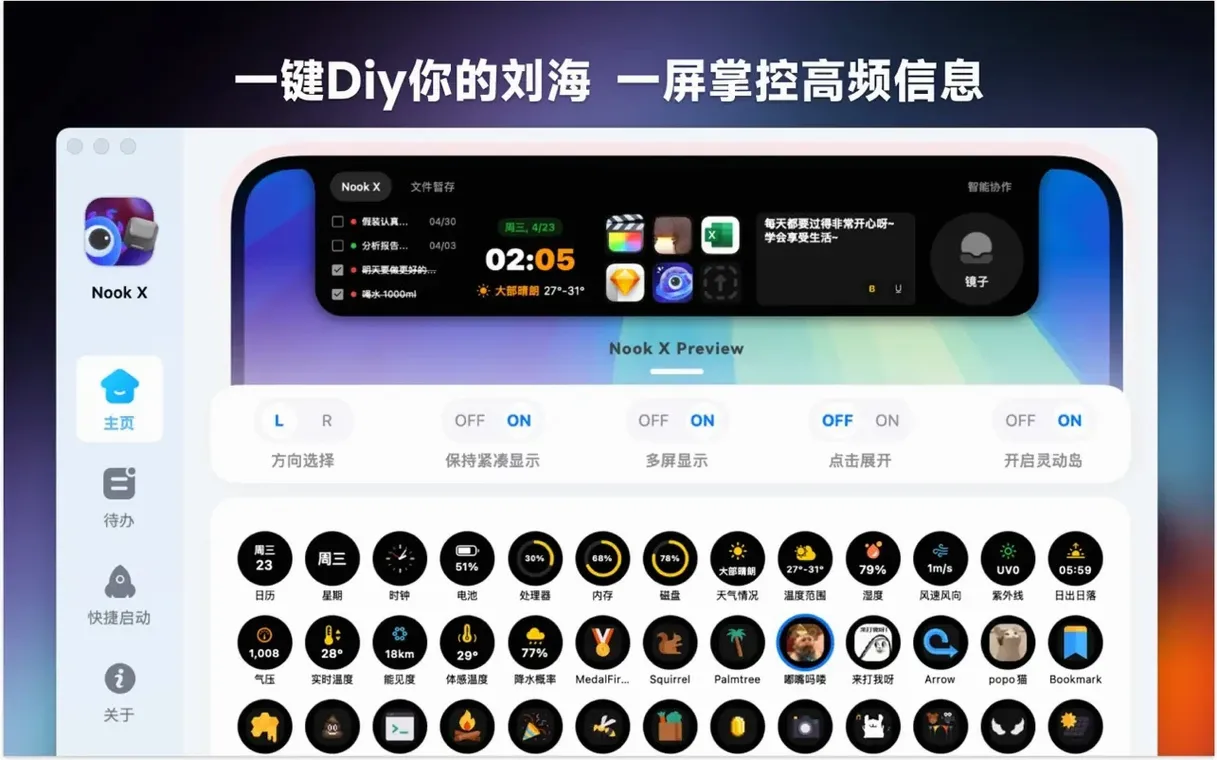
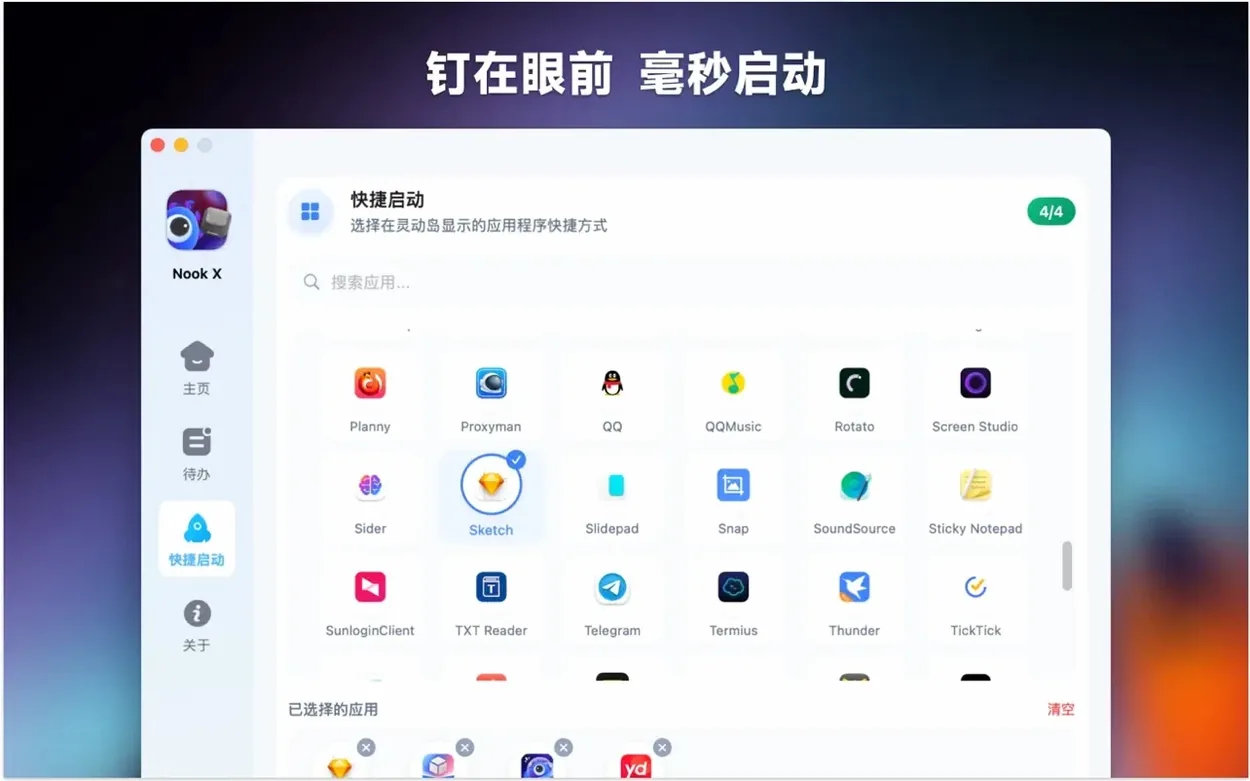
For MacBook users who keep many windows open
The people who reach for Nook X regularly tend to share a few habits. They work on a MacBook, they keep a handful of windows open at once, and they'd rather not fire up a separate app for every little thing.
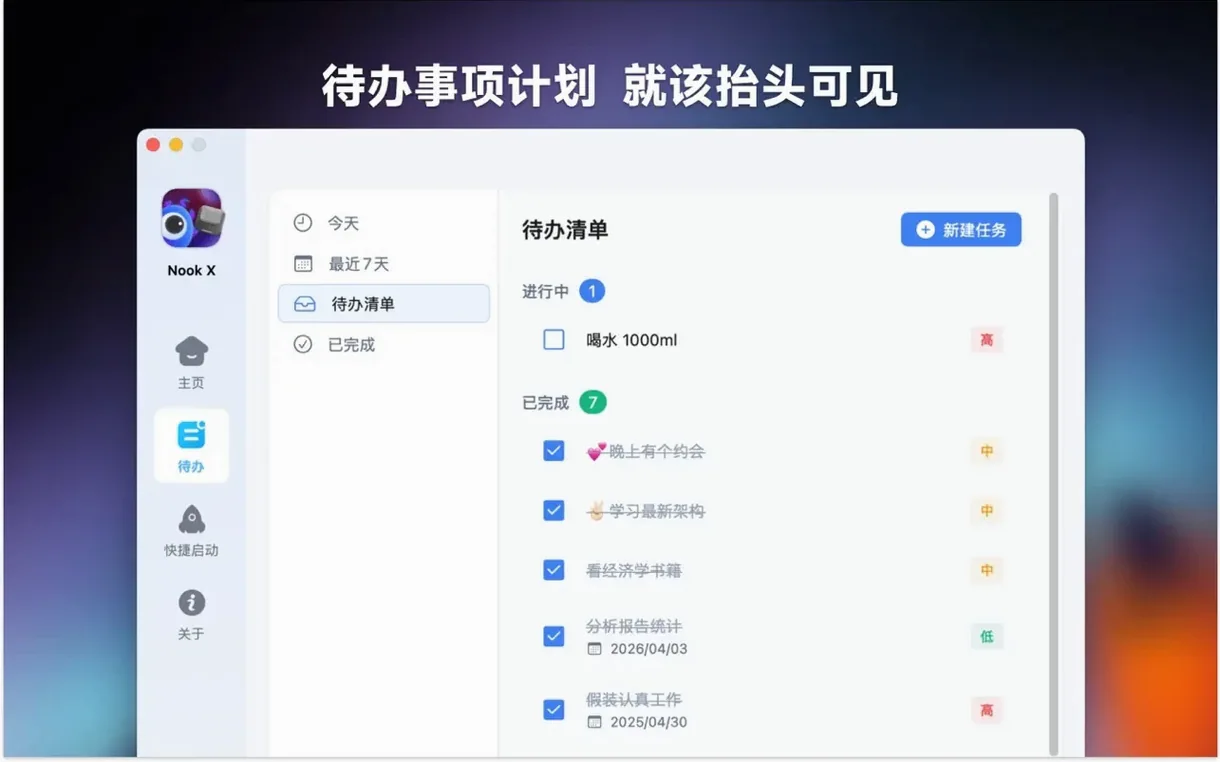
Task-oriented users — anyone who lives by to-do lists and quick reminders. Teachers, project leads, freelance editors. They set a priority level, attach a reminder, and the notch holds the list until they finish it. No need to tab out to a full-screen manager.
Music listeners who follow lyrics — the karaoke-style display matters more than you'd think. People learning a language, or just wanting to sing along, get the words in sync without hunting for a lyrics site. The search-by-lyric feature saves time when a song title escapes you.
Chat-at-your-desk users — the AI assistant handles quick questions, translation, or idea generation without opening a browser. Voice input makes it useful when your hands are busy: typing up notes, eating lunch, or holding a phone. The chat-to-task conversion means a brainstorm session turns into an ordered list without retyping.
It also works for anyone who likes the notch to earn its keep. On a MacBook the notch is a static black bar. Nook X turns it into a control strip without eating screen real estate.
Expects single-track playback, not a full library
New users often expect Nook X to be a full media player. It plays audio files and shows lyrics, but it is not iTunes or VLC. Stick to one track at a time; building a queue or managing a library is not what it does.
Another slip-up: forgetting to set a reminder. The task list stores items, but without a reminder they sit there silently. If you need a nudge, set the reminder at creation time.
People also treat the AI chat like a finished document. Chat sessions are ephemeral unless you convert them into tasks. If the AI gives you a good idea, use the task-from-chat feature before you close the window.
Voice input works best in a quiet room. In a busy classroom or open-plan office, typing or pasting is more reliable. The microphone picks up background noise, so don't expect perfect dictation in a café.
Finally: the notch tools only work on a Mac with a notch. On an external monitor or an older MacBook without one, the utility icons sit in a slim bar instead. The layout changes, but the functions remain.
Handles quick tasks your main apps are too heavy for
Nook X lives in the notch, so it does not replace your main calendar, email client, or project management tool. It handles the quick jobs those apps are too heavy for. A task here is a note with a reminder, not a full Gantt chart.
It complements Alfred, Raycast, or other launchers. Those tools open apps and run commands. Nook X stays visible and handles a narrower set of tasks: music, lyrics, chat, quick to-dos. They do not overlap much.
On the macOS side, the app respects system audio output. It uses whatever playback device you have set in System Settings. It does not mess with your Audio Midi setup or Bluetooth headphones pairing. If your system plays sound, Nook X plays through it.
Notifications for reminders come through the standard macOS notification system. They appear in the same place as Calendar alerts or Messages pings. You do not get a second notification centre to manage.
For music files, the built-in player handles common formats. It is not a tag editor. For that you still need MusicBrainz Picard or MP3tag. Nook X reads the file and plays it. That is all.
The AI assistant works alongside whatever browser or chat service you already use. It is not trying to replace ChatGPT or Claude in your workflow. It is there for the quick, low-stakes queries that do not need a full session.
No “what's new” for 2026.10.24. The release line gave nothing I could check, and I will not stretch it into a changelog.
- macOS 13 or later
- Apple Silicon or Intel 64-bit
Questions people ask
Does Nook X work on Apple Silicon Macs?
Yes, it supports both Apple Silicon and Intel 64-bit Macs.
What languages does Nook X support?
The interface is available in 13 languages including English, Simplified Chinese, Spanish, French, Japanese, and German.
Can I create tasks from the AI chat?
Yes, the AI chat can generate tasks that appear in the task management section.
Staffroom comments 0
Sign in or create an account here to leave a comment.
Nobody has commented on this one yet.
Other Utilities tools
All Utilities tools-
 One Switch
1.35.4
7 MB
Utilities
-
 Musify
5.3.0Intel Macs only
68 MB
Utilities
-
 Movavi Video Converter
22.5.0Intel Macs only
79 MB
Utilities
-
 MouseBoost Pro
5.3.0
17 MB
Utilities
-
 Parallels Desktop
27.0.3
186 MB
Utilities
-
 Mountain Duck
5.3.2
187 MB
Utilities
-
 PopClip
2026.8.1
7 MB
Utilities
-
 Presentify
8.2.1
6 MB
Utilities